



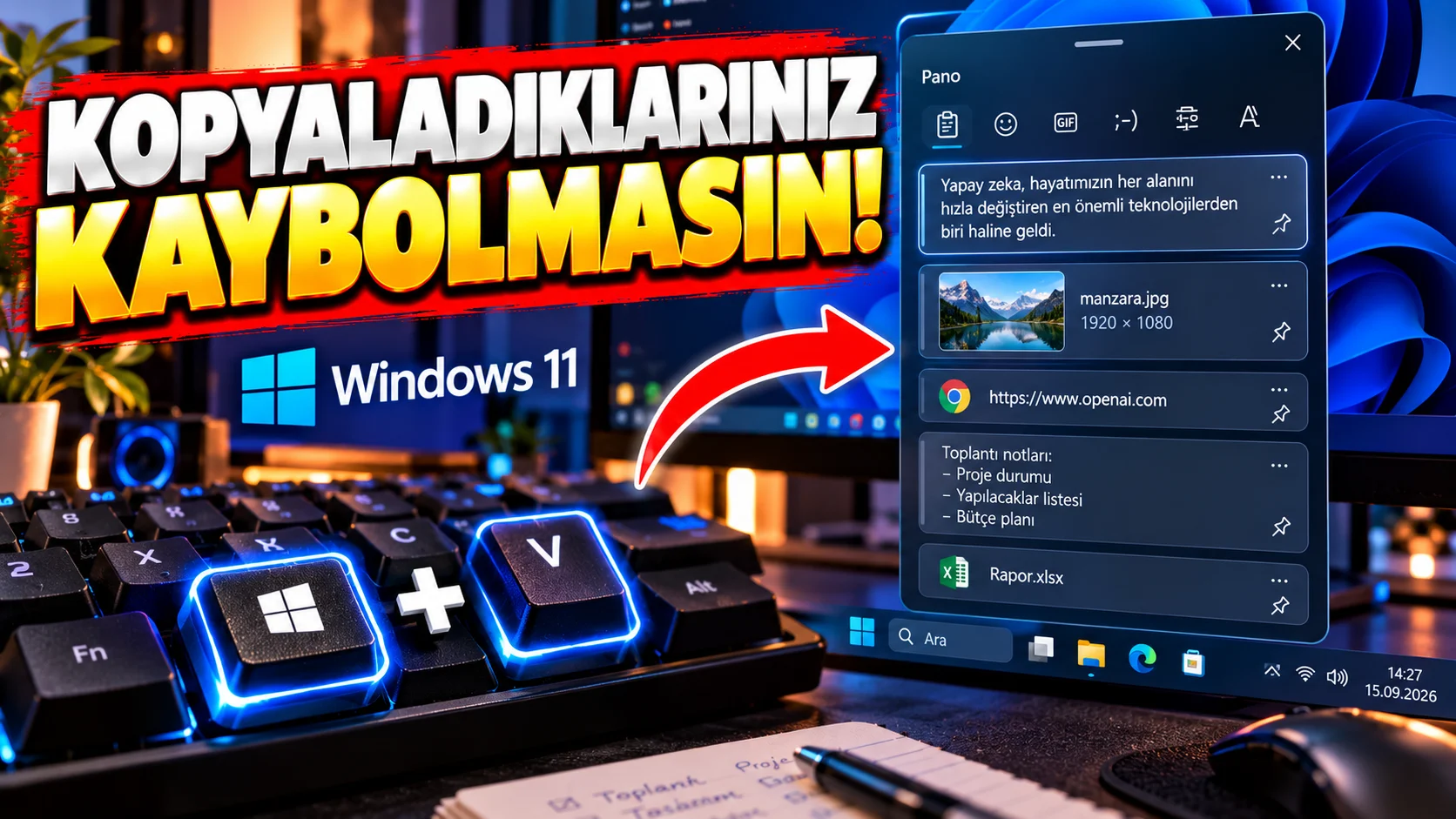
When you copy a text, link or image on the computer, most people think that it is just the last copied item. However, Clipboard History, you can regain access to multiple items you have previously copied.
Especially for those who frequently copy text, content producers, students and office workers, this feature can save serious time.
To open clipboard history, according to Microsoft's current support page Windows + V On first use, Windows prompts you to enable the feature.
How to open clipboard history in Windows?
- On your keyboard Windows key + V.
- If you are using it for the first time Turn on.
- From now on, the contents you copied will start to appear in the clipboard history.
- Repeat Windows + V, you can see the list of items you have previously copied.
- You can paste it again by clicking on the item you want to use.
How to pin an item in clipboard history?
If there is a text or information you use frequently, you can pin it.
- Windows + V.
- Enter the options next to the item you want to pin.
- Pin / Pin
Leave a Comment to Read the Rest of the Article
Did you find our content useful? We are curious about your thoughts on the subject.
- .
Pinned items can be preserved after a reboot, unlike the regular clipboard history.
How many items does the clipboard history store?
Microsoft's current documentation states that clipboard history Limited to 25 copied items. Older and unpinned items are removed from the list as new copies arrive. Also 4 MB has a size limit.
Can clipboard history be used on other computers?
Yes, you can use clipboard sync with your Microsoft account.
For this:
- Start > Settings section.
- System > Board.
- Clipboard history across your devices.
- Use the same Microsoft account on other Windows devices.
This makes it possible to synchronize clipboard items between devices.
How to clear clipboard history?
To clear:
- Windows + V.
- In the list Clear all.
Alternatively:
Settings > System > Clipboard > Clear clipboard data
. Pinned items may be protected from normal cleaning.
Who is this feature particularly useful for?
- Those who copy more than one information at the same time
- YouTube creators
- Text by
- Excel and Word users
- Coders
- Students doing research
- Office workers who constantly paste the same information in different places
In short: Windows + V is a very useful feature that has been in Windows for years, but many people are not aware of it.



No comments yet. Be the first to comment!
Leave a Comment