Organize Windows on Mac Without Fumbling with the Mouse: New Window Tiling Shortcuts
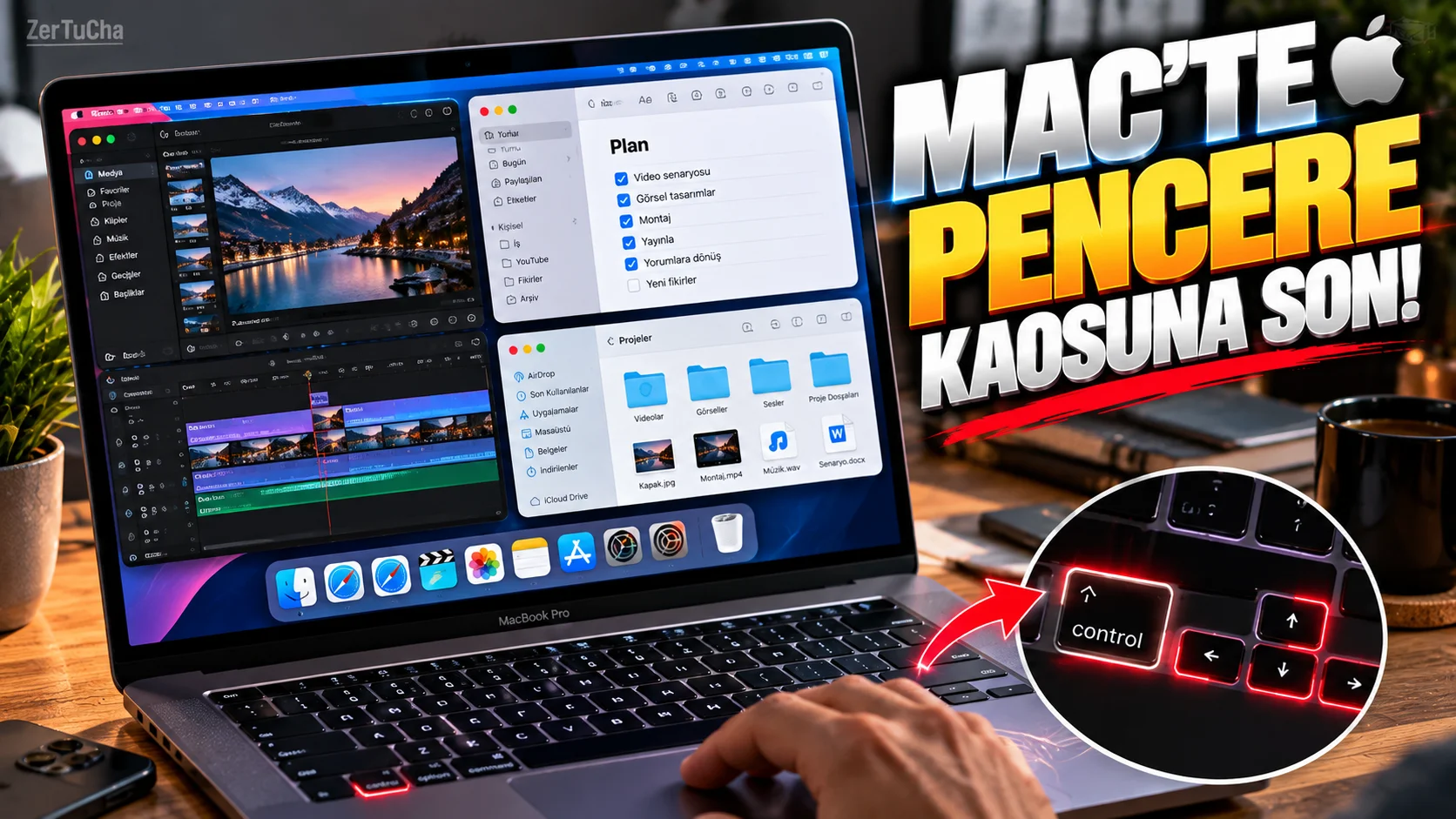
Mac'te aynı anda iki veya üç uygulamayla çalışıyorsanız pencereleri sürekli fareyle sürüklemek zaman kaybettirebilir.
Apple'ın güncel macOS belgelerinde pencere döşeme için yeni düzenler ve klavye kısayolları bulunuyor.
Mac'te pencereyi ekranın yarısına nasıl taşırsınız?
Aktif pencere açıkken:
Fn + Control + Sol Ok
kısayolu pencereyi ekranın sol yarısına taşıyabilir.
Sağ taraf için:
Fn + Control + Sağ Ok
kullanılabilir.
Pencereyi ekranın üst veya alt kısmına taşıma
Apple'ın güncel kısayollarında:
Fn + Control + Yukarı Ok
aktif pencereyi üst bölüme,
Fn + Control + Aşağı Ok
ise alt bölüme taşıyabiliyor.
Pencereyi ekranın tamamına nasıl doldurursunuz?
Apple'ın belgelerinde:
Fn + Control + F
aktif pencereyi masaüstünü dolduracak şekilde genişletmek için kullanılabiliyor.
Pencereyi ortalamak
Pencereyi ekranın merkezine almak için:
Fn + Control + C
kullanılabiliyor.
Fareyle de yapılabilir
Klavye kısayollarını sevmiyorsanız:
-
Pencerenin sol üstündeki yeşil düğmenin üzerine gelin.
-
Açılan pencere döşeme seçeneklerinden istediğiniz düzeni seçin.
Apple ayrıca menü çubuğundaki:
Window → Move & Resize
bölümünden de pencere yerleşiminin yapılabildiğini belirtiyor.
Mac'te pencere kenara sürüklenince otomatik yerleşebilir
Bu özellik kapalıysa açabilirsiniz.
-
Sistem Ayarlarını açın.
-
Masaüstü ve Dock bölümüne girin.
-
Pencereler bölümünü bulun.
-
Pencereleri ekranın sol veya sağ kenarına sürükleyerek döşeme seçeneğini etkinleştirin.
Apple ayrıca pencereleri menü çubuğuna sürükleyerek ekranı doldurma ve Option tuşunu basılı tutarak döşeme gibi seçenekler de sunuyor.
Üç pencereyi de düzenlemek mümkün
Apple'ın güncel kısayollarında daha gelişmiş çeyrek ekran düzenleri de bulunuyor.
Örneğin:
-
Bir pencere sağ tarafta
-
İkinci pencere sol üstte
-
Üçüncü pencere sol altta
gibi düzenler oluşturulabiliyor.
İçerik üreticileri için kullanım örneği
Örneğin YouTube videosu hazırlıyorsanız:
Sol taraf: Senaryo
Sağ üst: Araştırma
Sağ alt: Görsel veya video düzenleme
şeklinde bir çalışma alanı oluşturabilirsiniz.
Bu şekilde sürekli pencere küçültüp büyütmek zorunda kalmazsınız.