



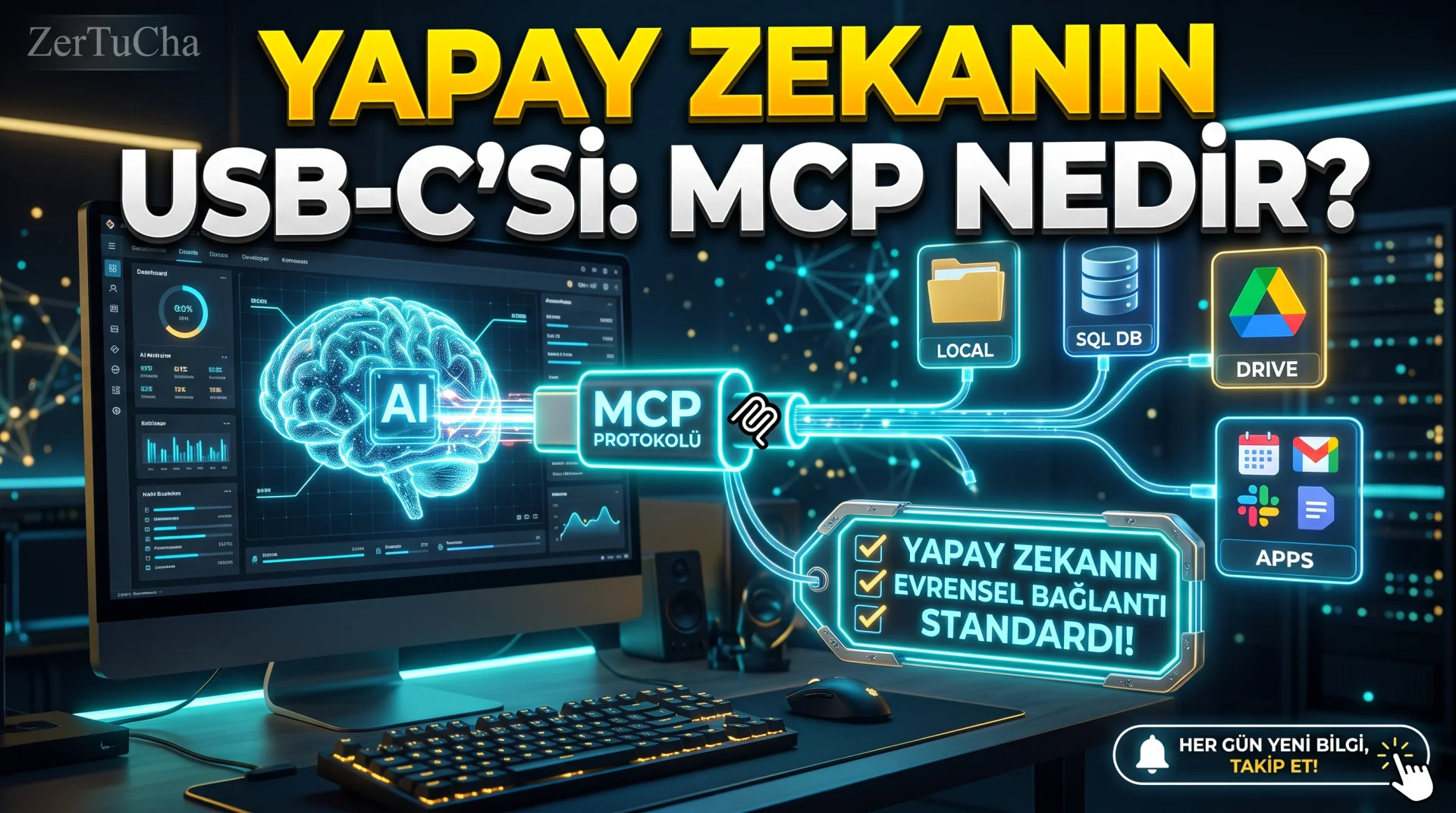
Until today, when using artificial intelligence assistants (Claude, ChatGPT, Gemini, etc.), we always encountered the same troublesome wall: To show an Excel file on your computer, your Google Drive folder, your company database or your Slack/GitHub records to the artificial intelligence, we had to copy the data one by one and paste it into the chat box! Software developers, on the other hand, were busy writing dozens of different special API connections for each new artificial intelligence model. This is exactly what will completely end this confusion and in the world of technology "AI USB-C Cable"calledMCP (Model Context Protocol) standard has changed the whole game! Now you can securely connect your AI assistant to your own file folders, database, browser and business tools with a single universal standard and perform real automations! The details of this new revolution, which very few people in Türkiye know about, are just below!
Brief Summary: MCP (Model Context Protocol) is an open
Leave a Comment to Read the Rest of the Article
Did you find our content useful? We are curious about your thoughts on the subject.
source "AI USB-C" protocol that enables AI models to securely connect to files, databases, Google Drive and business applications on your computer via a single standard.
What is MCP (Model Context Protocol)?
MCP is an open source client-server protocol that standardizes how large language models (LLM) communicate with external data sources and tools. Just as the USB-C cable eliminated the confusion between phone, computer and monitor, MCP eliminates the connection confusion between artificial intelligence and external applications.
Before MCP, it was necessary to write separate integration code for each artificial intelligence application. Now, when a single MCP server is written (or a ready-made one is installed), this connection works instantly in Claude Desktop, VS Code, Cursor and all other AI tools that support MCP, without writing additional code.
MCP Comparison with Traditional API Integration
The architectural conveniences brought by the MCP standard for businesses and individual users are summarized in the table below.
| Criteria | Classic Custom Integration | MCP (Model Context Protocol) |
|---|---|---|
| Connection Standard | Different special code for each vehicle | One universal protocol ("Install once, use anywhere") |
| Local File Access | Manual copy-paste required | Allowed direct local read/write folder |
| Bidirectional Action | Mostly one-way text | Database query, file editing, automation trigger |
| Security Check | Scattered API keys | User confirmation window before each vehicle call |
How to Try MCP Standard on Your Computer Step by Step?
Follow these steps to set up your first MCP connection that accesses your local folders in 5 minutes, even without any software development:
- For official guide and supported tools list https://modelcontextprotocol.io/.
- A desktop client that supports MCP on your computer (for example Claude Desktop, VS Code or Cursor) and Node.js is installed.
- Ready open source link list https://github.com/modelcontextprotocol/servers page (For starters, Filesystem [Local Folder], PostgreSQL or Google Drive is great).
- To your client's configuration file (for example
claude_desktop_config.json) just add the path to the single working folder you want to allow and restart the application. - On the chat screen "Read all text files in the My Documents/Reports folder and output a common summary table"; See artificial intelligence read and analyze your folder live by asking for your permission!
Zertucha Automation Perspective and Security Warnings
Zertucha software studio uses MCP architecture in the special artificial intelligence assistants we develop for our corporate customers; Thus, we securely connect inventory, CRM or content databases to artificial intelligence agents. For automation solutions specific to your business our artificial intelligence and automation services.
Critical Security Rule:MCP servers can access absolutely all of your hard disk (C:\); always limit to only a single specific and redundant working folder and install only official/verified open source MCP servers.
Frequently Asked Questions
Is MCP (Model Context Protocol) only for software developers?
Although it initially became widespread in developer environments, office workers, content producers and business owners can now easily connect their files and calendars to artificial intelligence with ready-made installation packages.
Is there an additional license fee for using the MCP protocol?
No. MCP is a completely open source and free standard; You are solely subject to the standard usage plan of the AI platform you use.
When I install Local Filesystem MCP, will my entire computer be uploaded to the cloud?
No. Only the contents of specific files in the folder you have requested and approved are transmitted to the model to generate a response.



No comments yet. Be the first to comment!
Leave a Comment