



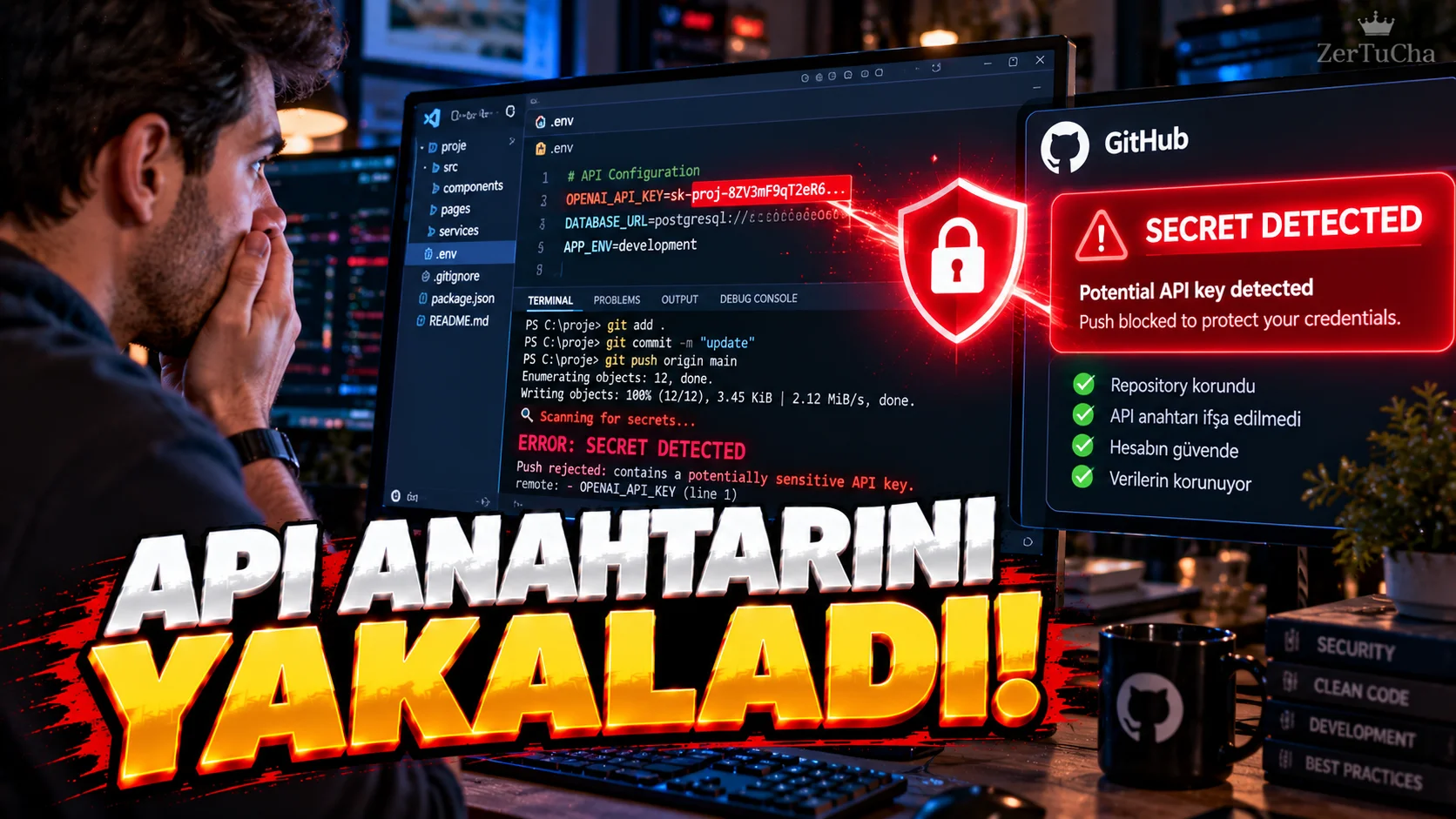
One of the most dangerous mistakes when developing software is:
Writing an API key or access secret into the code.
After:
git push
you say.
And the key goes to GitHub.
GitHub's Push Protection feature helps prevent exactly this type of accident.
According to GitHub's current documentation, Push Protection can detect and block supported confidential information being sent to GitHub.
What information are we talking about?
For example:
-
API keys
-
Access tokens
-
Cloud service keys
-
Authentication secrets
-
Confidential information of some service providers
.
How does the system work?
For example, let's say you accidentally included a secret key in your code.
Code:
git push
.
GitHub may block the submission if it detects a supported secret.
This way the secret is stopped before it reaches GitHub.
What does GitHub show you?
GitHub when push is blocked:
-
The type of confidential information detected
-
Where is it
-
Why was the push operation stopped
can display.
“But it's not a real API key”
Sometimes the system may produce false positives.
Leave a Comment to Read the Rest of the Article
Did you find our content useful? We are curious about your thoughts on the subject.
In GitHub's interface:
It's a false positive
option is available.
So you can state that the detected text is not actual confidential information.
“The key I used for testing”
There is also a separate justification for a risk-free value used in tests in GitHub's Push Protection interface:
It's used in tests.
However, it is still not good practice to put a real private key in the test file.
Why is the “I'll fix it later” option dangerous?
There is also an option in the GitHub interface where you can indicate that there is a real secret and that you want to fix it later.
But here's the critical point:
After submitting a real API key to GitHub, simply deleting it from the code may not be enough.
Because the key's access authority may now be compromised.
In this case, at the relevant service provider:
Cancel key → create new key
approach may be safer.
Why is Push Protection important?
Because it does not completely eliminate human error, but it can act as a brake at the last moment.
For example:
Developer → accidentally committed API key → git push → GitHub blocked
is formed.
It's better not to put any private information on GitHub
Push Protection is a good layer of defense but:
“GitHub will catch me.”
It is not correct to write API keys into the code.
Better methods:
-
Environment variables
-
GitHub Actions Secrets
-
External secret management systems
-
Local
.envfiles -
Keeping confidential information separate from source code
.
If confidential information went to GitHub
Priority:
-
Detect the key.
-
Go to the service using the key.
-
Cancel key.
-
Create new key.
-
Remove old key from code.
-
If necessary, follow the procedure to clear traces in Git history.
-
Move the new key to a secure secret management.
The most critical point: If the key actually made it to GitHub, don't think "I deleted the commit, problem solved".



No comments yet. Be the first to comment!
Leave a Comment