



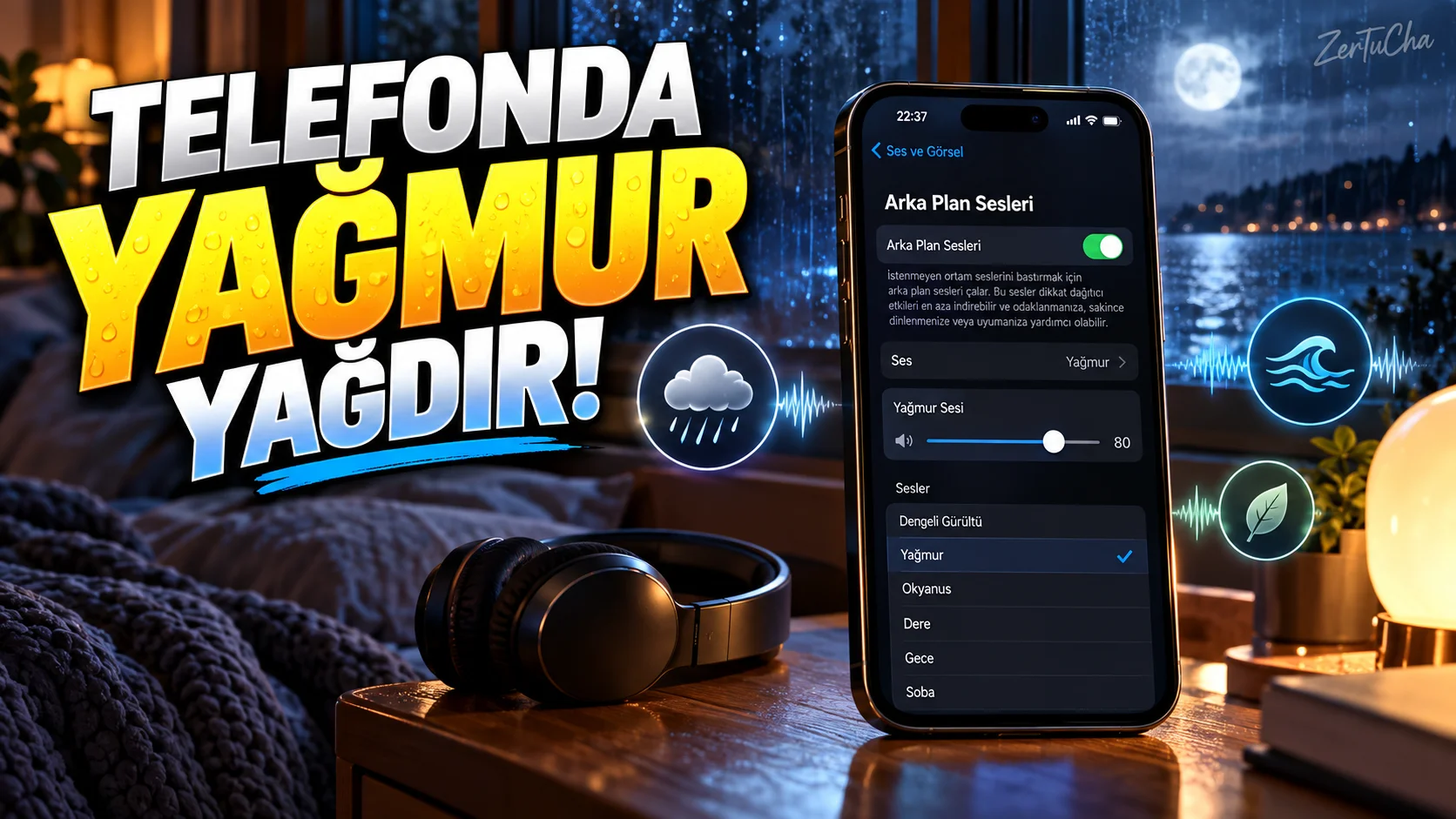
If outside sounds distract you while working on your phone, iPhone has a separate feature for this.
Apple's Background Sounds feature:
-
Rain
-
Ocean
-
Stream
-
White noise
-
Bright noise
-
Dark noise
.
How to open it from settings?
On iPhone:
-
Settings application.
-
Accessibility.
-
Audio and Visual section.
-
Background Sounds.
-
Enable the feature.
Faster method: Control Center
If you use Background Sounds frequently, you can add them to Control Center.
Then:
-
Open Control Center.
-
Background Sounds button.
-
Turn the sound up or down.
-
Select the ambient sound you want to use.
Can also work while listening to music
In Apple's current settings:
Use When Playing Media
option available.
With this option, background sound can also work while playing another media. You can also adjust the volume according to the media volume.
You can change the character of the voice
For Background Sounds on iOS 26 and above Equalizer options are also available.
According to Apple's current documentation:
-
Wide
-
Focused
.
This allows you to choose, for example, a
Leave a Comment to Read the Rest of the Article
Did you find our content useful? We are curious about your thoughts on the subject.
wider and fuller ambient sound, or a sound that highlights certain frequencies more clearly.
You can make it turn off after a certain period of time
Imagine turning on the rain sound before going to sleep.
If you don't want it to play for hours:
-
Background Sounds settings.
-
Stop Audio with Timer.
-
Select a specific period or time.
Apple directly supports this timer option.
Can also turn off when the phone is locked
If you want:
Stop Sounds When Locked
option.
So the background sound can stop when the iPhone is locked.
What can it be used for?
For example:
While studying: To suppress outside chatter.
In the office: To mask environmental distractions.
While sleeping: To create rain or ocean sounds.
Reading: To stabilize ambient sound.
The important point here:
This feature should not be considered a medical treatment. Apple also offers this as an accessibility tool that can help with focus and relaxation.


No comments yet. Be the first to comment!
Leave a Comment