
IT'S NOT JUST TAKING SCREENSHOTS! Windows' Free Screen Monster
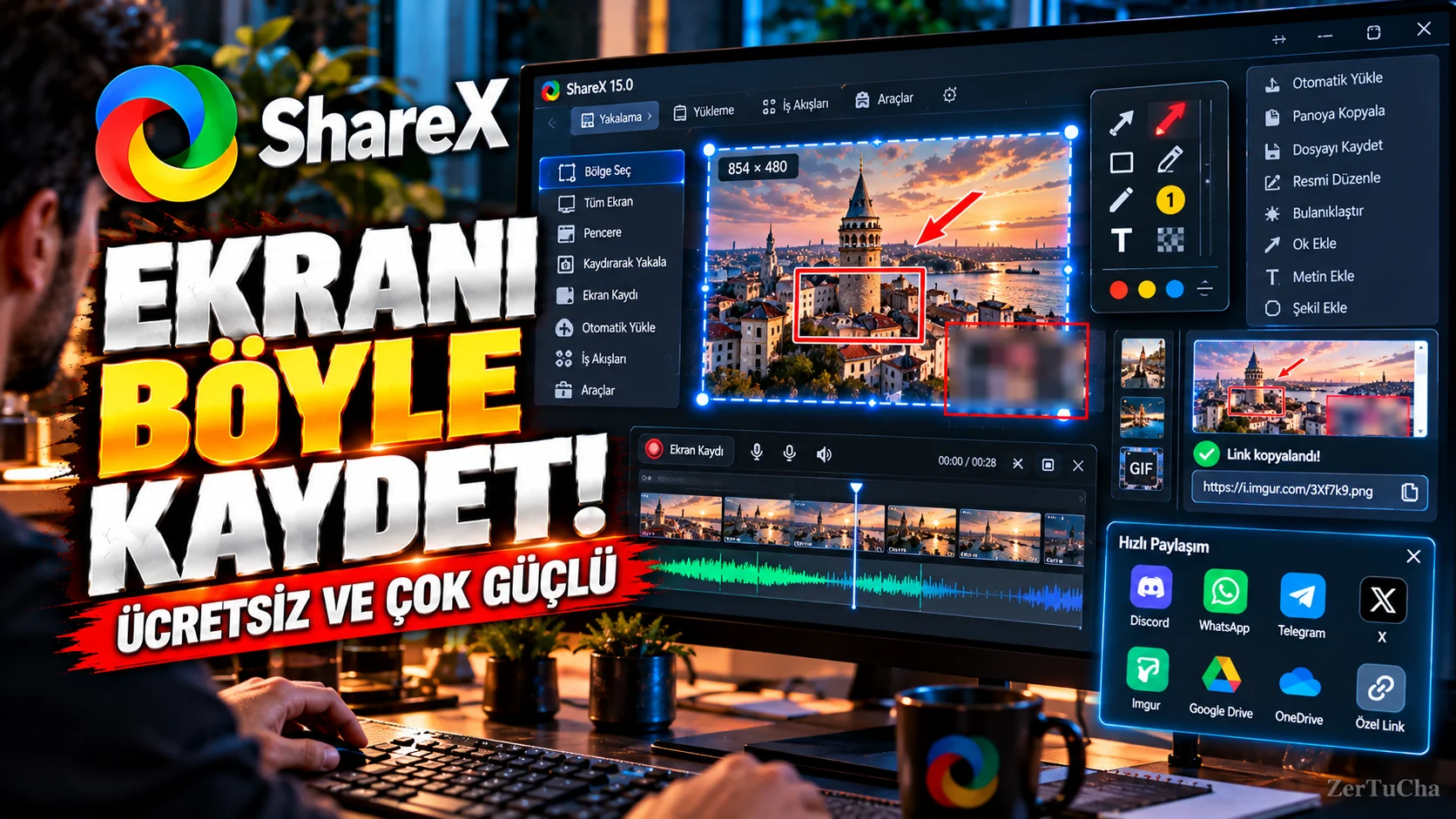
Taking a screenshot on a computer seems like a simple task. However, after taking the screenshot, things can get longer when you want to edit it, crop a certain area, add arrows or explanations, record the screen and share it.
ShareX is a free and open source tool that attempts to consolidate these operations into one place on Windows.
It can capture the entire screen, a specific window or an area of your choice.
The real advantage for content creators is that it goes beyond the screenshot.
For example, to show a problem on the computer screen, you can capture only a certain part of the screen and overlay it:
- Ok
- Frame
- Text
- Blur
- Highlight
.
In addition, thanks to screen recording and various automation options, you can create ready-made workflows instead of repeating the same operations over and over again.
What does it do?
Useful for tech support people, content creators, teachers, students, and anyone who wants to show something on the computer to someone else.
For example:
“Click here.”
, you can take a screenshot and show the relevant area with an arrow.

Henüz yorum yapılmamış. İlk yorumu siz yapın!
Bir Yorum Bırakın