



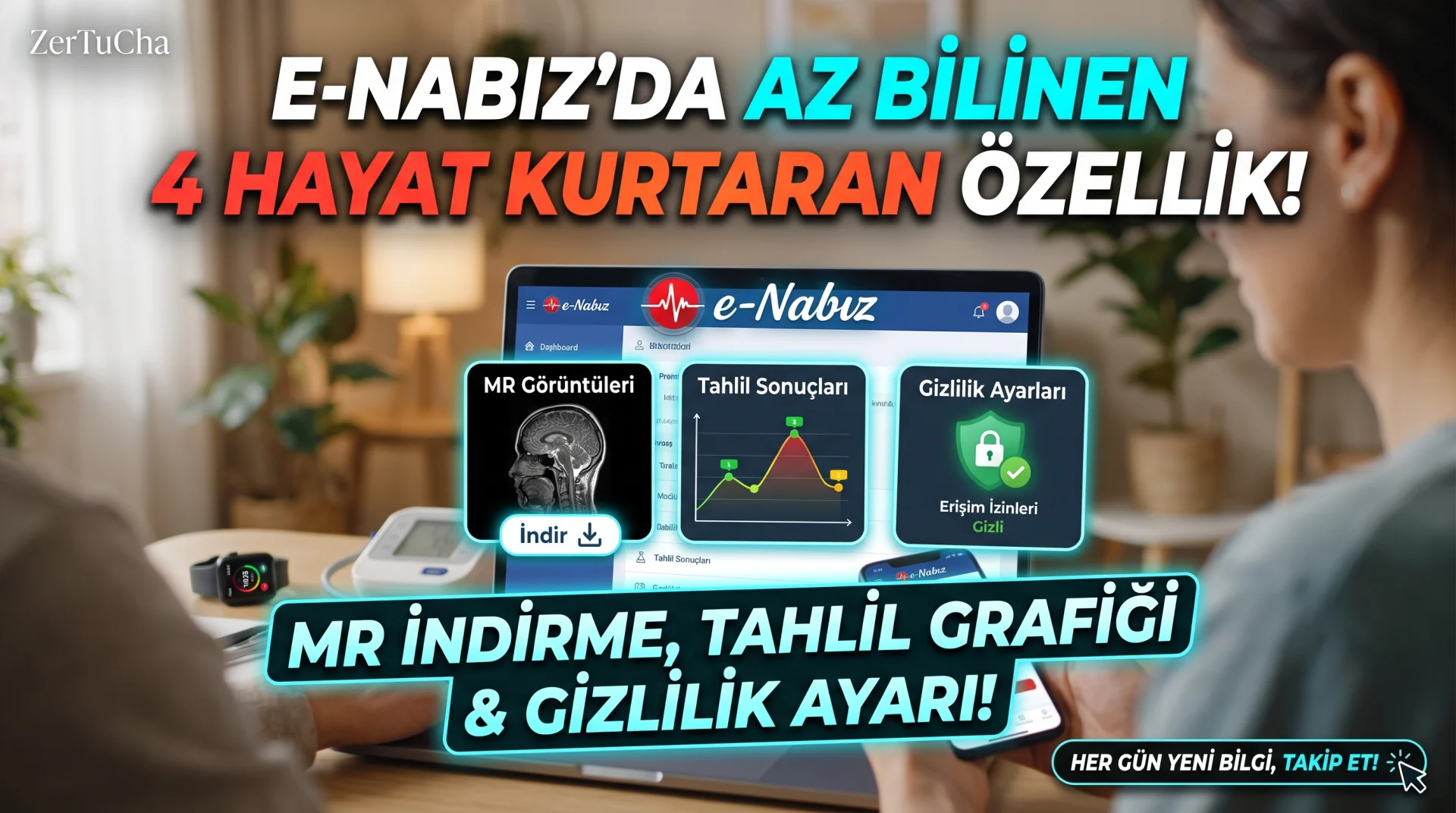
Millions of citizens in Türkiye e-Pulse only turns the system on and off to check the last blood test result or prescription code. However, hidden in the sub-menus of the system are very powerful features that many people do not even know about, which completely eliminates the need for CDs at hospital doors and carrying old paper analysis files during doctor's examinations! For example, if you had it taken in a public or private hospital MR, Tomography and X-ray images original doctor format (DICOM) from home and send it to another specialist, see the rise/decline curve of your vitamin D or sugar values over the last 5 years in a single graph, change your Family Physician with a single click, and leave an "Emergency Note" showing your vital allergy/medication information to the medical teams in an emergency situation where you are unconscious? Details right below!
Leave a Comment to Read the Rest of the Article
Did you find our content useful? We are curious about your thoughts on the subject.
Brief Summary: Ministry of Health e-Pulse (enabiz.gov.tr) system includes not only blood tests; You can download MR/X-ray images in high quality, see the change graph of analysis values over the years, change the Family Physician and manage doctor data sharing confidentiality from a single screen.
4 Critical Features of e-Nabız that Most Users Don't Know
e-Pulse is the personal health archive that works integrated with almost all public, university and private hospitals in Türkiye. When you know the correct menus, it eliminates the hassle of waiting for documents and CDs for hours during your hospital visits.
Especially when you are going to get an opinion from a second doctor, instead of printing a CD from the hospital, My Radiological Images tab.
e-Pulse Secret Menus and Practical Benefits Table
The following is a summary of 4 little-known features that you can use immediately from the left menu when you enter the system.
| e-Pulse Menu | What Does It Do? | Practical Benefits |
|---|---|---|
| My Radiological Images | Views/downloads MRI, CT and X-rays | Ends the era of requesting and carrying CDs from the hospital |
| My Analysis → Graph | Plots the change of the same test over the years | Shows iron, B12, sugar or cholesterol trends at a glance |
| My Emergency Notes | Records critical allergy, chronic disease and relative information | Enables 112 and emergency room physicians to perform correct intervention within seconds |
| My Profile → Sharing Settings | Restricts which doctor can see your history | Offers complete privacy control over your personal health data |
Activate These 4 Features in e-Nabız in 5 Steps
Follow these steps to manage your own health archive smarter and more securely:
- Only the official address https://enabiz.gov.tr/ and "Login with e-Government".
- From the left menu "My Radiological Images" tab; "View / Download" button, you can access the report as a PDF and the image for the physician to review.
- "My Analysis" screen, a blood value (for example Glucose, Ferritin or TSH) in the lineGraphic icon.
- "My Profile → My Emergency Notes" section, include your serious drug/food allergies and the number of your relative to call in case of emergency.
- "My Profile → Sharing Settings" tab, get your data in the most secure privacy option where only the physician you are examining can see (or SMS-approved access)!
Privacy and Medical Evaluation Notice
e-Nabız data T.R. It is protected within the scope of KVKK on the servers of the Ministry of Health. Red/yellow reference range warnings in the analysis results are definitely not a reason to start or stop self-medicating; All laboratory and radiology results must be evaluated together with the clinical examination by the relevant specialist physician.
Frequently Asked Questions
Can the Health Center (Family Physician) be changed via e-Nabız?
Yes. "Change Family Doctor" button, you can see the doctors with vacant quotas in your district on the map and make changes free of charge within seconds.
Can I see my child's e-Pulse analysis and vaccination schedule from my own account?
Yes. "My Children" tab, you can follow all the tests, prescriptions and vaccination records of your children under the age of 18, whose custody you have, on a single screen.
When will my MRI or x-ray be uploaded to e-Nabız?
Images usually arrive within a few hours of capture; The radiologist's written report appears on the same line within a few days, depending on the hospital's busy schedule.

No comments yet. Be the first to comment!
Leave a Comment