

Let Your Phone Do the Work for You: Automation with MacroDroid
Platform: Android
Application: MacroDroid
Official site: MacroDroid official site
Google Play page: MacroDroid Google Play page
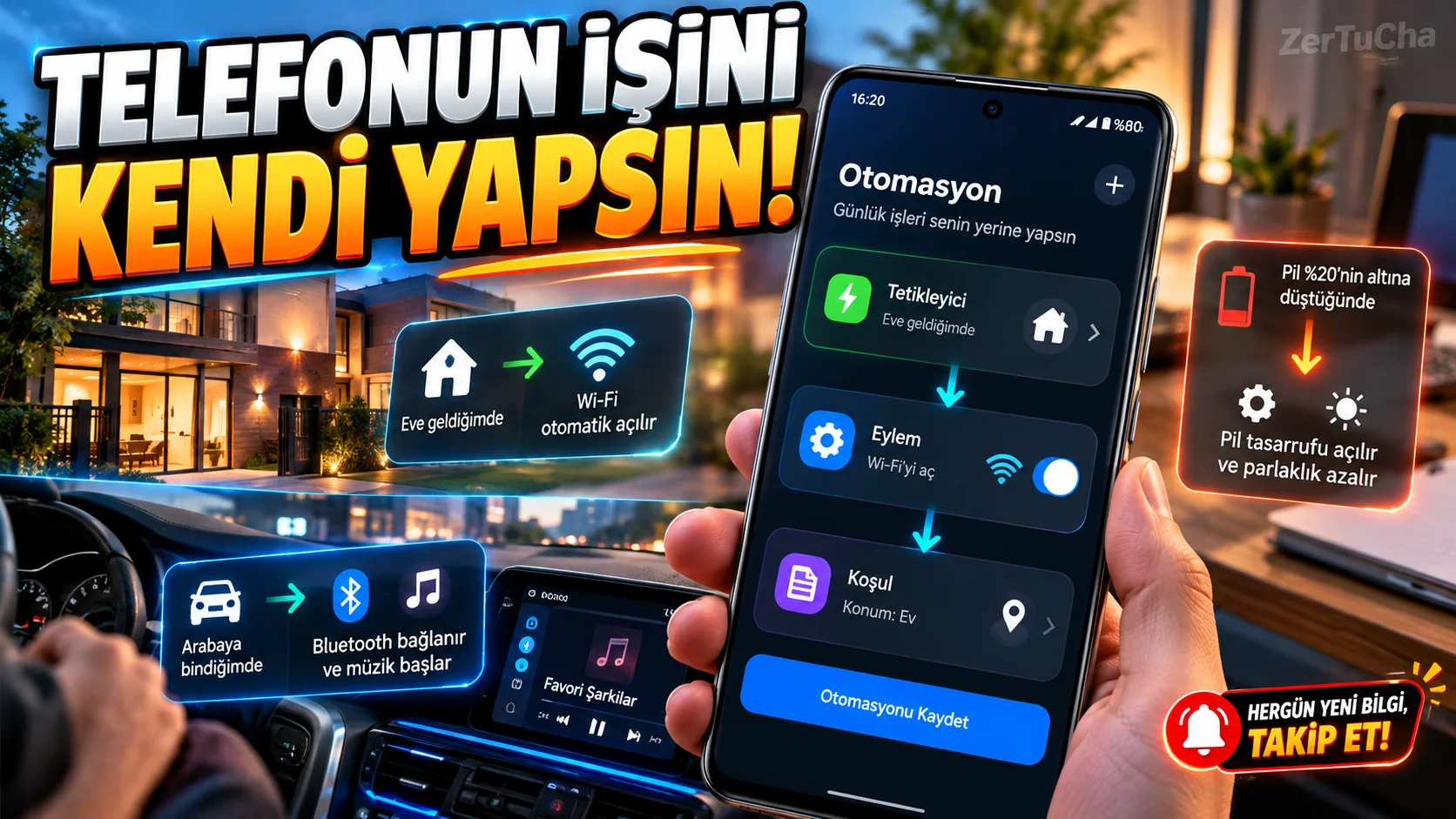
If you repeat the same actions every day, you can have your phone do some of them automatically.
For example, operations such as turning on Wi-Fi when arriving home, starting music when connected to the vehicle Bluetooth, or giving an alert when the battery level drops to a certain level can be facilitated through automation.
MacroDroid is an automation application that triggers actions based on certain events on Android phones. You can create automation without writing code. The official website of the app states that it offers more than 350 built-in triggers, actions and conditions. MacroDroid
You just need to know three basic concepts:
- Trigger: The event that started the process. For example, the battery drops to 20 percent.
- Action: What the phone will do. For example, do not show notifications.
- Condition: Additional rule required for the operation to occur. For example, it only works during certain hours.
Example: Show notification when battery drops to 20 percent
- Open MacroDroid.
- Create a new macro.
- Select battery level as trigger.
- Set it to run when the battery drops to the level you set.
- Add option to show notification as action.
- If you want, add a condition for it to work only at certain hours.
- Save and activate macro.
For another example, you can create automations that will turn on Wi-Fi when you get home or activate a specific audio profile when connected to the car Bluetooth.
Who is it suitable for?
- Those who want to speed up daily transactions.
- Those who change their phone settings frequently.
- Those who want to create notifications based on specific events.
- Those who want to try automation without writing code.
Fee status: The Google Play page contains advertising and in-app purchase information. Google Play
Attention: Some automations may require notification, location, accessibility, or background permissions. Not every automation will work the same on every device due to Android version, manufacturer's battery saving policies, and permissions granted.

Henüz yorum yapılmamış. İlk yorumu siz yapın!
Bir Yorum Bırakın