



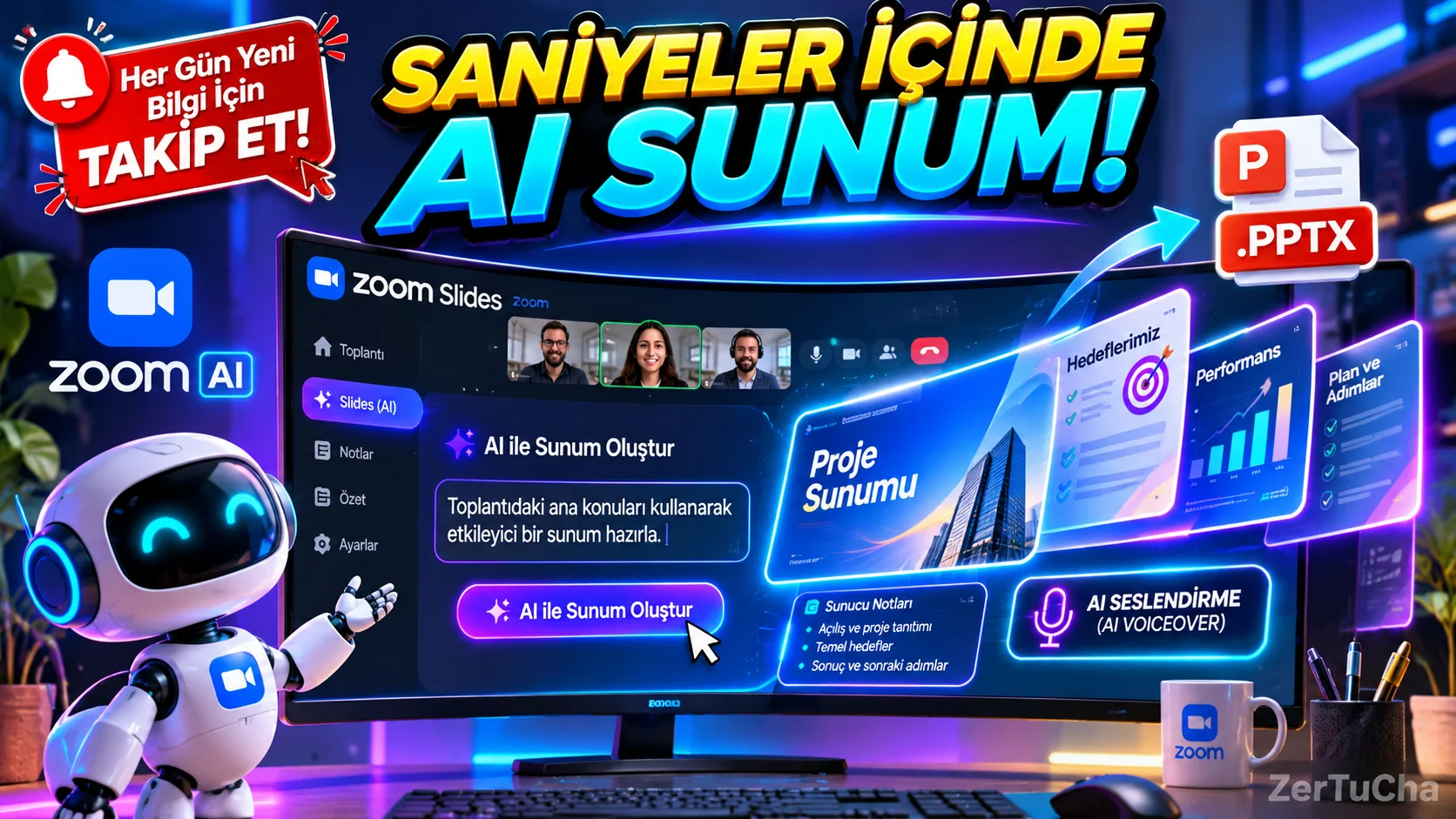
You just came out of a tiring meeting that lasted for hours and now you need to collect everything that was discussed and prepare a stylish PowerPoint presentation from scratch by the morning? You look at that blank white slide screen and wonder, "Where should I put the title, what graphic should I add, how should I match the colors?" While you're thinking this, the hours that pass by literally make you feel alienated from life, right? What about you, Zoom is no longer just a video conferencing application, and what is talked about in the meeting, your short notes or a single sentence in seconds a professional presentation that speaks for itself? Introducing the wonder of artificial intelligence that is rewriting the rules of the presentation world
What is it and what does it do?
Zoom's next generation productivity suite (Zoom AI Productivity Suite) offered under the umbrella ofZoom Slides transforms your ideas, documents and direct Zoom meetings into visually flawless presentations in minutes
Leave a Comment to Read the Rest of the Article
Did you find our content useful? We are curious about your thoughts on the subject.
is an AI-powered presentation creation and collaboration platform.
While you have to draw every box by hand in classic presentation programs, Zoom Slides takes all the hard labor off your back:
-
Instant Presentation Generation from Meeting and Command: Whether you write a one-sentence command (prompt), or upload a report you have, or the Zoom meeting transcript! Artificial intelligence filters all the important decisions and gives you a full-fledged presentation in a jiffy, from the cover page to the table of contents, from budget tables to results graphs.
-
One-Click AI Voice-Over: Here is the most legendary feature that makes your competitors jealous! Artificial intelligence is professional first for every slide speaker Notes writes, then adds voice-over to your slides with natural and smooth AI voices of your choice. Even if you are not in the meeting, you can share self-paced presentations that explain the topic out loud!
-
Not Images, Really Editable Graphics: Most AI tools paste graphics onto the slide like a plain photo that cannot be modified. Zoom Slides, where you can change the data, axes and type whenever you want vibrant and editable graphics. You can also erase the background of images with artificial intelligence or create images from scratch without leaving the slide.
-
Live Meeting Collaboration: You can make live edits on the same slide with your teammates while the Zoom meeting is ongoing, without the hassle of screen sharing, You can hand over server control to your colleague with one click and manage the presentation with the laser pointer.
-
Lossless PowerPoint (.pptx) and Google Slides Compatibility: The presentation you prepared
.pptxor load an external PowerPoint file, fonts, alignments and designs are preserved intact!
Advantages (Why Should You Use It?)
-
Huge Time Savings: It turns a corporate project or sales presentation that would take 4-5 hours from scratch into a draft ready to be presented in just a few minutes.
-
Full Integration with Zoom Ecosystem: No hassle of copying and pasting meeting notes to external AI sites; As soon as the meeting ends, your outputs turn directly into a presentation.
-
Ready Enterprise Template Library: Sales offer, preserves your brand identity on every slide with ready-made templates such as an annual report, investment presentation (Pitch Deck) or marketing strategy.
-
Text Enhancement Assistant: Select any sentence on the slide and click on the AI "Make it more formal", "In summary" or "Expand" commands.
-
No Installation Web and App Access: Directly from the browser (
[aisuite.zoom.com/slides](https://aisuite.zoom.com/slides)) or within the current Zoom Workplace application runs on any operating system.
Disadvantages (What Can Upset Us?)
-
AI Generation Restricted on Free Plan: With the free account, you can manually prepare and edit unlimited slides; However, you need to switch to the paid credit package for drawing presentations to artificial intelligence with a single command and for audio presentation mode.
-
Monthly Artificial Intelligence Credit System: Even with the paid plan, every AI transaction deducts from your monthly credit balance; Heavy users who produce hundreds of different presentations and visuals throughout the day may need to monitor their credits.
-
Internet Connection Requirement: Since it is a cloud-based artificial intelligence tool, it cannot be used at full capacity in completely offline (internet-free) environments such as classic desktop PowerPoint.
Who is it suitable for?
-
As soon as the conversation with the customer is over, the discussed needs sales and marketing teams who want to turn it into a stylish sales proposal presentation in minutes,
-
Without struggling with design details entrepreneurs and managers who want to prepare an investor presentation, activity report or strategy plan,
-
Add voice narration to your slides with one click and instructors, consultants and students who want to prepare distance education materials or project assignments!
Paid or Free?
Zoom Slides Freemium (Both Free and Paid) model:
-
Free (Basic) Version: Official address aisuite.zoom.com/slides and unlimited manual presentation creation and editing features without paying a single penny (AI credit is not included in this plan).
-
AI Productivity Suite Plan: Instant AI presentation creation with one command, AI voice presentation mode, monthly 1,000 AI credits and next to Zoom Sheets, Paper, Canvas tools, pay $10 / month (annuity $8.33 / month). More intensive autonomous workflows and monthly 2,200 credits ZoomMate (annuity $16.67 / month) package available.



No comments yet. Be the first to comment!
Leave a Comment