

iPhone's Camera Can Now Understand Things Around You: How to Use Visual Intelligence
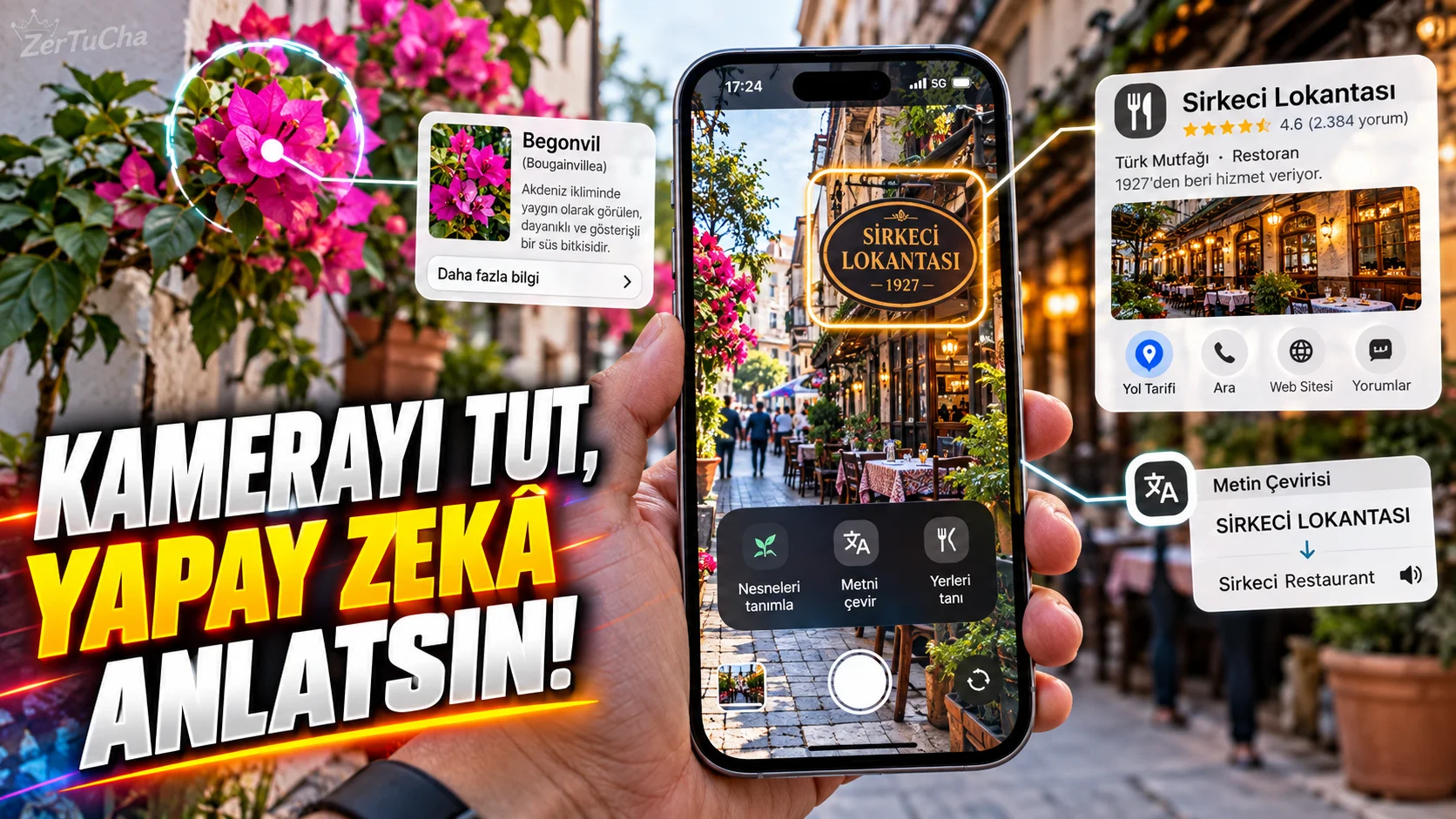
You point your phone's camera at an object.
Phone:
“What is this?”
can answer the question.
Moreover, it not only recognizes the object.
According to Apple's current documentation Visual Intelligence can search for information about objects around you, find similar images, translate or summarize text, and recognize plants and animals on supported iPhones. Apple Support
Which iPhones?
According to Apple's current iOS 27 documentation, Apple Intelligence features:
- iPhone 15 Pro
- iPhone 15 Pro Max
- iPhone 16 and later
.
But the features Availability may vary depending on language and region. Apple Support
How to unlock Visual Intelligence?
On supported devices:
Camera Control
.
In some models:
Action button
Can be assigned for Visual Intelligence. Apple Support
Showing a restaurant with a camera
For example, you saw a restaurant on the street.
You can turn on Visual Intelligence and point the camera at the restaurant.
Supported operations include:
- Learning opening hours
- Examining menus or services
- Getting information about the business
- Operations such as directions
available. Apple Support
Recognizing a plant
Point the camera at the plant.
Plant or animal identification options can be used through the Visual Intelligence result. Apple Support
But here's an important caveat:
Do not accept the AI result as a definitive scientific diagnosis.
It is not right to rely solely on the results given by the phone, especially regarding poisonous plants or medical issues.
Translating texts
You saw a sign in a foreign language.
Text interaction options may appear when you point the camera at it.
This feature specifically:
- On Travel
- Reading menu
- When turning a sign
- Reviewing product description
might work.
You can also use it with ChatGPT
According to Apple's current documentation, if the ChatGPT extension is enabled in Visual Intelligence, you can ask ChatGPT questions about things around you. Apple Support
For example:
“Tell me what this device does.”
It can also perform visual searches
You saw a product and want to find a similar one on the internet.
Similar image search can be used in Visual Intelligence. Apple Support
This feature:
“Where is this product sold?”
Does it work in Türkiye?
It is not necessary to be specific here.
Apple Intelligence features may vary depending on language and region. Apple also states this clearly. Apple Support
So even if your iPhone is a supported model:
“It definitely works in Turkish for me.”
.
Is Visual Intelligence the same thing as regular Visual Search?
No.
Apple's classic Image Search feature can also identify plants, dog species or some objects in photos and is available on supported devices with iOS 15 or later. Apple Support
Visual Intelligence offers broader interaction with the Apple Intelligence infrastructure.




Henüz yorum yapılmamış. İlk yorumu siz yapın!
Bir Yorum Bırakın