

Don't Write the Text from the Photo on iPhone One by One: Copy it with Live Text
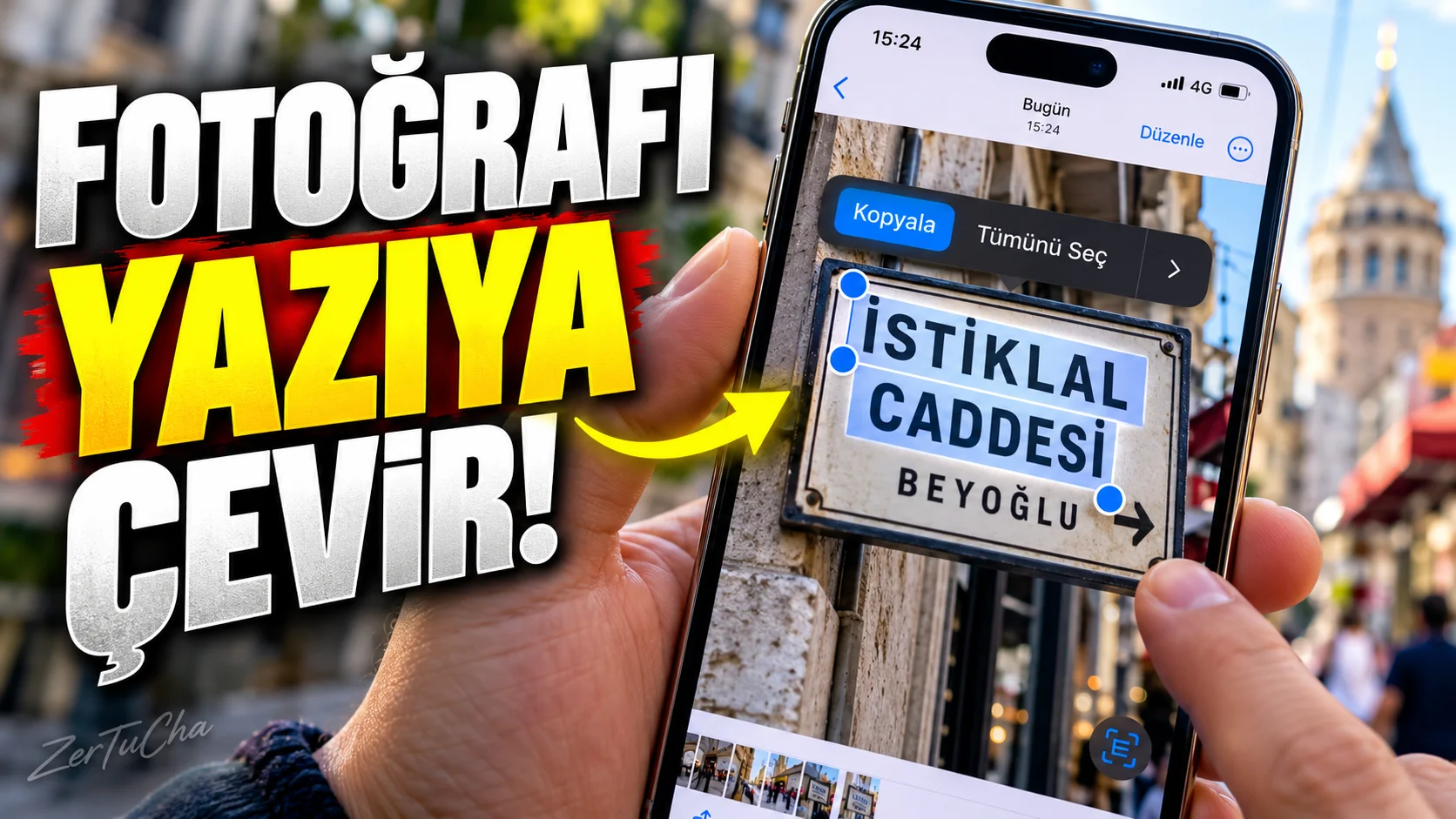
A photo contains a long phone number, address, IBAN, sign or text.
What do we normally do?
We look at the photo and write the text by hand.
Unnecessary.
on iPhone Live Text feature allows you to detect and select text in photos, videos and images on the internet.
What can Live Text do?
Detected text on:
-
Copy
-
Pasting
-
Translation
-
Search
-
Dialing phone number
-
Sending e-mail
-
Opening a website
-
Directions via address
-
Currency conversion
can be performed.
Open Live Text first
On iPhone:
-
Settings
-
General
-
Language and Region
-
Live Text
option.
How to copy text from a photo?
-
Photos application.
-
Open the photo with the text.
-
When text is detected Detect Text / Live Text button.
-
Touch and hold the text.
-
Select the part you want.
-
Copy.
-
Paste the text into the desired application.
For example, you have a business card
In the photo:
0533 123 45 67
it says.
Instead of typing the number manually, Live Text can detect the number and provide options to directly initiate the call.
Similarly, it may be possible to open the Mail application by tapping on an e-mail address.
You can also get the text in the video
According to Apple's current documentation, you can pause the video and interact with the text in the image on supported systems.
For example, in a YouTube video, an address is shown on the screen.
Stop video:
Live Text → select text → Copy
.
You can point the camera directly at the text
Live Text doesn't work in the Photos app only.
According to Apple, text recognition can also be used in the Camera application.
For example, when you point the camera at a book page, document or sign, you can detect text.
You can also use it for translation
Imagine seeing a menu or sign in a foreign language.
Select text and:
Dial
option.
Apple states that Live Text supports translating text in photos and videos.
Which iPhones does it work on?
Apple's current support documentation states for Live Text iPhone XS, iPhone XS Max, iPhone XR and later devices are specified.
Interacting with text within the video requires iOS 16 or later.
Important detail in Türkiye
Apple makes clear that Live Text is not available in all regions and languages.
Therefore, the behavior of the feature on your phone may differ depending on the language or region settings.


Henüz yorum yapılmamış. İlk yorumu siz yapın!
Bir Yorum Bırakın