AI Prompt to Remove Unwanted Objects in Photos with a Single Command
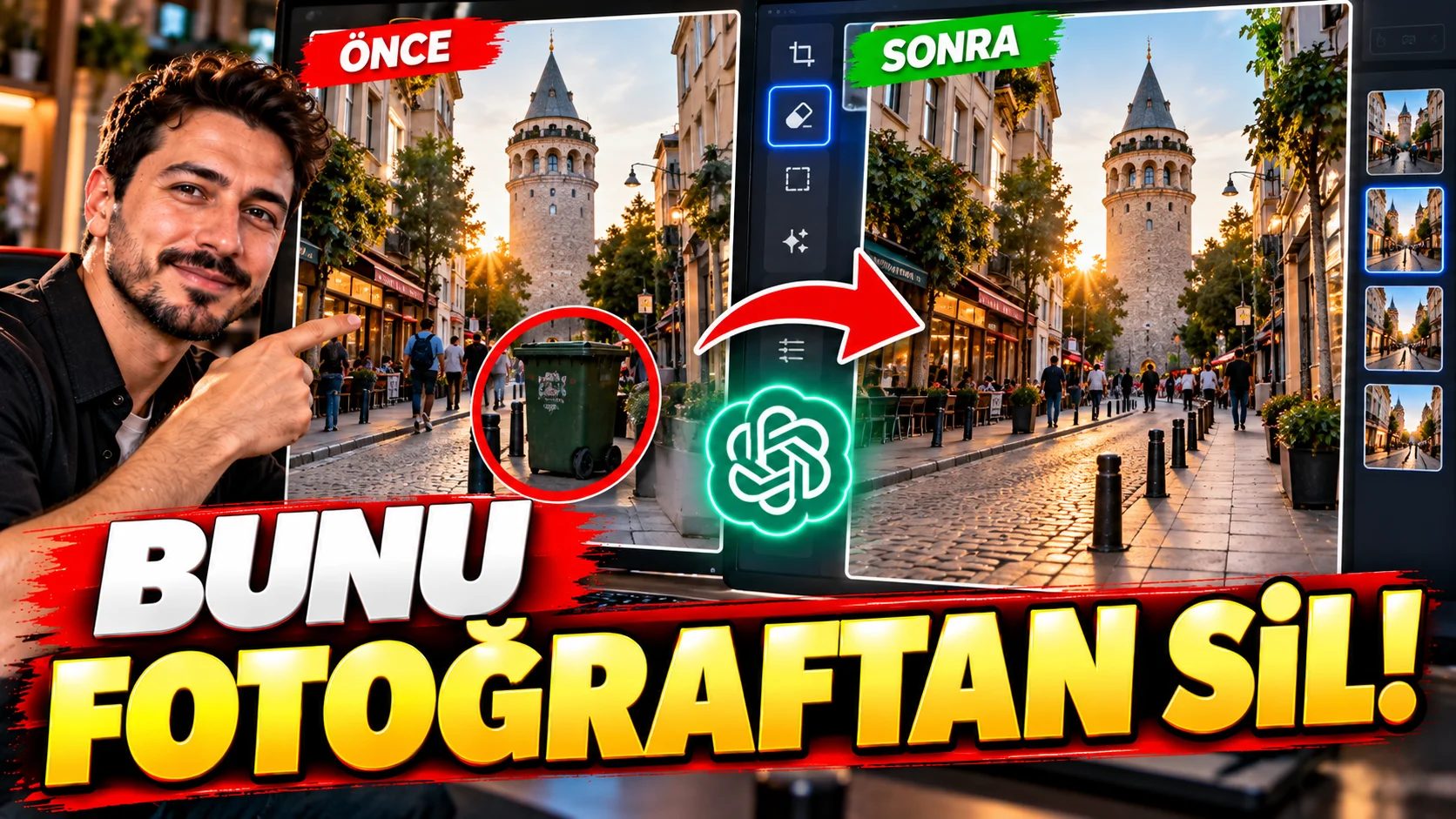
Sometimes the whole photo is great, but a sign in the background, a discarded item, a cable, or someone accidentally walking into the frame can ruin the image.
This prompt is removing a single unwanted object to naturally complete the area behind it.
How to use?
Upload your photo and [OBJECT TO REMOVE] section.
The prompt you can use:
"Remove the [OBJECT TO REMOVE] from the uploaded photograph and naturally reconstruct the area behind it. Preserve the original scene, perspective, lighting, textures, shadows, people and all other objects exactly as they are. Fill the removed area using surrounding visual information so the edit becomes invisible and photorealistic. Do not crop the image or change the composition. "Do not modify any other part of the photograph."
Changeable fields:[OBJECT TO REMOVE] section.
For example:
street sign
plastic chair
person in the background
Usage tip:
If you want to remove a single object “Do not modify any other part of the photograph”. This can reduce the AI's unintentional manipulation of other objects.