

Encrypt Your DNS Queries in Firefox: An Extra Step for Online Privacy
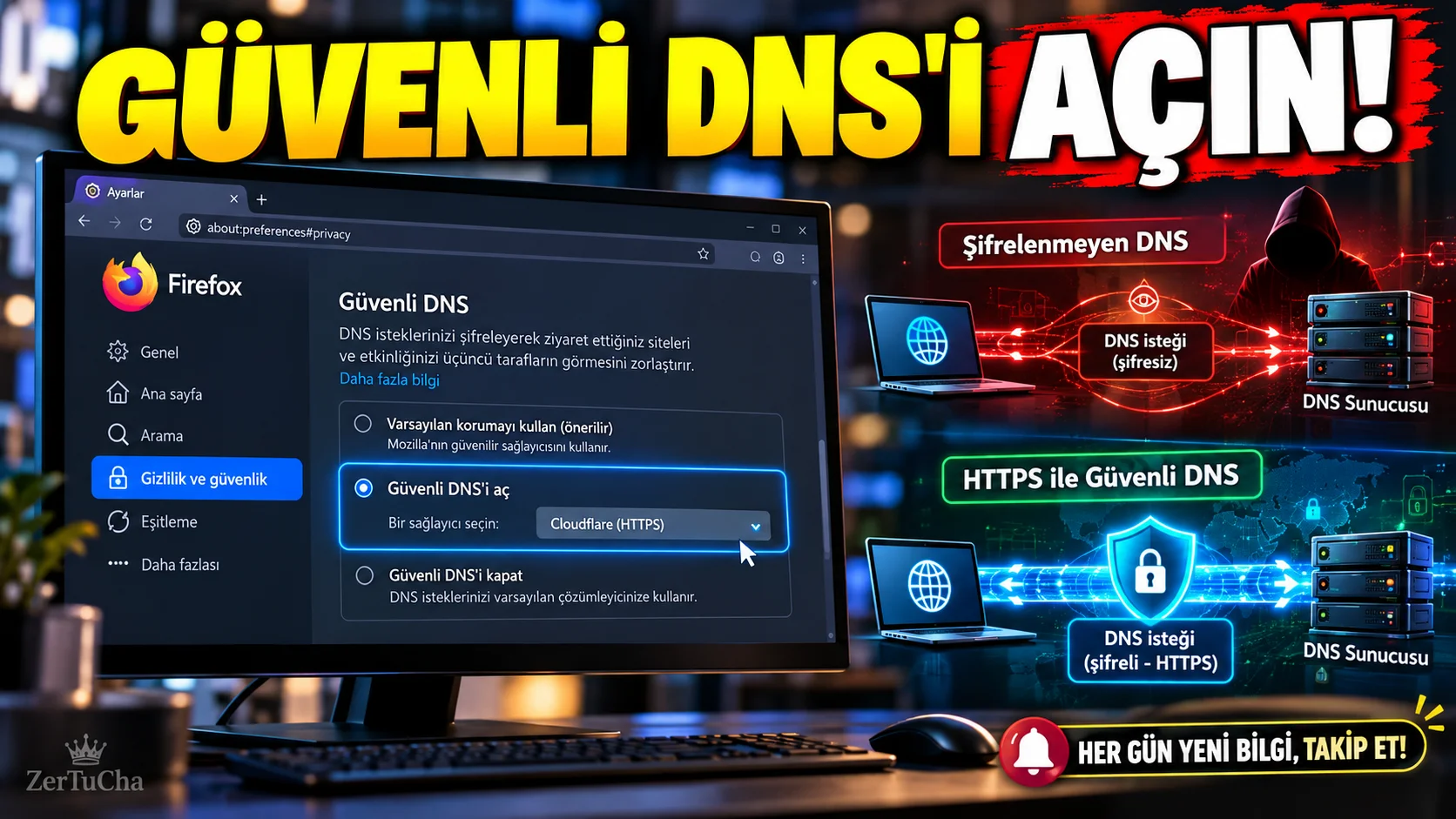
Check Secure DNS Setting in Firefox! Protect the Domain Names of the Sites You Visit
When you open a site on the Internet, your browser needs to find out which server address that site corresponds to.
This process is performed via DNS (Domain Name System). Traditional DNS queries can be transmitted unencrypted. DNS over HTTPS, for short DoH allows sending these queries over an HTTPS connection.
The feature, described in Mozilla's updated help documentation around October 8, 2026, helps make DNS queries easier to see or harder to modify over the network. However, this does not mean that all your internet traffic becomes completely anonymous. Mozilla Support
1. What does DNS over HTTPS do?
DNS is the system that matches internet addresses with the IP addresses of relevant servers.
For example, when you type a web address into the browser, the DNS query helps find which IP address this address corresponds to.
When DoH is used, the DNS query is sent via an encrypted HTTPS connection to a compatible DNS provider.
Advantages this can provide:
- Making it difficult for some observers on the local network to read DNS queries directly
- Limiting the Internet service provider from seeing traditional DNS queries
- To help reduce the risk of DNS queries being modified on the network
However, operations such as connecting to the IP addresses of the sites you visit, logging into your account or sending other information to the sites continue. DoH is not a complete privacy solution that replaces VPN or anonymity services.
2. Find the secure DNS setting in Firefox
In the desktop version of Firefox, you can follow these steps:
- Open Firefox.
- Click the menu button in the top right.
- Settings section.
- Left side Privacy and Security tab.
- On page DNS over HTTPS section.
- If there is an advanced settings option, open it.
- Check the current protection level.
Mozilla's current documentation states that this section is used to change protection levels and manage the DNS provider. The names of some options may change due to the language and version of the interface. Mozilla Support
3. Which protection level should you choose?
Firefox offers different protection options for DNS over HTTPS.
| Option | What does it mean? |
|---|---|
| Default protection | Can use secure DNS based on available region and network conditions; can fall back to system DNS when necessary. |
| Increased protection | Attempts to maintain secure DNS usage through the selected provider; In case of problems, you can switch to the backup option. |
| Maximum protection | Enforces secure DNS; It may show a warning if the provider is unreachable or the domain name cannot be resolved. |
| Special protection | Customizes secure DNS behavior based on the selected provider and configuration. |
| Off | The browser uses the system's default DNS resolver. |
The behavior of these options is explained in Mozilla's official documentation. Mozilla Support
Practical advice: Start with the default protection first. If you're using a corporate network, parental control, VPN, or custom DNS configuration, evaluate how your network is working before enabling stricter options.
4. Can you change the DNS provider?
You can choose a different DNS over HTTPS provider or configure a custom provider based on the settings offered by Firefox.
For this:
- Settings > Privacy and Security section.
- Proceed to DNS over HTTPS field.
- Open advanced settings.
- Examine the provider option.
- If the provider you want to use is offered, select it.
- Save changes.
See also the privacy policy and data processing terms of the DNS provider you use. Encrypting DNS queries does not mean that the queries cannot be seen by any service provider; The provider to which the queries reach can process these requests.
5. Why is Secure DNS not working even though it is enabled?
Firefox's DoH status may not always appear to be active.
According to Mozilla, possible causes for this include:
- Unable to connect to DNS provider
- Provider takes a long time to respond
- No internet connection
- There is a problem with the selected provider
- The network has a configuration that prevents the use of secure DNS
Firefox's default protection level may disable secure DNS under some network conditions. Mozilla Support
If you are having problems, follow this order:
- Check that your internet connection is working.
- Restart Firefox.
- Check the DNS over HTTPS status again.
- Check if the same issue occurs on a different network.
- If you are using a corporate network or VPN, check the relevant configuration.
- Revert to default protection level if necessary.
6. Will you become completely invisible on the internet when you turn on DoH?
No.
This feature mainly focuses on encryption of DNS queries. It does not automatically anonymize other aspects of your connections to the sites you visit.
For example:
- When you log in to a site, your account information may be processed by that service.
- Browser cookies and other tracking mechanisms are separate matters.
- Not all of your internet traffic becomes anonymous only thanks to DoH.
- Your DNS provider may process your queries.
Result: Checking Firefox's secure DNS setting is one of the technical steps you can take to strengthen your internet privacy. But don't see this as a stand-alone comprehensive security solution.




Henüz yorum yapılmamış. İlk yorumu siz yapın!
Bir Yorum Bırakın