

FFMPEG: Extract Audio from a Video Without Re-Encoding the Image!
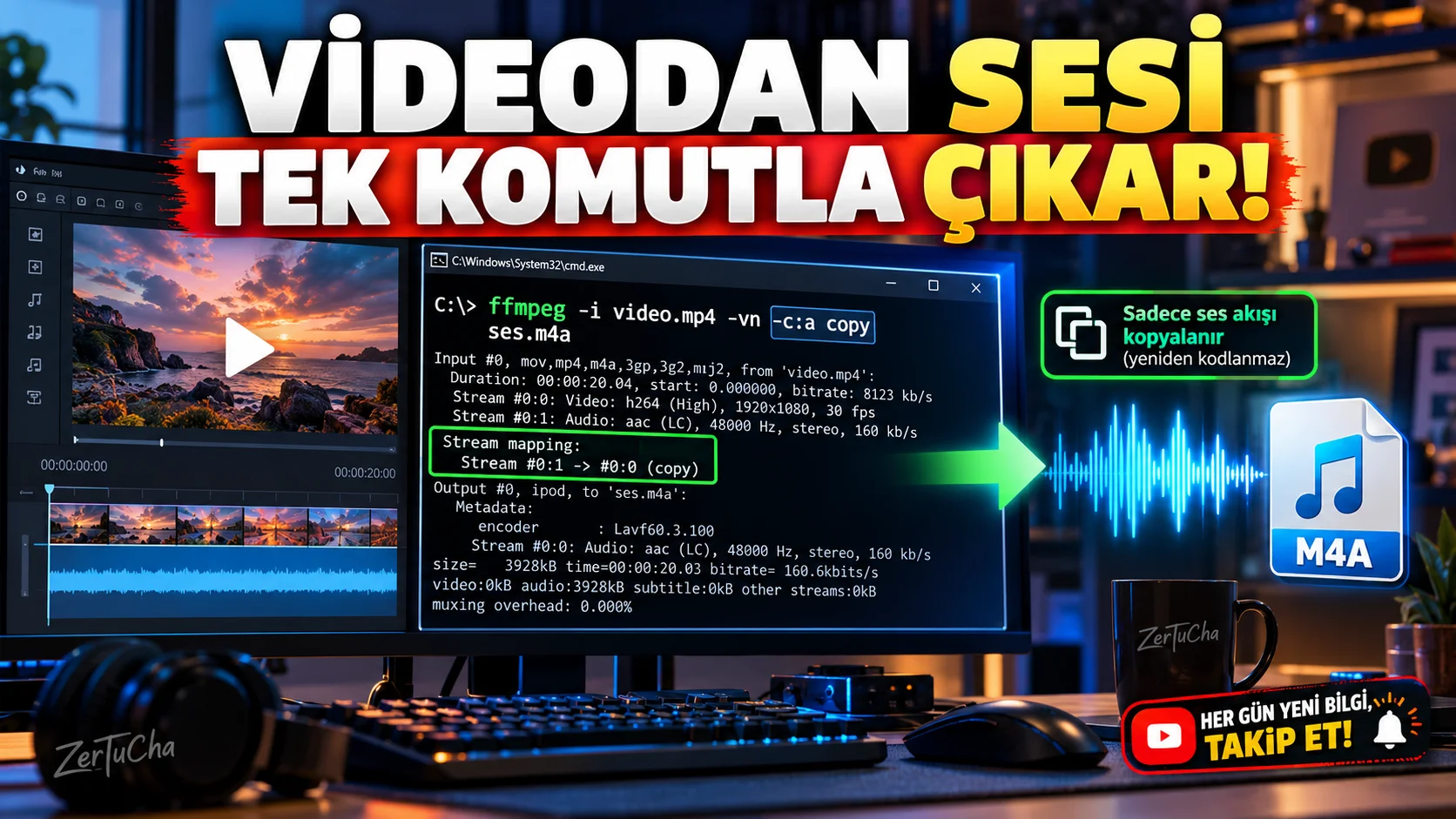
You have a long video but you only need the audio file. Instead of opening a conversion application and reprocessing the entire video, you can extract the audio stream directly with FFmpeg.
The important detail here is that if the source audio format is compatible with the target file transmission without re-encoding is that you can do it. This process ensures that you do not have to recompress the audio stream. Stream selection and -c copy method explained. FFmpeg
How to do it step by step?
1. Install FFmpeg.
Get the version suitable for your operating system from the official FFmpeg site.
FFmpeg official site and documentation
2. Navigate to the folder where your video file is located.
For example, the name of your file is video.mp4 be.
3. Open terminal or command line.
- PowerShell or Command Prompt in Windows.
- Terminal on macOS.
- Terminal application in Linux.
Make sure FFmpeg can be run from the command line.
4. Run the following command.
ffmpeg -i "video.mp4" -map 0:a:0 -vn -c:a copy "ses.m4a"Actions performed by the command:
-i "video.mp4": Specifies the input file.-map 0:a:0: Selects the first audio stream in the first input.-vn: Does not include video image in the output.-c:a copy: Copies the audio stream without re-encoding."ses.m4a": Specifies the name of the output file.
5. Listen to the resulting file.
In the folder when the command is completed ses.m4a.
What should you do if the command fails?
The audio stream in every video may not be the same. For example, if the source audio format is not compatible with the M4A container copy method may fail.
In such a case, you can try converting to MP3:
ffmpeg -i "video.mp4" -map 0:a:0 -vn -c:a libmp3lame -q:a 2 "audio.mp3"This command re-encodes the audio stream to MP3. Therefore, it does not copy the source audio stream exactly as in the first command; Lossy compression may be applied during transcoding.
FFmpeg's available codecs may vary depending on the installation package. libmp3lame is not supported, you must use an FFmpeg build that includes the relevant codec. FFmpeg
What should you do if there is more than one audio track?
The video may contain multiple audio streams in different languages. -map 0:a:0 selects only the first audio stream. If you want to use other audio tracks, you need to change the stream index.
Where is it useful?
- When creating audio files of your own content from YouTube videos.
- While keeping the audio of training videos separately.
- When you want to listen to long recordings as audio.
- Preparing audio streams separately before video editing.
Official source: FFmpeg command line documentation




Henüz yorum yapılmamış. İlk yorumu siz yapın!
Bir Yorum Bırakın