

Try This Program to Free Up Space on Your Computer: What's Filling Up Your Disk?
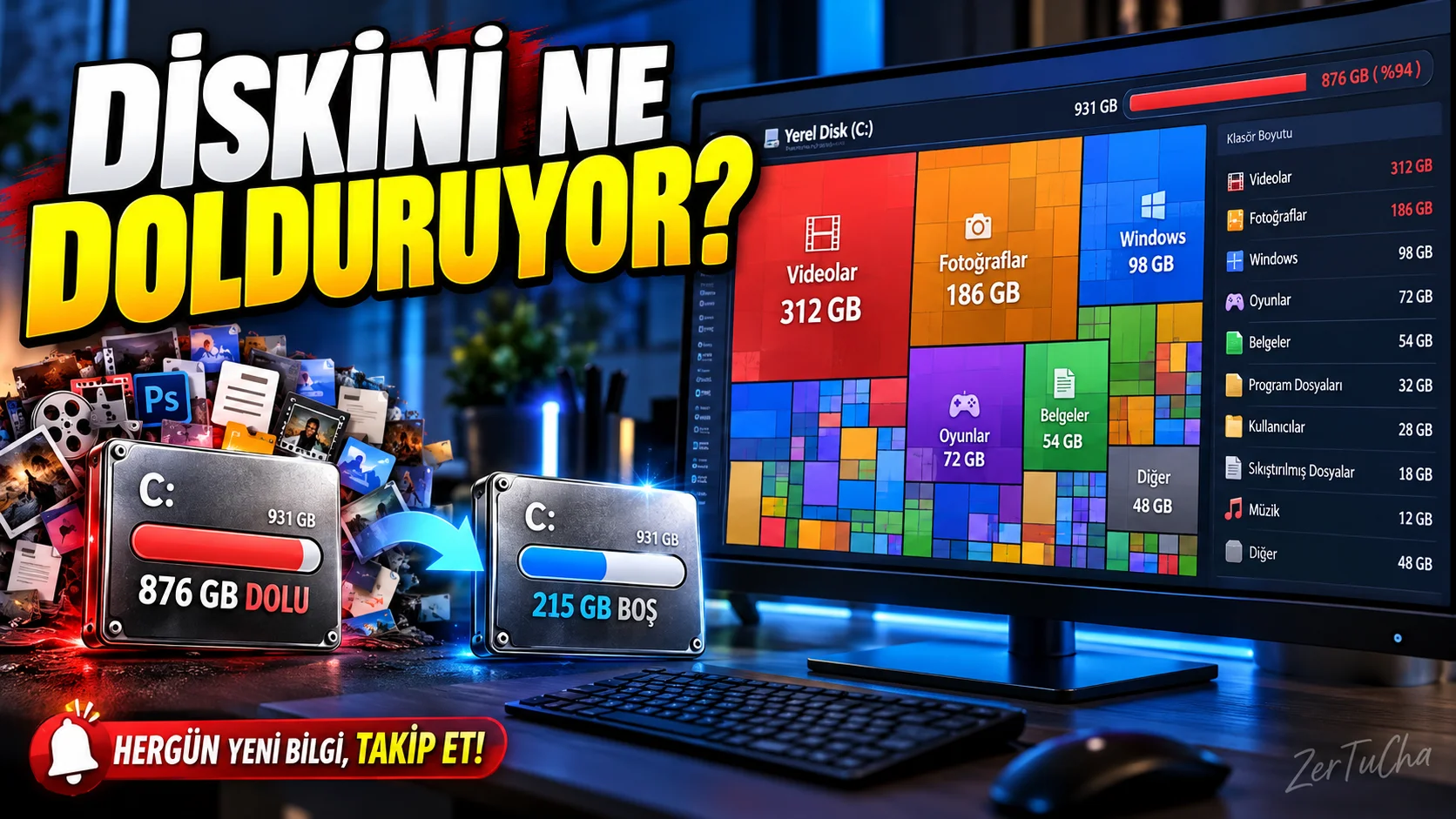
Platform: Windows 10, Windows 11, macOS 12 and above
Program: WizTree
Official download page: WizTree official download page
When your computer's storage space is full, the first solution that comes to mind is to delete the files in the Downloads folder. However, what actually takes up space can sometimes be large video files, old backups, unused installation files, or folders that haven't been touched for years.
WizTree is a tool to visually examine where disk space is used on the computer. Instead of listing folders and files just by their names, it also allows you to easily compare the space they take up.
Why might it be useful?
- You can find the folders and files that take up the most space on the disk.
- You can examine large files on a visual area map.
- By sorting the files according to their size, you can identify content that takes up unnecessary space.
- You can take advantage of features that help find duplicate files.
- You can also choose the portable version that does not require installation in the Windows version.
How to use?
- Download and install the program from the official website.
- Select the disc you want to examine.
- Start scanning.
- Examine the relevant files and folders by clicking on the large boxes.
- Delete files that you are sure are unnecessary through your own file manager.
One of the important advantages of the program is that it helps you manage your storage space more consciously instead of deleting random files without understanding where the problem is.
Moreover, the current versions include WizTreeMac version not only for Windows but also for macOS. On the official download page Windows 4.33 and macOS 1.00 releases dated September 16, 2026 is listed. Personal use is free; It is necessary to check the terms of commercial use separately. WizTree
Attention: Windows folders, application files and system components should not be deleted just because they look large. If you don't know what a file is for, research it first.

Henüz yorum yapılmamış. İlk yorumu siz yapın!
Bir Yorum Bırakın