

Your Windows PC Can Become a Modem: This is How to Distribute the Internet to Other Devices
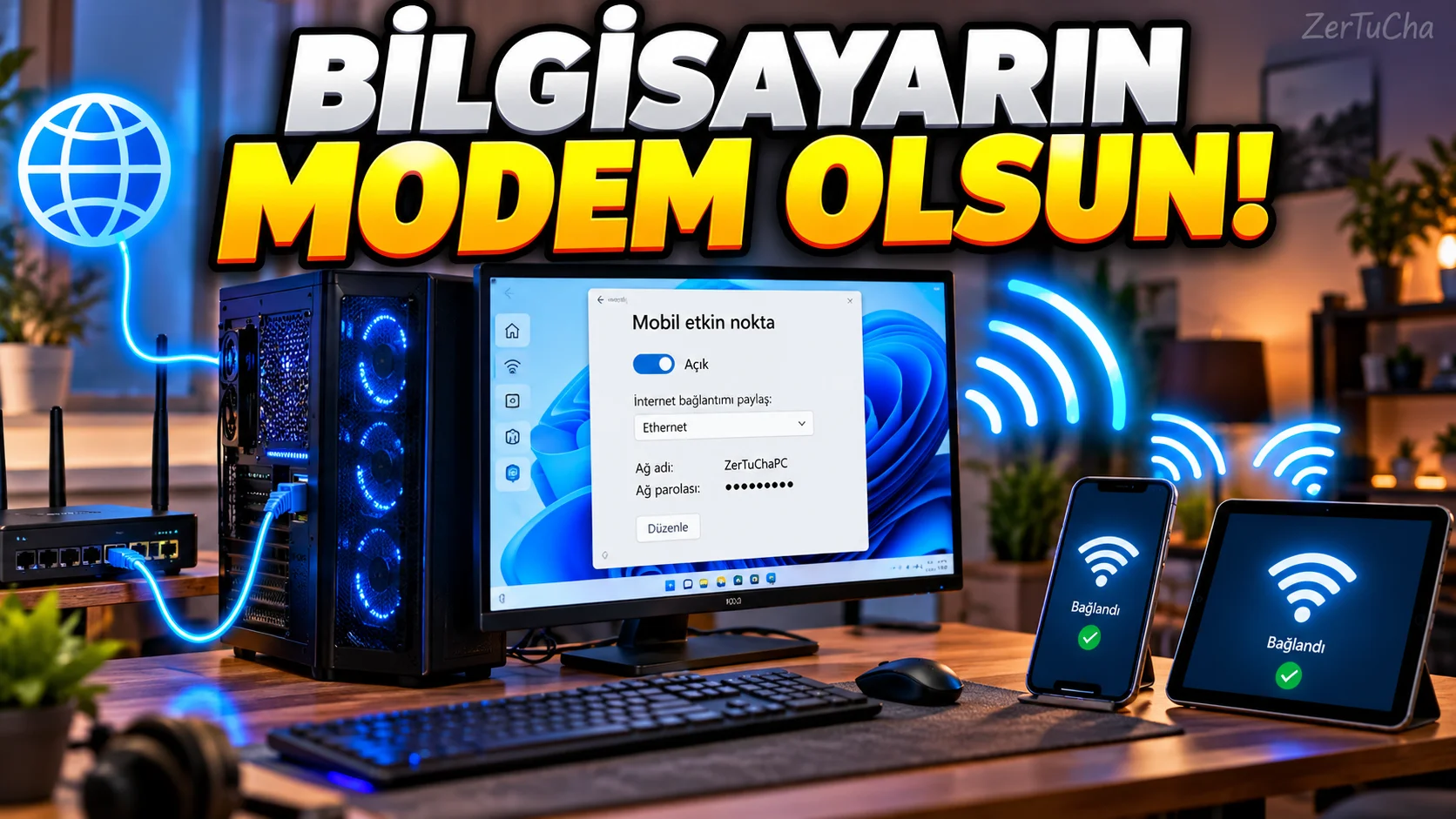
Do you have an internet connection at home or office but your phone can't connect to Wi-Fi?
Windows temporarily wireless access point.
According to Microsoft's current documents, Windows 10 and Windows 11 can share the computer's internet connection with other devices via Wi-Fi or Bluetooth.
Which link can you share?
Windows:
-
Wi-Fi
-
Ethernet
-
Cellular connectivity
.
For example, if your computer is connected to the internet via Ethernet cable:
Ethernet → Windows → Wi-Fi → phone
.
How to turn on mobile hotspot in Windows?
-
Settings.
-
Network and Internet.
-
Mobile hotspot section.
-
Share my internet connection with other devices.
Select which link to share
Share my internet connection on
section, you can choose the connection that the computer will use.
For example:
Ethernet
, your Ethernet connection can be distributed to other devices over Wi-Fi.
Change network name and password
In mobile hotspot settings:
Properties → Edit
from:
-
Network name
-
Password
-
Network band
.
How to connect other phone?
On the phone:
-
Turn on Wi-Fi.
-
Find the network name created by the Windows computer.
-
Select the network.
-
Enter the password.
In some scenarios, connection via QR code is also supported.
Connecting with QR code
A connection can be established by scanning the QR code containing the hotspot information created by Windows on devices that support it.
This is especially useful when you don't want to enter the password manually.
Can it also be shared via Bluetooth?
Yes.
Microsoft states that Windows can share an internet connection over Wi-Fi or Bluetooth.
However, in daily use, Wi-Fi sharing will generally be more practical.
Why might the internet slow down?
Because the computer now distributes the same connection to other devices while using the internet itself.
For example:
Computer → YouTube 4K
simultaneously:
Phone → video
, the total connection capacity is shared.
Caution if you use mobile data
If the computer itself has a cellular connection and you share it as a hotspot, it will be consumed from your data package. Microsoft also clearly states that your data plan will be used in this case.
Specifically:
-
Windows updates
-
Cloud sync
-
Major game downloads
-
Watching video
may consume very high data.
If the hotspot is not visible
Check these:
-
Is the Wi-Fi adapter turned on?
-
Is mobile hotspot enabled?
-
Is the network name correct?
-
Is the password correct?
-
Is the internet connection selected to be shared?
-
Is the computer's Wi-Fi driver up to date?
Important note for Windows 10
Microsoft's current support pages state that Windows 10 support Expires on 14 October 2025 is stated.
Therefore, although this feature can work in Windows 10, it is now more logical to consider switching to Windows 11 due to the support status.

Henüz yorum yapılmamış. İlk yorumu siz yapın!
Bir Yorum Bırakın