

If You Forgot Your Wi-Fi Password, Don't Look Under the Modem: You Can Find Out from Windows
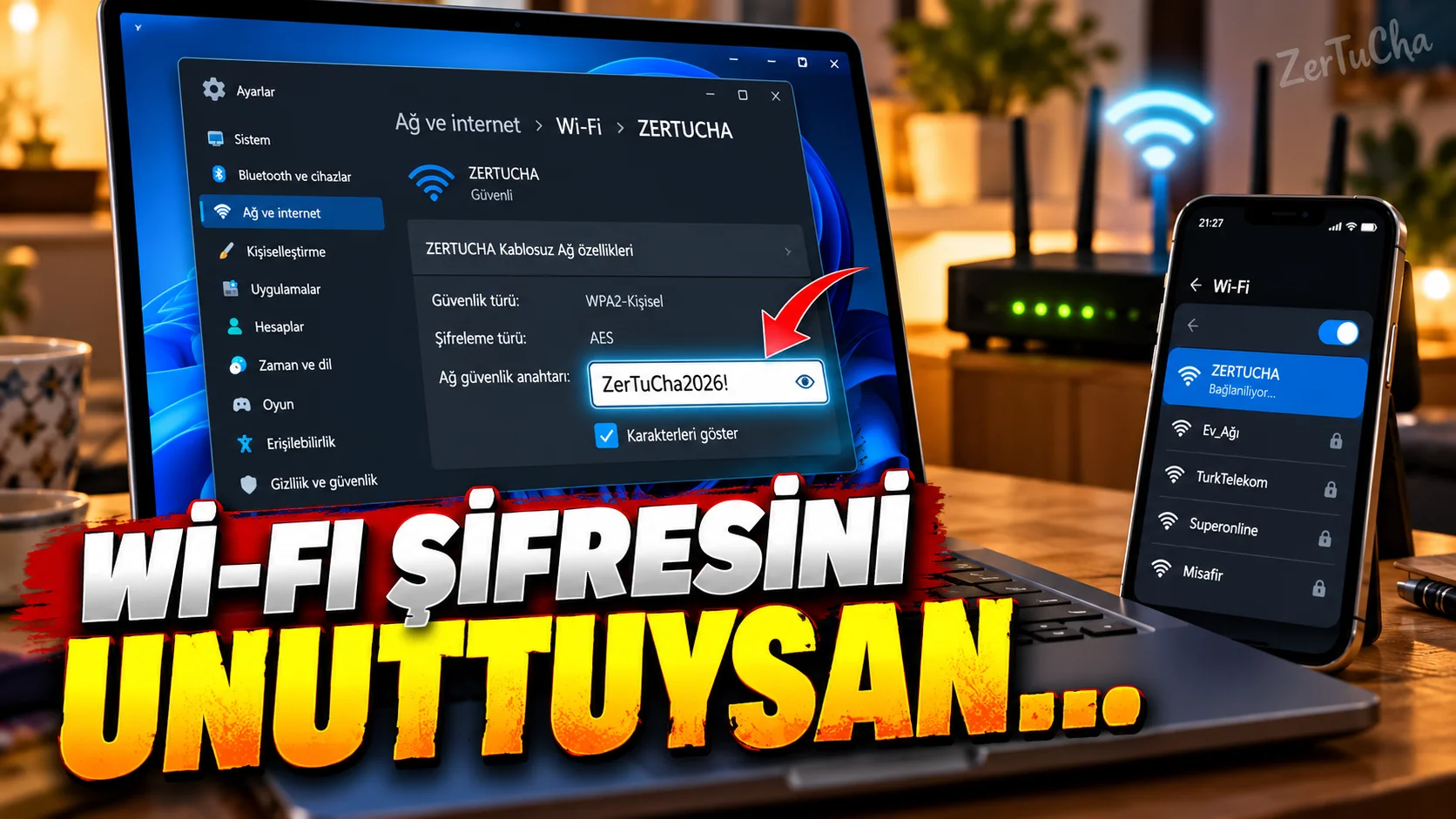
You are connected to Wi-Fi at home.
But a new phone call came from you:
“What is the Wi-Fi password?”
they ask.
You look at the back of the modem…
No tags.
You haven't remembered your password for years.
If your Windows computer has been connected to this Wi-Fi network before, you can see the password through Windows.
Microsoft's current Windows documentation states that the password of the registered Wi-Fi network can be viewed through Windows Settings. Microsoft Support
How to find Wi-Fi password in Windows 11?
First of all:
Settings → Network & Internet → Wi-Fi
.
The network you are connected to:
Specifications
page.
Here:
Wi-Fi network password
field.
Next to:
Show
What if the computer is not currently connected to that network?
You can also manage previously saved networks.
On Windows:
Settings → Network & Internet → Wi-Fi → Manage known networks
.
Select the saved network.
Microsoft's current documentation states that you can show the Wi-Fi password next to the registered network. Microsoft Support
There is also the old Windows method
Classical method on some systems:
Control Panel → Network and Sharing Center
.
Then:
Wireless Features → Security → Show characters
option. Microsoft Support
Connecting with QR after finding the password
According to Microsoft's current Windows documentation, you can also connect other devices via QR code by using the Wi-Fi network information on the Windows device. Microsoft Support
With this feature:
“I don't want to tell you the password, have it read by phone.”
scenario.
Which password does this method show?
The important point here:
This method:
Saved password of the Wi-Fi network to which Windows has previously connected
shows.
The modem's admin panel:
admin password
does not show.
Do not confuse the two.
If you changed the Wi-Fi password?
The old password may have remained saved on the computer.
In this case:
- The connection may be broken.
- Windows may ask for a new password.
- You may need to update the registered network profile.
Caution for safety
After showing your Wi-Fi password:
- Do not share the screenshot.
- Do not leave it open on a public computer.
- Do not send the password to everyone.
Because the Wi-Fi password can gain access to your network.
Status for Windows 10
Microsoft's same help page applies to Windows 10 and Windows 11. However, official support for Windows 10 Ended October 14, 2025. Therefore, if you are still using Windows 10 in 2026, you need to separately evaluate your transition to Windows 11 in terms of security.


Henüz yorum yapılmamış. İlk yorumu siz yapın!
Bir Yorum Bırakın