

HIDDEN SUPERPOWERS OF WINDOWS! When You Install This Program, The Way You Use Your Computer Changes
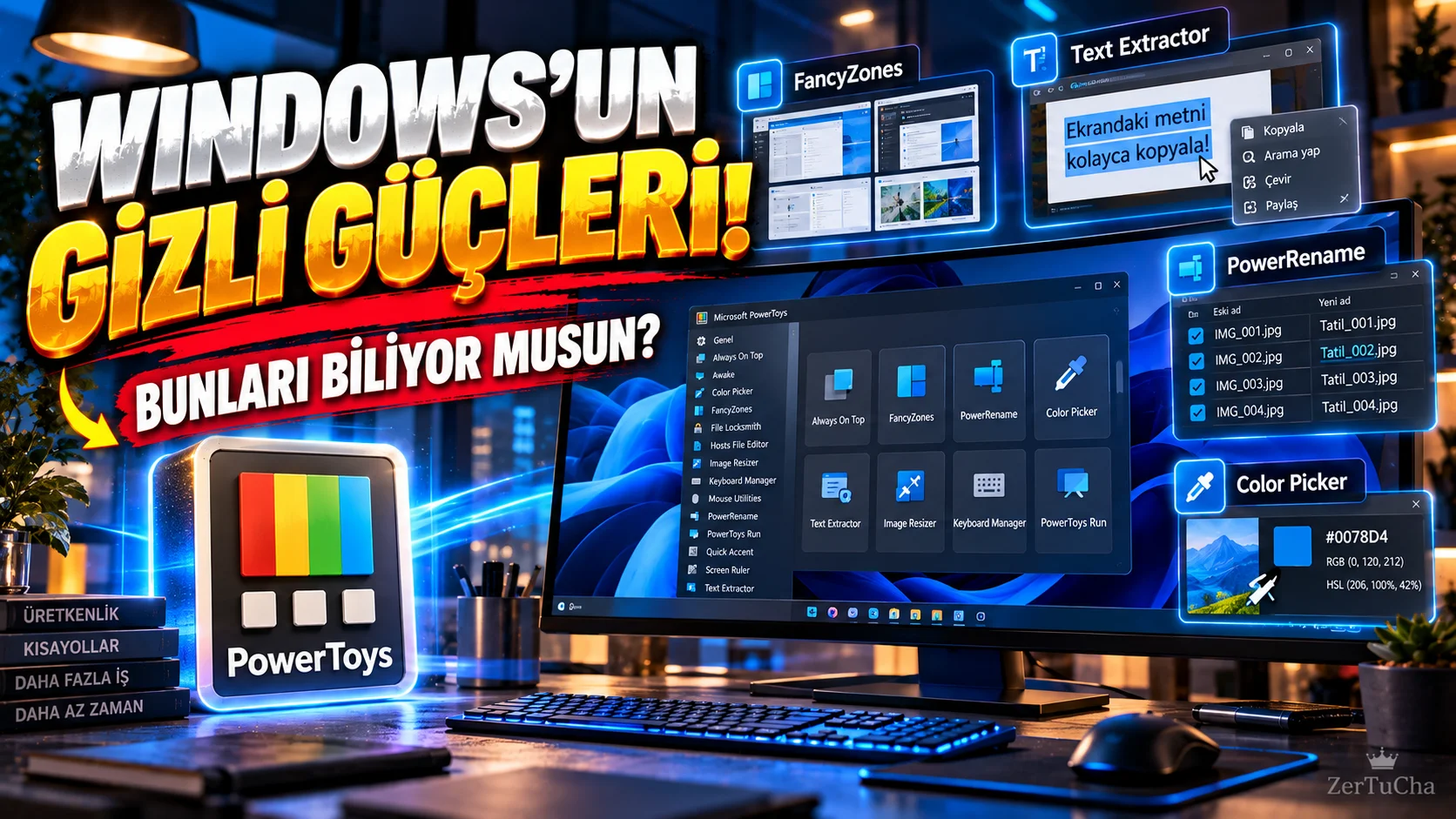
Type: Free utilities package
Source: Open source project developed by Microsoft. Windows 10 version 2004 and later and Windows 11 are supported.
If you are using Windows, your computer has Having PowerToys installed can be seriously useful.
PowerToys is a later addition to Windows A free bundle of over 30 small but powerful utilities. Microsoft's aim is to speed up the daily use of Windows and offer users some advanced features that are not normally available in Windows. Microsoft Learn
So what does it do?
🔹 Copying the text on the screen
Can't select text on a website, video, PDF or image?
PowerToys Text Extractor tool can detect and copy the text on the screen using OCR. In other words, it is possible to convert even text that cannot normally be selected into text. Microsoft Learn
🔹 Editing multiple windows at once
If you are working with a browser, Word, Photoshop, or other programs on the screen FancyZones is quite useful.
You can divide the screen into predetermined sections and quickly place windows in these areas. It can seriously organize the desktop, especially for those who use large monitors. Microsoft Learn
🔹 Bulk renaming files
Imagine you have hundreds of photos.
Normally, renaming files one by one can waste a lot of time. PowerRename, you can bulk rename files, perform search/replace operations, and use regular expressions for more advanced editing. Microsoft Learn
🔹 Capturing any color on the screen
If you want to find the code of a color you see on a website, photo or design Color Picker, you can get color from any point on the screen. This feature is especially practical for designers and content producers. Microsoft Learn
🔹 Preview files without opening
PowerToys Peek feature, you can quickly preview the contents of some files without opening the relevant program completely. This can save time, especially when working with large numbers of files. Microsoft Learn
🔹 Don't keep the window over everything
For example, while watching a YouTube video, you want to switch to another program, but you do not want the video to disappear.
Always On Top feature you can keep a specific window above other windows. Microsoft Learn
🔹 Advanced Pasting
One of the current features of PowerToys is Advanced Pasting.
It helps you paste the content you copied to the clipboard by converting it into different formats. Native AI-powered conversions are also available on some supported Windows devices. Microsoft's current release notes state that this feature has been developed with artificial intelligence options running on the device. GitHub
Moreover, PowerToys Microsoft Store, GitHub or WinGet. Microsoft Learn
🎯 In short, what does it do?
PowerToys isn't all about one great feature.
It reduces unnecessary hassle in daily computer use by adding dozens of small features to Windows.
Specifically:
- Content creators
- Students
- Developers
- Designers
- Office workers
- Multi-window users
- Those who work hard with files
.
And here's the beauty: “Why doesn't my computer have such a feature?” Many things you ask can be found in PowerToys. 😄


Henüz yorum yapılmamış. İlk yorumu siz yapın!
Bir Yorum Bırakın