

Solution to “VCRUNTIME140.dll Not Found” Error! What is All In One Runtimes?
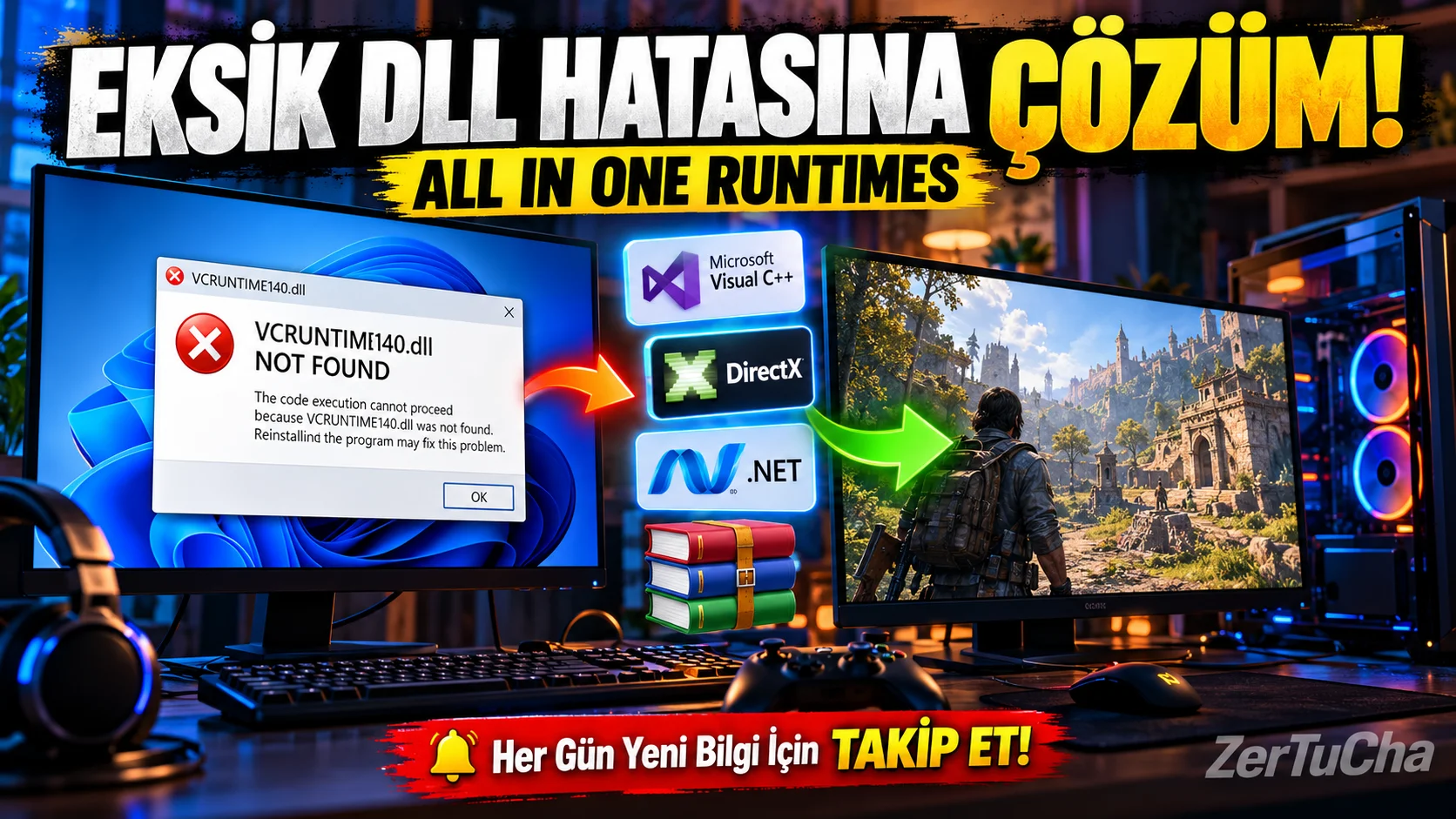
You install a game on your computer, double-click it and you get the following error: “VCRUNTIME140.dll was not found.”
You open another program, this time .NET error! You try to run an old game, one of the DirectX components is missing.
At some point, one thinks that it is not the computer that makes mistakes, but the computer gives mistakes to the human!
All In One Runtimes, which we are reviewing today, collects various Windows runtime components that may be needed in such problems in a single package. So does it really work? Should it be installed on every computer? More importantly, Can we download version 4.8.4 safely?
We will talk about all of them in this video.
🖥️ What is All In One Runtimes?
All In One Runtimes is an installation package that brings together various utility components that Windows programs and games may need to run.
Think of it this way: A game or program may need some additional components to run on its own, beyond the features already included in Windows. If these components are missing on your computer, are outdated, or the correct version is not installed, the program may not open.
The purpose of All In One Runtimes is to make it easier to install more than one of these components in a single installation process, rather than searching for and downloading them one by one.
Known versions of the package may include Microsoft Visual C++ runtime components, .NET Framework, DirectX additional components used in older games, Java and other auxiliary components.
But there is an important detail: The content of each All In One Runtimes version is not the same. It is important not to mix different packages on the internet.
🔧 What does it do? What errors can it help with?
1. Can help with missing DLL errors
For example, you try to open a game on your computer and you receive the warning "MSVCP140.dll" or "VCRUNTIME140.dll not found".
These files are associated with Microsoft Visual C++ runtime components that some programs require.
With the correct Visual C++ package installed, the issue caused by the missing component can be resolved.
But let's underline here: The solution to every DLL error is not to install this package. The error may also be caused by corrupt game files, incorrect architecture, a different dependency, or the program's own files.
Also, do not randomly download the DLL file you find on the internet and copy it to your Windows folders. The best approach is to install the required component from a reliable source.
2. Can help older games run
Some older games may require older DirectX snap-ins or certain versions of Visual C++, even on current Windows versions.
Suitable components of All In One Runtimes can help complete the missing dependencies of such games.
But this package does not speed up the graphics card, does not magically increase the FPS value and does not make all old games work.
If the game is incompatible with the Windows version, does not work due to DRM, or has another problem, different solutions may be required.
3. Can help troubleshoot .NET related issues
Some Windows programs are developed with Microsoft's .NET technologies. These programs may require a specific .NET version or runtime component.
When the correct component is missing, the application may not open or may give an error.
The point to note here is that the .NET Framework and modern .NET runtimes are not the same thing. Installing one does not meet all the needs of the other.
That's why it's important to check which version is requested in the error message you receive.
📦 What components are included in the package?
At this point, it is necessary to distinguish the versions correctly.
The widely known version 2.5.0 of All In One Runtimes; It was released as a package containing legacy Microsoft Visual C++ components, .NET Framework, Java, and some legacy auxiliary components.
Shared on the Internet 4.8.4 may be a packaging effort distributed with different contents. It is not correct to consider this version number as the official and current major version of the software.
For example, a 4.8.4 distribution page on the Internet lists .NET Desktop Runtime 8, 9, and 10, Visual C++ packages, Java, DirectX, and other components. However, this list does not prove that the 4.8.4 file everywhere is the same or that all of these components are reliably packaged.
Sources:
-
Known version 2.5.0 of All In One Runtimes: https://sourceforge.net/projects/all-in-one-runtimes/files/
🛠️ How to use?
My top advice here is: First detect the error, then install the correct component. You don't have to install every package just to avoid missing anything on your computer.
Step one: Take note of the error message given by the program that does not open. For example, you might see “VCRUNTIME140.dll”, “.NET Desktop Runtime” or “d3dx9_43.dll”.
Second step: Determine which component the error is associated with. Check the official support page of the program or game if necessary.
Third step: First, use Microsoft's official download pages. You can get the Visual C++ package, .NET version or DirectX component you need here.
Fourth step: If you choose to use All In One Runtimes, verify the source of the package, its contents, and the reliability of the file. Check which components are selected on the setup screen; automatically installing components you don't know what they are.
Step five: If you are prompted to restart the computer after the installation is complete, do so. Then try the program you are having problems with again.
Remember: Installing a component does not necessarily mean that the bug will be resolved.
💰 Is there a fee?
The widely distributed main package of All In One Runtimes is available as a free software package.
But not every download page on the internet is the same. Some sites may offer memberships, advertisements, download managers or other download conditions.
Just because a download site shows a file for free does not alone prove that the file is official or safe.
Therefore, be wary of pages that charge money for downloads or require you to install an additional program.
✅ Advantages
-
Can save time: Can make it easier to install multiple required components in one installation process.
-
May be useful in older software: It can complete some dependencies needed by older games and programs.
-
Free option: The mainstream base package is distributed free of charge.
-
Ease of bulk installation: Can reduce the need to search for each component individually.
-
May be practical on newly installed computers: Can simplify the installation process on systems running many legacy applications.
❌ Disadvantages and things to consider
-
Does not resolve every error: If the source of the problem is different, the package may not work.
-
There is version and source confusion: Different content can be distributed under the same name.
-
Risk of installing unnecessary components: It is unnecessary to install unnecessary software.
-
May contain obsolete components: Some older plug-ins may no longer be supported or used on current systems.
-
Security and authentication important: Third-party packages cannot be said to be secure just by looking at the name and version number.
-
Not always a substitute for official installations: Windows or the application's own installer may provide some components more accurately.
Be especially careful of packages containing outdated browser add-ons. It is not a good idea to install out-of-support components, such as Adobe Flash Player, just because they are included in the package.
👥 Who should use it?
Cast: Those experiencing issues with missing runtime components in older games.
Technical service personnel: Those who deal with different dependencies when installing software on more than one computer.
Using old programs: Those working with applications that require certain Visual C++ or .NET components.
Windows reinstallers: Those who need to reinstall many legacy applications and want to mass manage the correct components.
For whom is it unnecessary? It may be unnecessary to install the entire package for users whose computers do not experience any errors, the programs they use automatically install the necessary components, or those who only have a single missing component.
🔐 Is it safe? Should All In One Runtimes 4.8.4 be downloaded?
Let's get to the most important topic.
We should not consider the package known as All In One Runtimes to be the same as every third-party repackaging on the Internet.
I cannot call this version safe, especially without verifying from which source the 4.8.4 file was downloaded, which components it contains, and whether the installation file has been changed.
The safest approach is to download the component you need directly from Microsoft:
-
Visual C++: https://learn.microsoft.com/en-us/cpp/windows/latest-supported-vc-redist
-
DirectX add-ons from older games: https://www.microsoft.com/en-us/download/details.aspx?id=35
You can choose the right component you need from these addresses. You should not download the DLL file from third-party sites just because you got the DLL error.
🏁 Final verdict: Is it worth installing?
My opinion is that All In One Runtimes can be practical, especially for those who deal with a lot of old games and programs. However, it should not be considered as a "secret program that speeds up Windows" or a "tool that solves all computer errors with one click".
Moreover, it would not be right to recommend this version to everyone without verifying the source and integrity of the 4.8.4 version.
If it were me, I would detect the error message first, install the missing component from the official source, and consider the bulk installation package only if it is really needed.
So, have you ever had a “DLL not found” or “.NET required” error on your computer? Write in the comments which game or program you live in.
Follow ZerTuCha! Every day we come across new programs, useful Windows tools and technology discoveries.



Henüz yorum yapılmamış. İlk yorumu siz yapın!
Bir Yorum Bırakın