

Did You Know You Can Do Real Experiments with the Sensors Inside Your Phone?
-
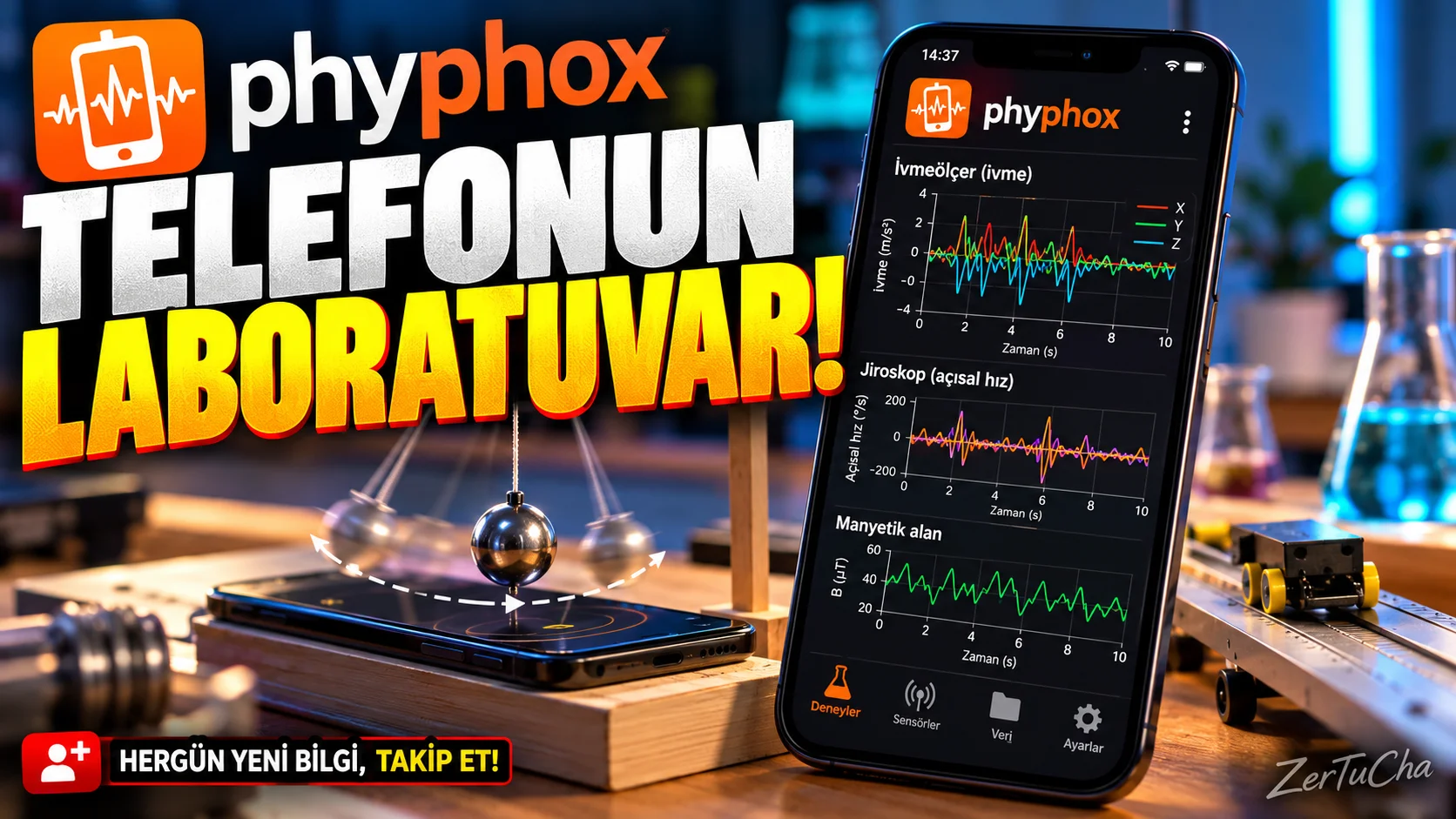
Application: phyphox – Physical Phone Experiments
-
Your phone doesn't just take photos and send messages. There are also sensors inside that detect movement, measure rotation, and in some models, can detect values such as pressure. But did you know you can use them in real experiments?
phyphox was developed exactly for this. When you open the application, you find ready-made physics experiments. You select an experiment, place your phone as instructed and start the measurement. You can see the results on the graph and export the data in some experiments.
If you are a student, you can use it in lessons, if you are a teacher, in the classroom, if you are a science enthusiast, you can use it while doing simple experiments at home. Moreover, the application is free for Android and iPhone; The source code is also open.
But not every phone has the same sensors. Therefore, if you try it and it does not work for you, it may not mean that the application is broken. Additionally, this is not laboratory equipment that replaces professional measuring devices.
In short, if you're wondering what's inside your phone, try phyphox. I leave the official download link in the description.
phyphox is an application developed at RWTH Aachen University to use the phone's sensors in physics experiments. It is stated on its official page that it can be downloaded free of charge for Android and iOS.
What does it do?
Your phone may have an accelerometer, gyroscope and other sensors depending on the model. phyphox allows you to make measurements, view graphs and save experimental results using the data from these sensors.
For example:
-
You can securely fix your phone and review movement and acceleration data.
-
In a simple physics course, you can do pendulum or oscillation experiments.
-
You can measure values such as pressure or rotational movement with the sensors supported by the phone.
-
You can export the experimental data and review them later.
This application is not a replacement for professional laboratory equipment; However, it makes the sensors inside the phone useful for measurements for education and curiosity purposes.
Highlights
-
Ready experiments: You can open experiments in the application without designing experiments from scratch.
-
Graph and data analysis: You can see how measurements change over time.
-
Data export: You can export the results to other applications.
-
Remote interface: You can view and control some experiments from the browser of another device on the same local network.
-
Custom experiments: More advanced users can create experiment configurations.
Why is it worth trying?
Many people associate phone sensors only with functions such as screen rotation or step counting. phyphox uses these sensors as a tool for learning and experimenting.
Especially students, teachers, those interested in electronics and those who wonder "What physical values can my phone measure?" It offers a different usage area for those wondering.
Advantages and disadvantages
Advantages
-
Android and iOS support.
-
Free and open source.
-
Ready experiments and data analysis.
-
Helpful for education and science enthusiasts.
Disadvantages
-
Not every phone has the same sensors.
-
Some measurements depend on phone model and sensor quality.
-
It offers experimental tools rather than a guide that everyone will understand immediately when first opened; It may be necessary to examine the explanations to find out.
-
Remote access feature is not encrypted or password protected; The developer says to pay attention to security restrictions when using this feature.
Who is it suitable for?
Suitable for: Students, teachers, science enthusiasts, electronics and physics experimenters.
Not suitable for: Those who want to make professional precision measurements with their phones or want to completely replace a certified measuring device.
Get started guide
-
Check the official download page and select the store suitable for your phone.
-
Open the application and review the list of ready-made experiments.
-
Choose a simple experiment with an explanation.
-
Place your phone as specified in the experiment instructions.
-
Start the measurement and observe how the graphics change.
-
If you want to export the results, try using the saving and sharing options.
Privacy and reliability
The source code is open and the application is free. Normal sensor experiments are not the same as the user also running an experiment configuration that sends data over the network. According to Phyphox's privacy statement, the information that can be sent in experiments that send data over the network is shown in advance. It would be better not to use the remote interface on public public Wi-Fi.
-



Henüz yorum yapılmamış. İlk yorumu siz yapın!
Bir Yorum Bırakın