

SAMSUNG GALAXY: Let Your Phone Know When You Come to Work and Change Its Settings Automatically!
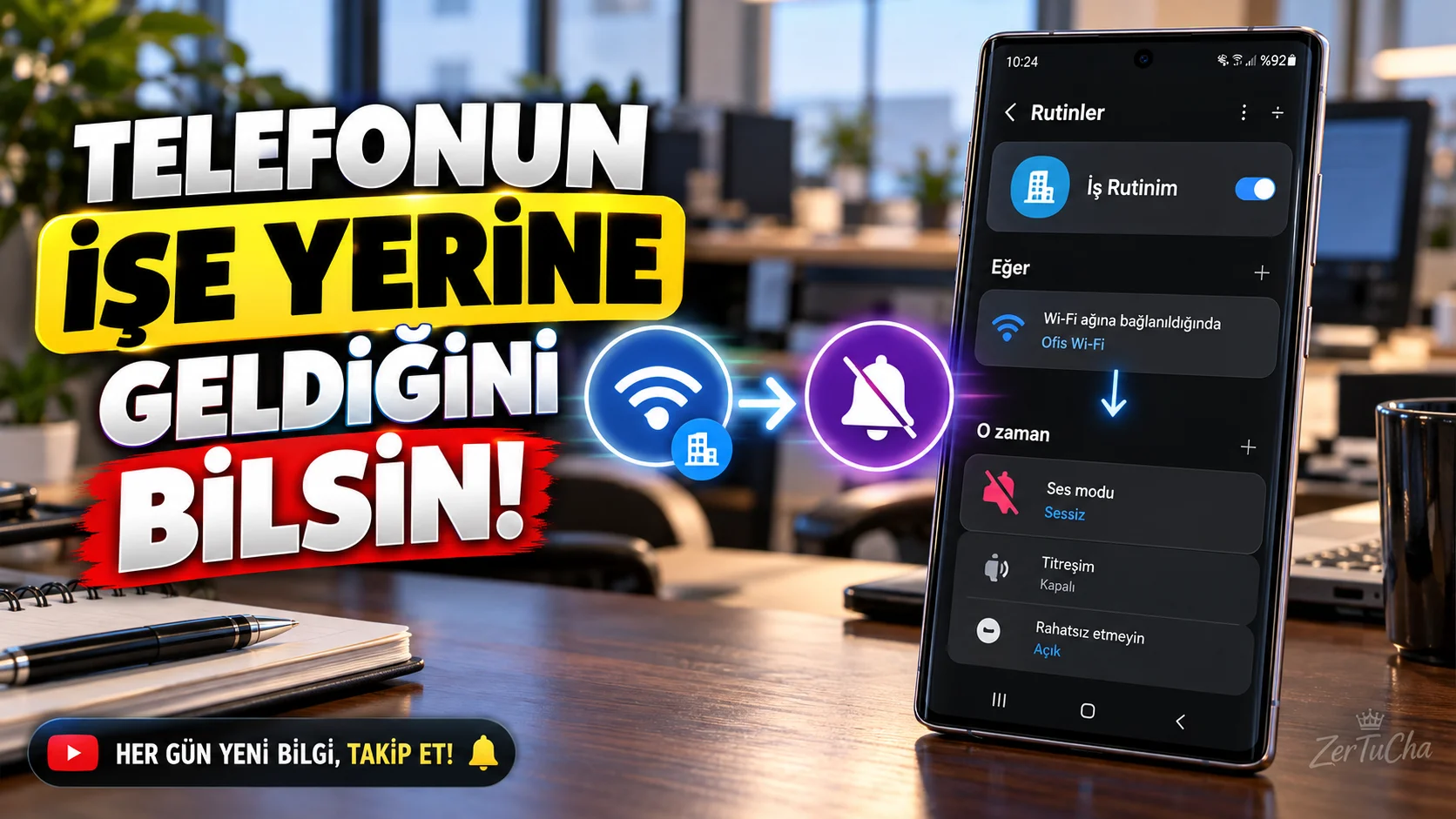
Do you have to silence your phone every morning when you go to work and turn it back on when you return home in the evening?
Modes and Routines feature can automatically change some phone settings when conditions you specify are met. For example, you can reduce notification sounds when connected to a specific Wi-Fi network or enable do not disturb mode at specified times at night. Samsung min
Create a routine of silencing your phone when you arrive at work
1. Open Modes and Routines.
Go to Settings → Modes and Routines.
2. Select the Routines tab.
To create a new routine + icon. In some versions, this option may be located in a different location.
3. Set a condition.
If (If), select the condition for connecting to the Wi-Fi network.
Determine your workplace Wi-Fi network. If this option is not available on your phone, you can choose an alternative condition; for example, a specific time range.
4. Select the action to be taken.
Then .
Choose the sound mode to silent or vibrate from the options supported by your phone. Add Do Not Disturb if you want.
5. Name the routine.
For example Here is Silent Mode.
6. Save and try.
Check if the routine works by connecting to the Wi-Fi network at work.
You can create multiple automations
With the same logic:
- You can turn on night mode at a specific time.
- You can choose a different sound profile when connected to the home Wi-Fi network.
- You can reduce the screen brightness before going to sleep.
- You can limit notifications during business hours.
Samsung's official guide explains that routines can work according to certain conditions and that recommended routines can be customized. Samsung min
Compatibility note: Options for Modes and Routines may vary depending on Galaxy device and software version. In Android 13 and 14, the feature is available under Modes and Routines, while in Android 11 and 12, it may be offered as Bixby Routines. Samsung min
Attention: Connecting to a Wi-Fi network doesn't always mean you're physically present at work. Limit automation to the right condition and actions you actually need.
Official source: Samsung – Galaxy Modes and Routines




Henüz yorum yapılmamış. İlk yorumu siz yapın!
Bir Yorum Bırakın