

PDF, EPUB, and More: The Reader That Opens Many Book Formats on Your Phone
-
Application: Librera Reader
-
Platform: Android
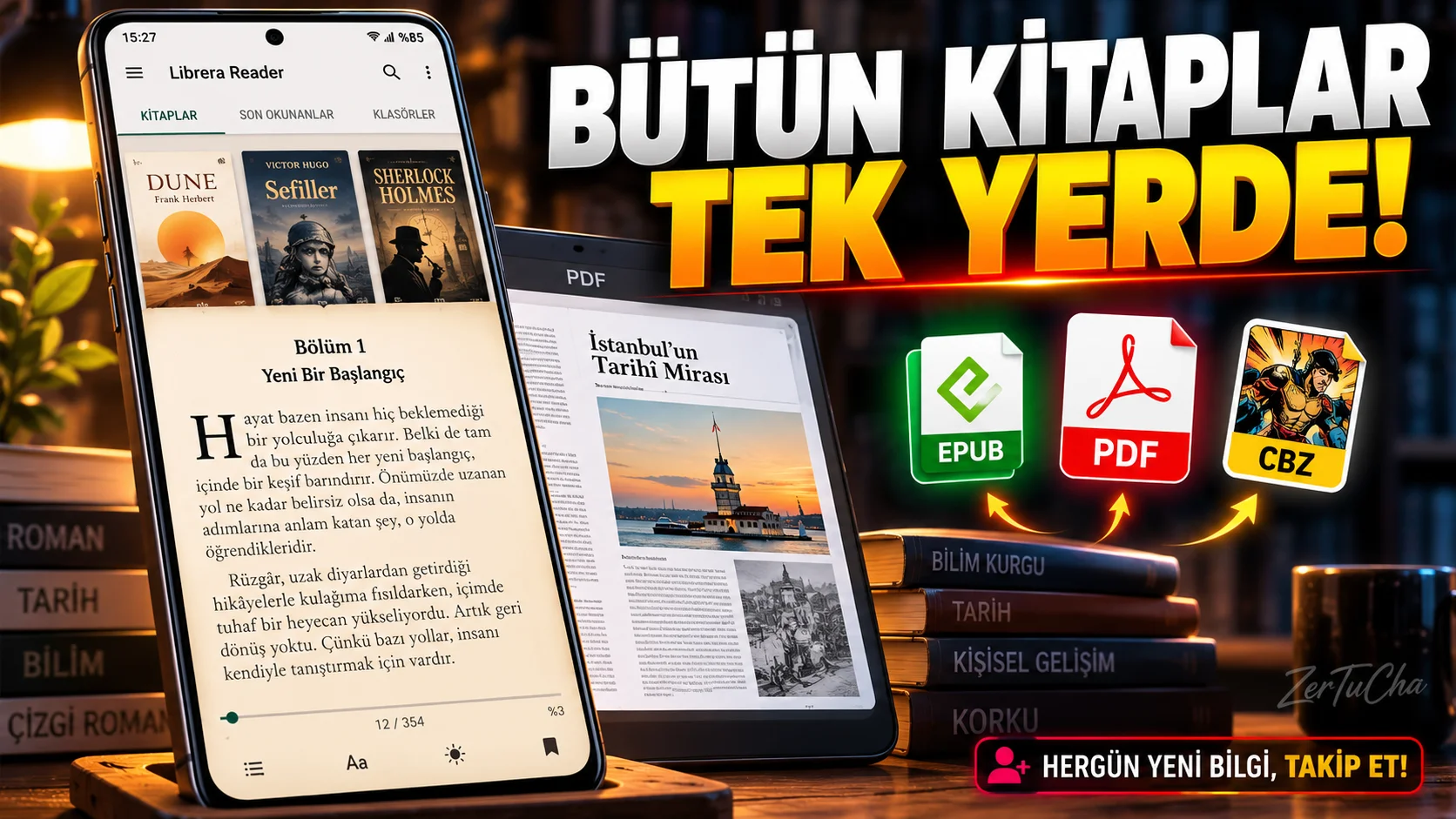
Official repository of the project; It explains that it supports various formats such as PDF, EPUB, MOBI, DjVu, FB2, TXT, RTF, HTML, CBZ and CBR.
You downloaded an e-book to your phone but the file won't open? Or are you tired of using separate applications for PDF, EPUB and comic files? Librera Reader is an Android application that may be useful in this regard.
Librera supports common formats such as EPUB and PDF, as well as other file types such as MOBI, DjVu, FB2, TXT, CBZ and CBR. In other words, you can open both your lecture notes and books in different formats from the same reader.
It also has features such as adding bookmarks, using a dictionary and listening to texts aloud. Moreover, there is an open source version and the project releases regular versions.
What you need to pay attention to here is this: The free version and PRO version are separate on Google Play. So don't think that all paid features are available in the free version. Additionally, the large number of settings may seem a bit confusing to those looking for a simple reader.
But if you collect books and documents in different formats on your phone, Librera Reader is definitely worth checking out.
What does it do?
If you have a PDF, EPUB book, comic book archive, or text document on your phone, you may not want to search for a different application for each file. Librera Reader is designed to open multiple book and document formats in the same reader.
For example:
-
Reading a novel in EPUB format.
-
Opening and bookmarking PDF lecture notes.
-
Viewing an old DjVu document.
-
Opening comic book archives in CBZ or CBR format.
-
Using the dictionary or voice reading features for long texts.
This app can do more than just read books, as some of the supported formats are proprietary or legacy document types.
Highlights
-
Broad file support: many different formats as well as EPUB and PDF.
-
Bookmarks: Being able to go back to where you read.
-
Dictionary support: Reviewing words while reading.
-
Audio reading: Listening to supported texts with the device's voice reading infrastructure.
-
F-Droid version: There is a separate distribution option for Android users who do not want to use Google services.
Why is it worth trying?
Librera's main advantage is that it does not rely on a single file type. It is especially useful for those who want to open documents in different formats downloaded from the internet or e-books that have been in their archives for a long time, in a single application.
Another plus is that the source code of the application is accessible and the F-Droid distribution is available.
Advantages and disadvantages
Advantages
-
Supports many e-book and document formats.
-
Active version history available for Android.
-
Offers additional functions such as bookmarks, dictionary and reading aloud.
-
There is an open source distribution option.
Disadvantages
-
Android focused; In this research, I was unable to verify a current iOS version with the same feature set.
-
The multitude of settings may seem complicated to those who just want a simple book reader.
-
There may be feature and distribution differences between the Free, PRO and F-Droid versions.
-
Audio reading quality depends on the language used and the text-to-speech engine of the device.
Who is it suitable for?
Suitable for: Students, those who keep e-book archives, those who open documents in different formats and those who want to read comic book files on their phones.
Not very suitable: Those who just want to buy books from the online bookstore and read them with one touch, or those who only use iOS.
Get started guide
-
Official project page and select Google Play or F-Droid distribution.
-
Open the app and find the book files on your phone.
-
Open an EPUB or PDF file.
-
Adjust the reading view, font size and page layout according to your needs.
-
Bookmark what you are reading.
-
If you want, try the dictionary or reading aloud options.
Privacy and reliability
Source code is open and project version history is up to date. However, the data security notices of the Google Play version may not be the same as those of the F-Droid version. If you're working with sensitive documents, check which version you've installed, what permissions you've given, and where the files are stored.
-

Henüz yorum yapılmamış. İlk yorumu siz yapın!
Bir Yorum Bırakın