

LG OLED C5 or Samsung OLED S90F? To compare
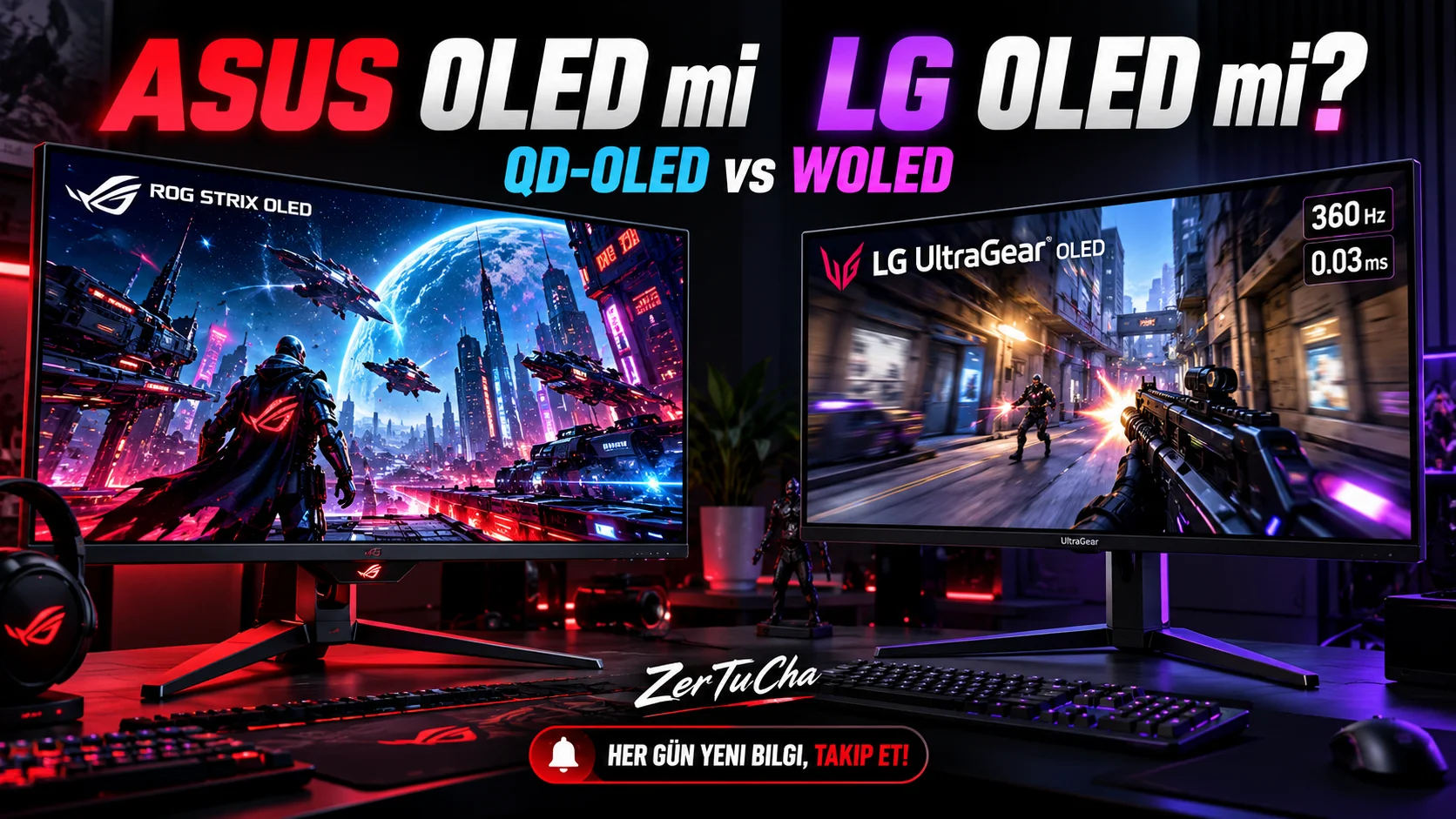
ASUS ROG Strix OLED or LG UltraGear OLED? Which is Better?
Switching to OLED technology when buying a new gaming monitor can provide a serious leap in image quality. True blacks, high contrast, vivid colors and very fast pixel response times make OLED monitors attractive in both competitive games and story-oriented productions.
However, two strong names stand out in the OLED monitor market: ASUS ROG Strix OLED and LG UltraGear OLED.
ASUS offers QD-OLED and WOLED panels, high refresh rates, screen protection technologies and connectivity options for gamers in the ROG Strix family. LG UltraGear, on the other hand, has a wide range of products, from high refresh rates at QHD resolution to 4K OLED models and dual-mode displays.
So which one is better? ASUS' colors or LG's high refresh rates? Glossy screen or anti-reflective matte finish? What should be taken into consideration in terms of OLED burn risk?
In this guide, we will compare the OLED monitors of the two brands in detail and explain which option makes more sense according to different gamer profiles.
1. ASUS ROG Strix OLED vs LG UltraGear OLED: Key differences
First of all, it is necessary to know that both product families have features that vary from model to model. The table below summarizes the general approach of the brands; Not every feature is available on every model.
| Feature | ASUS ROG Strix OLED | LG UltraGear OLED |
|---|---|---|
| Panel technology | QD-OLED and WOLED options | Mainly WOLED options |
| Resolution | QHD and 4K options | QHD, 4K and ultrawide options |
| Refresh rate | From approximately 240 Hz to 500 Hz and above, depending on the model | From 240 Hz to 540 Hz and 720 Hz in dual mode, depending on model |
| Color performance | Wide color volume and vivid colors in QD-OLED models | High contrast in WOLED models; Higher brightness potential in new generation Tandem OLED models |
| Display surface | Glossy or semi-gloss depending on model | Matte or surfaces offering different reflection control depending on the model |
| OLED protection | Features such as ASUS OLED Care and proximity sensor depending on model | OLED protection and panel maintenance features by model |
| Links | HDMI, DisplayPort and USB-C on some models | HDMI, DisplayPort and USB-C on some models |
| Prominent use | Competitive gaming, vivid colors, ultimate PC experience | High refresh rate, different resolution options and wide model range |
The most important point here is to look at the technical specifications of the model you will buy rather than the names of the brands. For example, ASUS's 360 Hz QD-OLED model and LG's 540 Hz WOLED model may not appeal to the same usage purpose, even if they have the same resolution.
2. Why is OLED technology so important?
In OLED monitors, each pixel produces its own light. Unlike traditional LCD monitors, a common backlight system that illuminates the entire screen is not used.
A pixel can turn off its light when it wants to display black. In this way, blacks appear deeper in dark scenes and high contrast is achieved between bright objects and dark backgrounds.
You can notice the advantages of OLED technology, for example, when viewing the inside of a cave, the night sky or objects in the shadows in a dark game.
OLED's prominent advantages are:
-
Very high contrast and true blacks
-
Very fast pixel response time
-
Low blur potential in moving images
-
Vibrant colors and wide color gamut
-
Impressive bright areas and dark areas can be displayed in the same scene in HDR content
However, it cannot be said that OLED is better than LCD in all conditions. It is necessary to make different evaluations in situations such as working with static images for a long time, using it in a very bright room, or leaving the monitor on with the same desktop interface all day.
3. QD-OLED or WOLED?
One of the most important technical issues when choosing between ASUS and LG is the panel type.
QD-OLED: Vibrant colors and high color volume
QD-OLED combines OLED light source with quantum dot technology. This structure can be especially advantageous in the display of bright and saturated colors.
QD-OLED models in the ASUS ROG Strix family may attract the attention of gamers looking for vivid colors and high image quality. Colorful game worlds, HDR content and visually rich productions can look very impressive on these panels.
However, in bright ambient conditions on QD-OLED panels, the appearance of blacks may be affected by the ambient light. In a very bright room, black areas may not appear as deep as in a dark room.
WOLED: Developing panel technology and different surface options
WOLED is a panel technology that uses a white OLED light source and color filters. LG has been developing this technology for a long time and improving brightness, energy efficiency and color performance in different generations.
LG UltraGear models feature different generations of WOLED panels. The new generation Tandem OLED panels can offer significant improvements in brightness and color performance compared to previous generations.
WOLED's advantages are not just about panel type. Screen covering, brightness management and the overall design of the monitor also determine the viewing experience.
So which one is better?
If the color volume and vivid colors of QD-OLED are important to you, ASUS' models using this panel may be attractive. LG's new generation WOLED models can stand out with high brightness and very high refresh rates.
But panel type alone does not determine the winner. Even two monitors within the same panel family can produce different results in terms of brightness, rendering, HDR behavior and software settings.
4. Image quality: Colours, blacks and HDR
One of the greatest strengths of OLED monitors is their contrast performance. Since black pixels do not produce light, details can look impressive in dark scenes.
But looking at contrast alone is not enough when evaluating HDR performance. What size areas the brightness can be maintained, how saturated the colors remain at high brightness, and the HDR tone mapping behavior of the monitor are also important.
Image quality of ASUS ROG Strix OLED
QD-OLED are a strong option, especially for gamers who want colors to appear vibrant. Bright and colorful gaming scenes, HDR content and high-quality video images can be impressive.
Some ASUS models stand out with their glossy screen surface. This surface can help perceive the image more clearly and vividly in a room where reflections are controlled.
However, if light sources such as windows or lamps reflect directly on the screen, the glossy surface may be distracting. Therefore, you should consider the screen covering along with the lighting of your room.
Image quality of LG UltraGear OLED
LG's OLED monitors also offer deep blacks and high contrast. On some models, a matte screen coating can help make reflections from ambient light less distracting.
Brightness and color performance can also be significantly improved in the new generation Tandem OLED models. For this reason, it would not be correct to evaluate all LG UltraGear OLED models as having the same image quality.
What to look for when purchasing for HDR?
-
According to HDR certification and actual brightness measurements
-
Peak brightness achieved in bright small areas
-
Depends on how well the wide field brightness is preserved
-
Color volume and HDR color performance
-
Depends on the screen covering and the lighting conditions in the room
Just because it says HDR on the box does not mean that two monitors offer the same HDR experience.
5. Refresh rate: difference between 240 Hz, 360 Hz, 540 Hz and 720 Hz
In gaming monitors, refresh rate refers to how many times the screen can display a new image per second.
-
240 Hz: 240 refreshes per second
-
360 Hz: 360 refreshes per second
-
540 Hz: 540 refreshes per second
-
720 Hz: 720 refreshes per second
As the refresh rate increases, it becomes possible to update motion pictures more frequently. However, a higher Hz value alone does not guarantee a better experience in every game.
For example, ASUS ROG Strix XG27AQDNG is a QD-OLED model that offers a 360 Hz refresh rate at QHD resolution. LG UltraGear 27GX790B-B, on the other hand, can reach 540 Hz at QHD resolution and go up to 720 Hz at 720p resolution with the dual mode feature. In RTINGS' comparison, LG's higher refresh rate and new generation panel advantages stand out. <Cite refs={["turn780765search1","turn780765search9"]}/>
What does high Hz provide in competitive gaming?
In competitive games like Counter-Strike 2, Valorant or similar, a high refresh rate can make it easier to follow fast movements. Mouse movements may feel smoother and movement changes on the screen may appear more frequently.
However, to take advantage of the potential of a 540 Hz or 720 Hz monitor, your computer must also be able to reach very high frame rates in gaming.
If your game runs at around 100 FPS, you won't be able to enjoy the full benefits of a 540 Hz monitor. The monitor again offers fast pixel response time and OLED contrast; but the actual benefit of a high refresh rate remains more limited.
How important is it in story-driven games?
High refresh rate is useful in open world games, role-playing games, racing games and cinematic productions. However, in these genres, resolution, HDR and image quality are also of great importance.
Therefore, a 240 Hz or 360 Hz OLED monitor, especially with 4K resolution, can offer a very balanced experience for many gamers.
If you just want the highest refresh rate possible in competitive gaming, check out LG's higher-end models. If you want both high speed and vivid colors, consider ASUS's QD-OLED options.
6. QHD or 4K? Resolution selection
When purchasing an OLED monitor, it is necessary to determine the resolution correctly as well as the refresh rate.
QHD (2560 × 1440)
QHD is a common option in 27-inch gaming monitors. While it offers a sharper image than Full HD, it puts less load on the graphics card compared to 4K.
This resolution is a balanced choice, especially for gamers aiming for high FPS.
4K (3840 × 2160)
4K can make fine details and text look sharper thanks to more pixels. It is advantageous for those who want to use the same monitor for story-oriented games, high-quality video content and work.
However, achieving high FPS at 4K resolution may require a more powerful graphics card. A combination such as 4K and 240 Hz can put serious strain on computer hardware.
ASUS or LG?
Both brands have different resolution options. Therefore, before choosing the brand, determine your graphics card, the games you play and the FPS value you target.
For example, someone who aims for 360 Hz at QHD resolution and someone who wants high image quality at 4K resolution do not have to buy the same monitor.
7. Glossy screen or matte screen?
Screen coating is overlooked in most shopping guides; However, it can make a significant difference in daily use.
Advantages of glossy coating
Glossy surfaces can help perceive the image as clear and vivid in environments where reflections are controlled. This image can be impressive, especially on panels that display vivid colors such as QD-OLED.
The disadvantage is that light sources may be reflected more clearly on the screen.
Advantages of matte finish
Matte surfaces help disperse reflections from sources such as windows and lamps. It can provide a more comfortable experience if you're working or gaming in a bright room.
However, a matte finish can have different effects on the perceived sharpness of the image and the appearance of blacks. The result depends on the coating used and the panel design.
Which one makes more sense in which environment?
-
Dark or controlled-lit room: Models with glossy screens can be evaluated.
-
Room with lots of light during the day: A matte or semi-matte model with good reflection control may be more comfortable.
-
If the window is directly opposite the screen: Consider the placement of the monitor first; No coating completely eliminates all reflections.
Not all ASUS and LG models use the same coating, so check the exact model's specifications before purchasing.
8. OLED burn-in: Which is safer in the long run?
One of the most talked about topics in OLED monitors is image permanence and panel burn-in.
OLED pixels can wear out at different rates over time. Displaying the same bright static elements for long periods of time, such as a desktop taskbar, static game interface, or an always-open application, can pose a risk.
This does not mean that every OLED monitor will definitely burn out. Usage habits, brightness level, panel technology and protection software affect the risk.
ASUS OLED Care
ASUS offers protection features called OLED Care on supported ROG OLED models. Depending on the model, functions such as pixel refresh, screen scrolling and reducing the effect of static elements may be available.
Some models may include additional features such as proximity sensor. However, it should be noted that not all ROG Strix OLED models have the same features.
LG OLED protection features
LG UltraGear OLED models may also have features for panel maintenance and reducing the risk of image permanence. These functions may vary depending on model and software version.
What should you do to reduce the risk of burns?
-
Do not turn off the monitor's OLED protection functions.
-
Permit panel maintenance recommended by the user manual.
-
Use the screen saver and automatic screen off settings.
-
Avoid always leaving the same image open on the desktop at high brightness.
-
Do not disconnect the monitor's power while panel maintenance operations are in progress; follow the manufacturer's instructions.
Why is the warranty important?
OLED burn-in warranty may vary by brand, model, country of purchase and warranty terms. Therefore, do not make a decision based on the brand name alone.
Before purchasing, please review the warranty document and OLED burn-in conditions of the exact model sold in Türkiye. This control is especially important if you will be using the monitor with desktop applications for long periods of time every day.
9. Connections and console usage
If you are considering connecting the monitor not only to your computer but also to a console such as PlayStation 5 or Xbox Series X, you should examine the connection features.
HDMI 2.1 can deliver high bandwidth at supported resolutions and refresh rates. However, in addition to the connection standard, the actual features of the monitor's HDMI inputs are also important.
DisplayPort may be important for achieving high refresh rates, especially in computer use. Some models also feature image transfer and power distribution via USB-C.
Check these points before purchasing:
-
Resolutions and refresh rates supported by your console
-
Bandwidth supported by HDMI inputs
-
DisplayPort specifications on your computer's graphics card
-
If you need image transfer or laptop charging via USB-C
-
Variable refresh rate and supported sync technologies
While some high-end ASUS and LG models offer advanced connectivity, these options may be limited on more affordable models. So don't assume connectivity advantage just based on the product family name.
10. Pros and cons of ASUS ROG Strix OLED
Pros
-
Different panel options such as QD-OLED and WOLED
-
QD-OLED models offering vibrant colors
-
High refresh rate gaming monitors
-
QHD and 4K resolution options
-
OLED Care and screen protection features depending on model
-
Advanced connectivity features such as USB-C and KVM on some models
Cons
-
Due to the variety of models, choosing the right product can be difficult
-
Reflection problems may occur in models with glossy surfaces
-
Higher-end models may have a higher price
-
It is necessary to pay attention to usage habits against the risk of OLED burnout
Who should prefer it? It is a strong candidate for users who love vibrant colors, want high-quality images, care about choosing between different panel types, and want to take advantage of ASUS's gamer-focused features.
11. Pros and cons of LG UltraGear OLED
Pros
-
QHD, 4K and ultrawide display options
-
Models that can reach very high refresh rates
-
Support 540 Hz QHD and 720 Hz in dual mode on some models
-
Improved brightness and color performance with new generation Tandem OLED panels
-
Different screen surface options depending on model
-
Wide gaming monitor product family
Cons
-
Powerful computer required to take advantage of very high refresh rates
-
Not every UltraGear model is OLED; It is necessary to check the product name and panel type
-
Panel, brightness and connectivity features may vary significantly from model to model
-
It is necessary to be careful when using long-term static images on OLED panels
Who should prefer it? It is a strong alternative for users who want a very high refresh rate, especially in competitive games, who want to choose between QHD and 4K, or who are considering LG's new generation WOLED options.
12. Which user should choose ASUS and which one LG?
ASUS ROG Strix OLED might suit you better if…
-
If you want the vibrant colors of the QD-OLED panel.
-
If you prefer a glossy screen surface.
-
If you both game and consume quality HDR content.
-
If you care about color performance with a high refresh rate.
-
If you found a ROG Strix model that suits your needs at an advantageous price.
LG UltraGear OLED might suit you better if…
-
If you want the highest possible refresh rate for competitive gaming.
-
If you are interested in options such as 540 Hz or 720 Hz in dual mode.
-
If you want to benefit from the advantages of the new generation Tandem OLED panel.
-
If you want to choose the screen covering suitable for the light conditions of your room.
-
Want to flexibly choose between QHD, 4K or ultrawide display options.
These recommendations describe trends across the brand. It would be better to make the final decision by comparing the price, panel tests and warranty conditions of two full models with the same resolution and similar refresh rate.
13. Things to check before purchasing
OLED monitors can be expensive products. Use the list below to avoid choosing the wrong model.
-
Check exact model code. ROG Strix OLED or UltraGear OLED alone is not enough information.
-
Specify the resolution. Do you want QHD or 4K?
-
Match the refresh rate with your graphics card. Your target FPS value affects your monitor selection.
-
Check panel type. Note the differences between QD-OLED and WOLED.
-
See display finish. Choose a glossy or matte surface according to the lighting of your room.
-
Check out OLED protection features. Check pixel maintenance and automatic screen protection options.
-
Read the warranty conditions. Verify coverage of burn-in and image persistence.
-
Check connections. Review HDMI, DisplayPort and USB-C specifications if required.
-
Compare current prices. Evaluate the price difference between models with similar features.
14. Frequently asked questions
Is ASUS ROG Strix OLED or LG UltraGear OLED better?
No single brand is better for every user. ASUS's QD-OLED models can stand out with vibrant colors and different panel options. LG's high-end UltraGear models attract attention with their very high refresh rate and new generation WOLED technologies. It is necessary to make a full model comparison.
Is 240 Hz enough for OLED monitors?
For many gamers, 240 Hz provides an extremely smooth experience. Especially in story-oriented games, image quality, resolution and HDR are of great importance. If you can achieve high FPS in very competitive games, the advantages of 360 Hz and above models may become more meaningful.
Does it make sense to buy a 540 Hz monitor?
Might make sense if your PC can hit very high frame rates in supported games and you prioritize competitive gaming. If you are playing at lower FPS values, it may be more beneficial to choose a model that offers higher resolution or better image quality instead of 540 Hz.
Is QD-OLED or WOLED better?
QD-OLED can be advantageous in terms of vibrant colors and color volume. New generation WOLED panels also offer significant improvements in brightness and color performance. Actual results depend on panel generation, coating, brightness settings and monitor image processing capabilities.
Is burn-in inevitable on OLED monitors?
No. Burning is not inevitable; However, displaying static images for a long time may increase the risk. It is important to use OLED protection features, prevent the display from being left on unnecessarily, and follow the manufacturer's maintenance instructions.
Can the OLED monitor be used in the office?
Yes, but the way it is used is important. If you keep the same application windows, taskbar, or static tables open throughout the day, OLED protection and warranty conditions become more important. If you work with static images for a very long time, a good IPS monitor may also be worth considering.
Should you buy ASUS or LG for the console?
Both brands may have OLED models suitable for console use. However, HDMI specifications, supported resolution and refresh rate should be checked on the exact model. If your console is limited to 120 Hz, it may not make sense to spend a lot of money just for 360 Hz or 540 Hz.
Conclusion: ASUS ROG Strix OLED or LG UltraGear OLED?
When deciding between ASUS ROG Strix OLED and LG UltraGear OLED, determine what kind of games you play and what display features you prioritize before choosing the brand name.
ASUS's QD-OLED options could be very attractive to gamers who value vibrant colors and high image quality. LG UltraGear OLED, on the other hand, can stand out with very high refresh rates, different resolution options and new generation WOLED panels.
If you want the highest refresh rate for competitive gaming, look to LG's higher-end models. If color performance, panel options and high-quality OLED display are your priorities, consider the ASUS ROG Strix family.
Top advice: Do not declare a clear winner without identifying two exact models with the same resolution, similar refresh rate and similar panel class. The real difference in OLED monitors is often not the brand, but the generation of the panel, screen coating, connections, warranty conditions and price.



Henüz yorum yapılmamış. İlk yorumu siz yapın!
Bir Yorum Bırakın