

Produce Your Own Music in Professional Studio Quality! The Power of Cubase 15 Pro
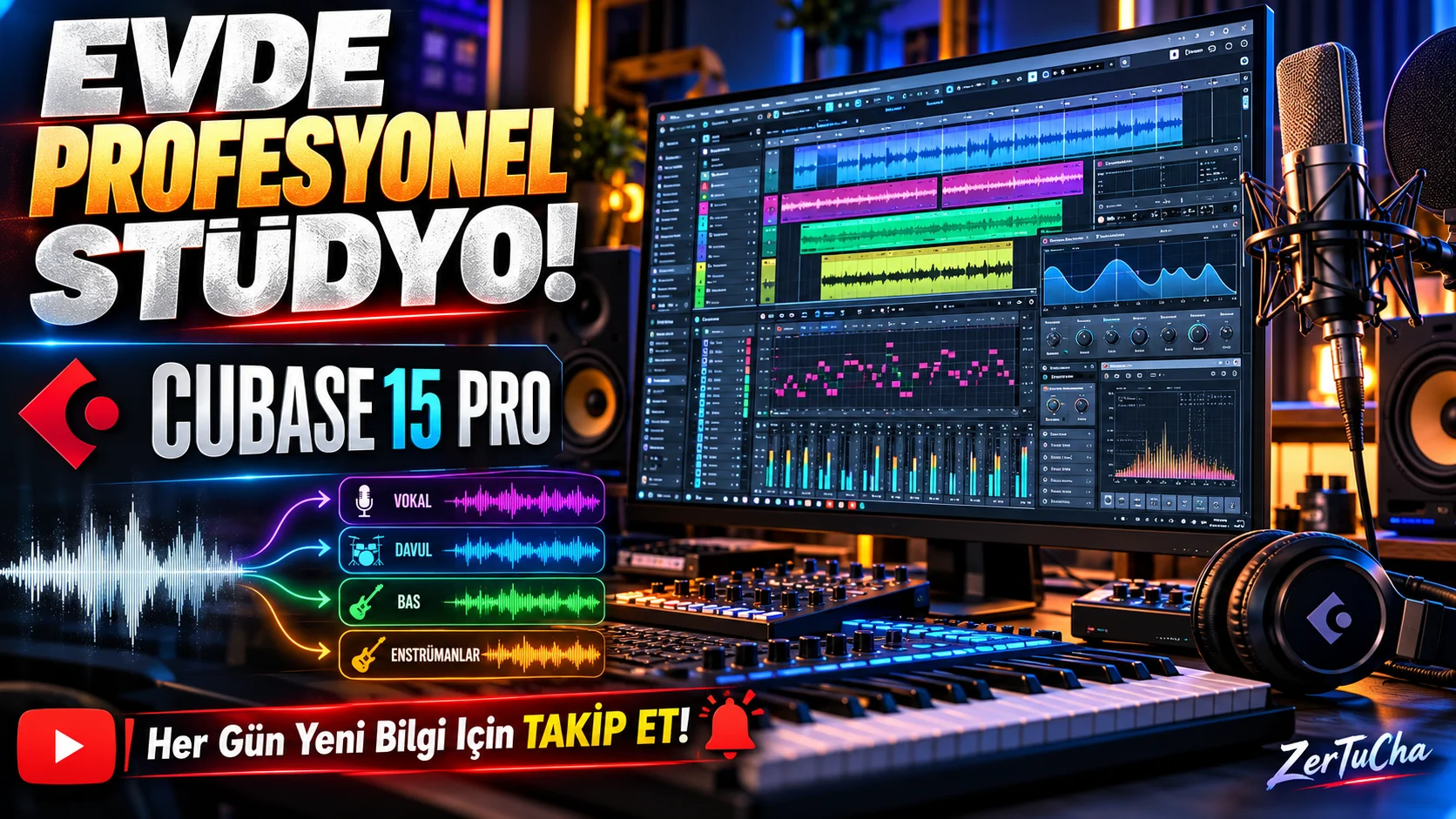
Professional music studio on your computer!
Have you ever thought about what's happening in the background when you listen to a song?
Drums, bass guitar, piano, strings, vocals, effects... All these sounds are recorded separately, edited and brought together to create the final song we listen to.
What if I told you that you can do all this on your computer?
And I'm not just talking about recording music. You can compose, use virtual instruments, edit your vocals, separate instruments and perform professional mixing operations.
The Steinberg Cubase 15 Pro that we will introduce today is a professional music production software developed exactly for this.
Cubase is one of the digital audio workstations that have been used in the music industry for many years. It combines composing, recording, editing, mixing and music production in a single work environment.
What exactly does Cubase 15 Pro do?
For example, you want to make a new song.
First you prepare the drum pattern. Then you add the bass guitar, piano melody and other instruments. Then you connect your microphone and record your vocals.
You can organize all the sounds in separate channels, add effects and harmonize them to create the final song.
And it's not just for electronic music; You can use it in pop, rock, rap, hip-hop, movie soundtracks, orchestral compositions and many more genres.
1. Making professional voice recording
One of Cubase's key features is audio recording.
When you connect a sound card and microphone to your computer, you can record your vocals or real instruments directly into the program.
For example, you are preparing a song and want to record your vocals.
In Cubase:
-
You can create a vocal recording channel.
-
You can monitor the sound level while recording.
-
You can record multiple vocals.
-
You can compare different records.
-
You can combine the best performances.
Especially the multi-recording and comping feature is important here. When you sing the same part several times, you can pick out the best parts and create one powerful vocal performance.
2. Composing from scratch with MIDI
You don't know how to play a musical instrument, but you have a melody in your mind. What can you do?
You can use Cubase's MIDI editing tools.
MIDI is not the sound itself; It is musical control data that specifies which note to play, when and how.
In the Key Editor section of the program, you can place notes with the mouse, change their duration and create your melody.
For example:
-
You can write a piano melody.
-
You can prepare drum rhythms.
-
You can create bass guitar parts.
-
You can use virtual string and wind instruments.
-
You can edit the timing and strength of the notes.
Moreover, thanks to Cubase 15's new Melodic Pattern Sequencer feature, you can create melodic patterns according to certain scales, add notes step by step and produce different melodic variations.
3. Separating music tracks with artificial intelligence
Now let's come to a truly remarkable feature.
Imagine you have a single MP3 or WAV music file. It includes vocals, drums, bass and other instruments.
Under normal circumstances, it is quite difficult to distinguish them from each other unless you have recorded them separately.
The artificial intelligence-supported Stem Separation feature in Cubase 15 Pro helps separate a mixed audio recording into different audio components.
For example:
-
You can isolate the vocal.
-
You can examine the drum section separately.
-
You can separate bass sounds from other instruments.
-
You can edit the remaining instrumental part.
So what does this do?
Let's say you like the drum beat of an old song. You want to review this beat, rearrange it, or use it in an authorized remix work.
Thanks to Stem Separation, you can examine the audio components separately.
There is an important detail here: Parsing with artificial intelligence does not always give perfect results. Distortions and loss of sound quality may occur, especially in highly mixed sounds. Also, this feature is exclusive to the Pro version.
4. Professional mixing and audio editing
You have recorded all the instruments of your song. So what happens now?
You can't leave them all at the same volume and export. Because vocals, drums, bass and other instruments need to be balanced with each other.
This is where Cubase's MixConsole comes into play.
In this section:
-
You can adjust the volume of each channel.
-
You can edit the frequencies with EQ.
-
You can control the dynamics using the compressor.
-
You can create a feeling of space with Reverb.
-
You can add reverb effects with delay.
-
You can do stereo positioning.
For example, if your vocal is lost in the music, you can make it more pronounced with the help of EQ and compressor.
Cubase 15 Pro also introduces the new UltraShaper plug-in. This tool combines operations for controlling audio dynamics and transient audio pulses in a single plugin.
5. Changing sounds in real time: Pitch Shifter
You have recorded a vocal, but you want to change the tone of the voice.
Cubase 15's Pitch Shifter plugin helps change the pitch of the sound in real time.
Moreover, it can operate within the range of ±24 semitones.
It also has features such as formant preservation, saturation options and processing stereo channels independently of each other.
For example:
-
You can make a vocal sound thicker or thinner.
-
You can change the tone of instruments.
-
You can prepare creative sound effects.
-
You can try different tones in remix works.
Here too, there is no guarantee that every sound change will sound natural. The sound character may be affected, especially with large pitch changes.
6. Three-dimensional sound production with Dolby Atmos
This feature may be of particular interest to professional sound studios.
Dolby Atmos is a spatial audio technology that allows sound to be positioned around and above the listener, rather than just placing it on the right and left channels.
Cubase Pro 15 includes ADM Authoring and Renderer tools for Dolby Atmos.
With:
-
You can prepare multi-channel audio projects.
-
You can place sounds in different locations.
-
You can work on cinema and spatial sound projects.
-
You can mix for Atmos format on suitable systems.
However, Dolby Atmos production also requires the appropriate speaker or headphone setup, the right viewing environment and technical knowledge.
7. New instruments, drum kits and sound packs
Instrument and sound libraries are also very important in a music production program.
Cubase 15 Pro comes with different virtual instruments, sound packs and effects.
Highlights include:
-
Groove Agent SE 6 drum software
-
Retrologue 2 virtual analog synthesizer
-
Padshop 2 sound design tool
-
HALion Sonic
-
New Writing Room Synths sounds
-
40 new drum kits for modern music styles
found.
So you don't need to purchase third-party software for each sound. You also have a very large production area with internal tools.
8. Omnivocal: Have the notes you write sung with artificial voice
One of the interesting innovations of Cubase 15 is Omnivocal.
This feature aims to turn the melodies and lyrics you write into vocals with Yamaha's voice synthesis technology.
So when you write a melody as MIDI and enter the lyrics, the system can vocalize these notes with an artificial vocal.
Specifically:
-
Composition drafters,
-
Those who want to try lyrics with melodies,
-
Producers who want to hear the vocal melody in advance
.
However, Omnivocal should not be considered a solution that completely replaces a professional human vocalist. It is also available as beta in Cubase 15.
9. Controlling every detail of music with automation
During the chorus of a song, you want the music to rise, the vocals to fall back at a certain point, or the effects to change over time.
That's exactly what Cubase's automation tools are for.
By changing the volume, pan value and supported plug-in parameters on the timeline, you can create different audio behaviors in different parts of the song.
Cubase 15 also introduces new shortcuts and easier parameter control that speed up the automation editing process.
Advantages of Cubase 15 Pro
Complete music studio in one program
Manage your composing, recording, editing, mixing and mastering workflow in one place.
Advanced MIDI tools
You can arrange detailed notes and instruments, from electronic music to orchestral compositions.
AI-supported Stem Separation
You can separate mixed audio recordings into vocal and instrument components.
Rich virtual instrument and effects library
Offers a wealth of built-in instruments and audio processing tools to get you started.
Professional mixing and Dolby Atmos
In addition to stereo production, you can prepare advanced spatial audio projects.
Extensible structure
VST3 plug-ins offer the opportunity to work with virtual instruments and external hardware.
Disadvantages — Is it suitable for everyone?
Let's be a little realistic here. Cubase 15 Pro is a powerful software, but it may not be the most logical option to meet everyone's needs.
1. It takes time to learn.
The program contains many windows, tools and settings. Someone new to music production may feel a little lost when they first open it.
2. License price is high.
The price of the full version is 579.99 dollars, which is a serious cost, especially for individual users in Türkiye.
3. There may be a need for a powerful computer and sound card.
CPU and memory consumption increases when you use a large number of virtual instruments, effects, and audio channels. An external sound card can also be a significant investment for low-latency recording.
4. There may be compatibility problems with some old plugins.
Cubase 15 does not officially support VST2 plugins. Although some older VST2 plug-ins can be loaded under certain conditions, there are limitations, especially on Apple Silicon. If you have an old plugin archive, you should check it before switching.
5. Not everyone needs every feature.
For example, if you're only going to record vocals and apply a few effects, you may not want to use the advanced Dolby Atmos, Expression Maps, or many of the extensive MIDI tools in the Pro version.
PC requirements for Cubase 15 Pro
Steinberg's official system requirements include Windows and macOS support.
|
Hardware / software |
Requirement |
|---|---|
|
Windows |
Windows 10 22H2 or Windows 11 24H2 and above, 64 bit |
|
macOS |
macOS 14, 15 or 26 |
|
Processor |
Supported 64-bit processor |
|
Audio hardware |
Compatible sound card or audio interface |
|
Memory |
RAM suitable for the project and the plugins used |
|
Storage |
Enough space for programs, sound libraries and projects |
Macs with Apple Silicon processors have native application and Rosetta 2 support. Hybrid processor architectures for Windows and macOS are also supported.
My advice is that if you are going to do serious music production, you should consider 16 GB RAM as a starting point; For large orchestral projects and large numbers of virtual instruments, consider 32 GB or more.
Is there a fee? Is it available for free?
Steinberg Cubase 15 Pro
Windows and macOS · Steinberg Licensing
$579.99
Full version price listed on the official store.
Other versions:
-
Cubase Artist 15: $329
-
Cubase Elements 15: $99.99
Prices may vary depending on country, tax and promotions. These are full version list prices; upgrade and training licenses are priced differently.
Steinberg official product and purchase page · Compare versions
So is it possible to use it for free?
Yes, Steinberg offers a free trial option for Cubase 15. So you can try the program's interface, recording tools and workflow before purchasing. Check out the trial version on the official Cubase page.
There is also an important licensing detail: Cubase 15 works with the Steinberg Licensing system. You can activate the same license on up to three computers. Internet connection required for activation; You do not need to be online all the time after activation.
Differences between Cubase Pro 15, Artist 15 and Elements 15
It is important to know the difference between these three versions. Because not everyone needs to buy the most expensive version.
|
Feature |
Pro |
Artist |
Elements |
|---|---|---|---|
|
Professional voice recording |
|
|
|
|
MIDI editing |
|
|
|
|
Stem Separation |
|
— |
— |
|
Dolby Atmos |
|
— |
— |
|
Expression Maps |
|
— |
— |
|
Advanced modulators |
|
— |
— |
|
VariAudio |
|
|
— |
|
Advanced mixing tools |
|
Restricted |
Restricted |
|
Full version price |
$579.99 |
$329 |
$99.99 |
Who is it suitable for?
Music producers
They can perform composing, recording, editing and mixing operations at a professional level.
Film and game music composers
They can take advantage of advanced MIDI editing, virtual instruments and Expression Maps.
Singers and independent musicians
They can record their own songs, edit their vocals and make arrangements.
Electronic music producers
They can use synthesizers, drum machines, MIDI and sound design tools.
Beginners to music production
They can learn the basic features first and upgrade to higher versions as their needs increase.
Is Cubase 15 Pro worth the money?
I think Cubase 15 Pro is one of the powerful software that should be considered by those who want to produce professional music.
Especially in this version, the artificial intelligence-supported audio parsing, advanced MIDI tools, new melodic editing system and Dolby Atmos support are quite remarkable.
But the $579.99 price doesn't make sense for everyone.
My suggestion is as follows:
-
If you just want to learn how to produce music, start with Elements.
-
If you regularly produce songs and need more advanced tools, consider Artist.
-
If you need features such as professional recording, mixing, advanced composition, stem separation and Dolby Atmos, choose the Pro version.
In conclusion: Cubase 15 Pro is a comprehensive software that can turn your computer into a professional music studio. However, to benefit from the power of the program, you need not only a good computer, but also music production knowledge and a little patience.



Henüz yorum yapılmamış. İlk yorumu siz yapın!
Bir Yorum Bırakın