

Point the iPhone Camera at Something and It Tells What It Is: How to Use Visual Intelligence?
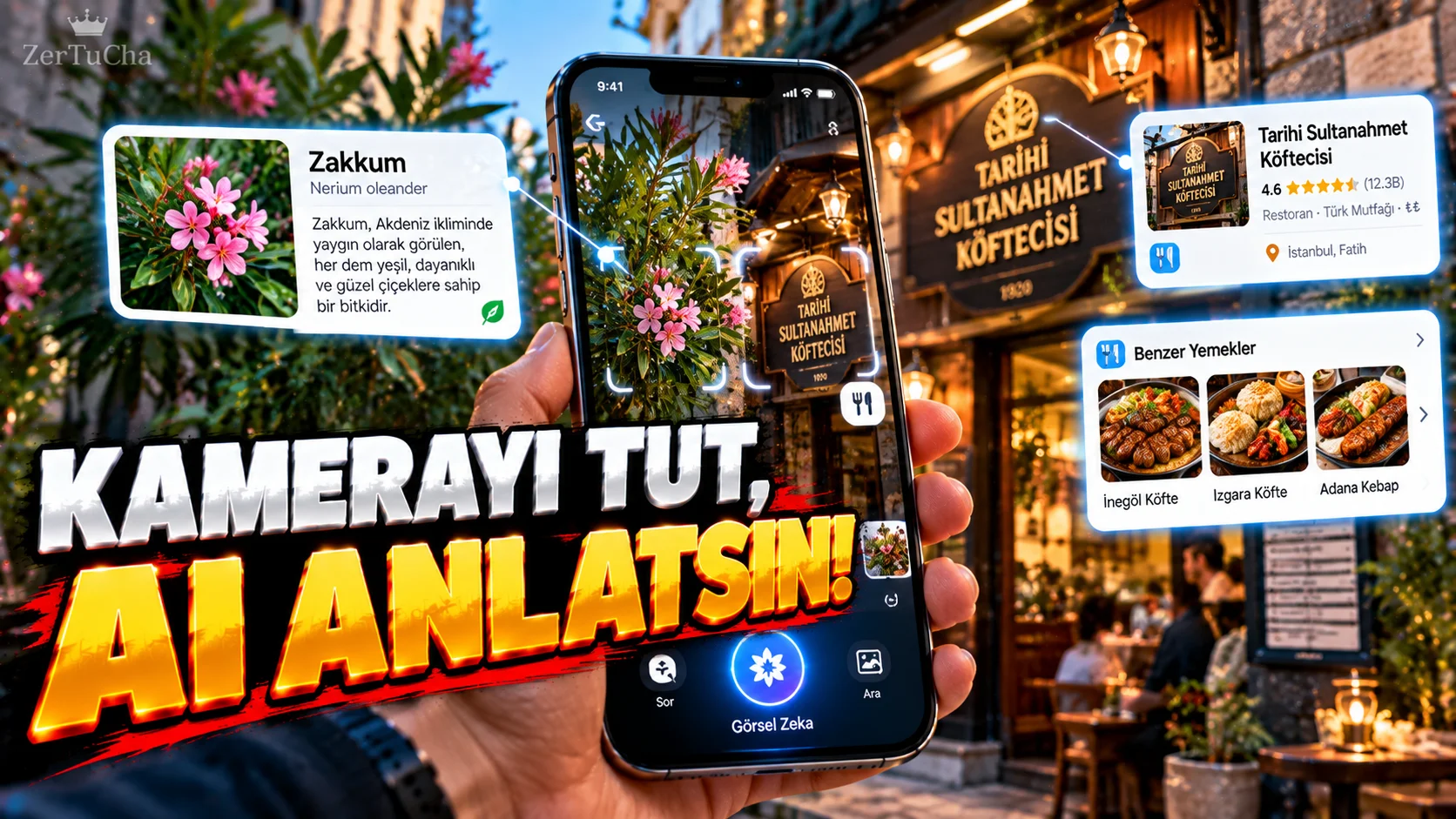
Point your phone camera at an object and say:
“What is this?”
it's no longer science fiction to ask.
In Apple's current iPhone documentation Visual Intelligence feature; It is one of the Apple Intelligence features that helps understand objects, texts, businesses, plants and animals in the environment with the camera.
Which iPhones have it available?
According to Apple's current iOS 27 documentation, Visual Intelligence powered by Apple Intelligence:
-
iPhone 15 Pro
-
iPhone 15 Pro Max
-
iPhone 16 models and later supported models
.
He also specifically states that Apple Intelligence is not used in the same way in all languages and regions.
How to open Visual Intelligence?
There is more than one method available on supported iPhone models.
For example:
holding Camera Control
Can open Visual Intelligence.
On some models or set shortcuts:
-
Action button
-
Control Center
-
Visual Intelligence control on lock screen
.
What if you point the camera at a plant?
Visual Intelligence may attempt to identify the plant or animal in the image.
For example:
Point the camera at the flower → open the result screen → review the identification result
.
Apple clearly documents this system for uses such as plant and animal identification.
Information about the restaurant or business
In supported scenarios when you point the camera at a business:
-
Business name
-
Operating hours
-
Menu
-
Services
.
Can also understand text with the camera
Visual Intelligence is not just for object recognition.
Text on image:
-
Translation
-
Summary
-
Interaction with text
-
Add event to calendar
can be performed.
For example, imagine holding an event poster to the camera.
If the date and time can be detected, the option to add it to the calendar as an event is offered.
Searching for similar products on the internet
This is one of the most useful features.
You saw an object and:
“Can I find something similar to this on the internet?”
you say.
Visual Intelligence can search for visually similar results for the object in the image.
With this feature:
-
Furniture
-
Shoes
-
Electronic device
-
Decoration product
-
Outfit
might also be interesting.
It can also analyze the content on the screen
Apple's current iOS 27 documentation states that Visual Intelligence includes not only the camera, Content on iPhone screen.
On a content you see on the screen:
-
Image search
-
Ask a question
-
Go to the relevant website
-
Creating a calendar event
can be performed.
Can also be used with ChatGPT
Apple's current documentation also includes the option to ask questions to ChatGPT via Visual Intelligence.
To use this feature, the relevant ChatGPT extension must be enabled.
Does it work on every iPhone?
No.
And here it is necessary to pay attention to the videos on the internet.
Headlines such as “Coming to every iPhone” may be misleading.
Apple's current documentation clearly states Apple Intelligence supported models and may vary by language and region is said.
Therefore, the absence of a feature on a device used in Türkiye does not mean that the feature is not available worldwide.




Henüz yorum yapılmamış. İlk yorumu siz yapın!
Bir Yorum Bırakın