

Separate the object in the photo from its background on iPhone and send it alone!
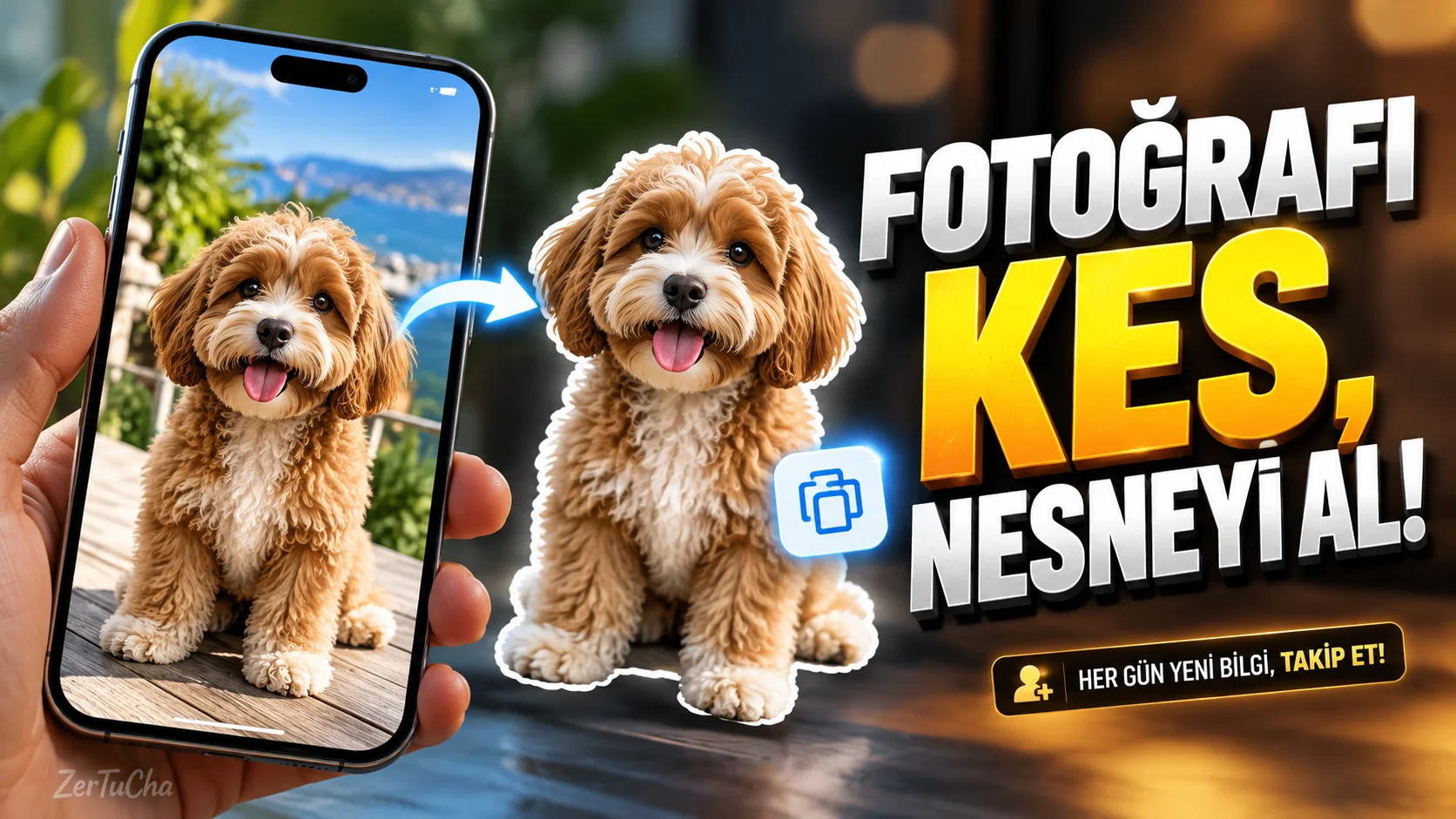
You can only take a person, pet, or other object from a photo and send it as a sticker. This way, you don't necessarily have to resort to a separate photo editing application for a simple image.
How to do it step by step?
-
Open a photo in the Photos app with a clear subject.
-
Touch and hold the person, animal, or detachable object in the photo.
-
When iPhone is able to separate the subject from the background, you may see a highlight or flare around it.
-
In the menu that opens, select Copy or Share as appropriate.
-
If you use the Copy option, paste the result into a supporting application. Try the sharing options available with the Share option.
Where is it useful?
-
Preparing personalized stickers for messaging applications.
-
Using a photo of a product without a background in a presentation.
-
Turning pet photos into fun content.
-
Separating the subject from the background in social media images.
Notes: This process does not work perfectly on every photo. Tangled hair, transparent objects, low light and complex backgrounds can affect cut quality. Options in the menu may vary depending on the iOS version and application used. Check the edges before sharing the result.


Henüz yorum yapılmamış. İlk yorumu siz yapın!
Bir Yorum Bırakın