

Is a New Modem Necessary if Your Internet is Slow? Wi-Fi router: Wi-Fi 6 or Wi-Fi 7?
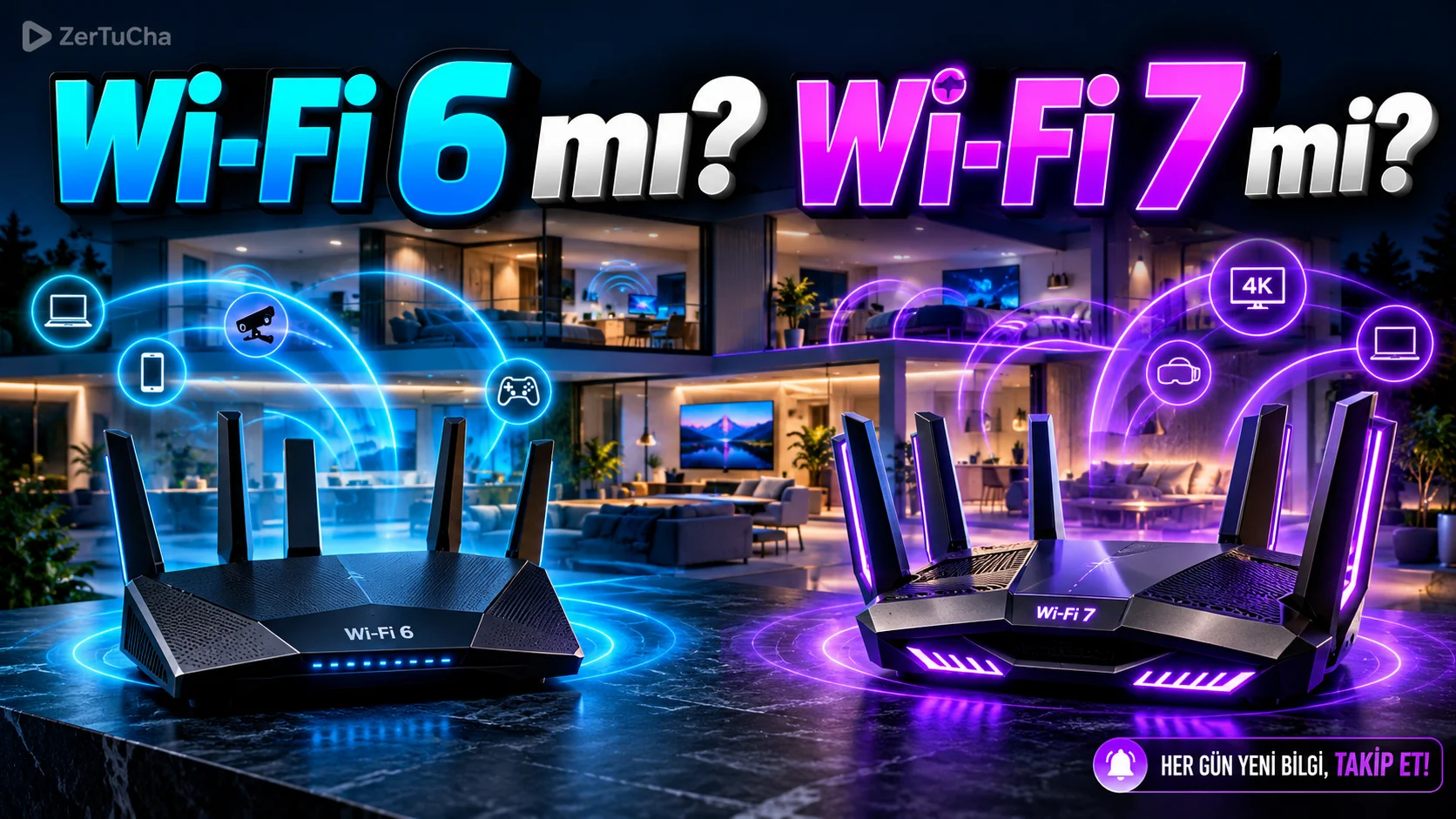
Wi-Fi 6 or Wi-Fi 7 or Mesh System? Choosing the Right Modem and Router for Your Home
When your internet connection at home slows down, video calls are interrupted, or the Wi-Fi signal is lost in some rooms of the house, one of the first solutions that comes to mind is to buy a new router. However, before deciding between Wi-Fi 6, Wi-Fi 7 and Mesh Wi-Fi options on the market, it is important to understand an important distinction: Your low internet speed and your wireless network being inadequate are not the same problem.
For example, if you are getting 100 Mbps speed from your internet service provider, but the connection drops frequently in your bedroom, the problem may be the location of the router, the structure of the walls, or the coverage of the wireless signal, rather than your internet package. Conversely, if your connection speed is slow even right next to your router, your internet package, modem, wired connection, or another component in your network may be the bottleneck.
Therefore, before purchasing a new device, it is necessary to evaluate the differences between Wi-Fi 6 and Wi-Fi 7, in which situations Mesh systems are advantageous and what you really need in your home.
In this guide, we will compare the three options in terms of specifications, usage scenarios, cost and long-term needs.
Key Differences Between Wi-Fi 6, Wi-Fi 7 and Mesh Wi-Fi
First of all, it is necessary to know that these three options are not in the same category. Wi-Fi 6 and Wi-Fi 7 are wireless networking standards. Mesh Wi-Fi is a system approach to expand the coverage area by using multiple network units at different points of the house.
Therefore, it is also possible to purchase a Mesh system with Wi-Fi 7 support. Proper comparison starts with understanding not just the names of the technologies, but what problem they solve in your home.
Wi-Fi 6: For those looking for a balance of price and performance
Wi-Fi 6, technically known as 802.11ax, is a standard developed for home environments where multiple devices operate on the same wireless network. It offers benefits such as more efficient wireless communication, improved channel utilization, and better network management with compatible devices.
Especially if a phone, computer, smart television, game console and smart home devices are used at the same time at home, a Wi-Fi 6 supported router can provide a more balanced wireless network experience compared to older generation devices.
One of the highlights of Wi-Fi 6 is OFDMA technology. This technology helps allocate the resources of a wireless channel more efficiently to multiple devices under appropriate conditions. MU-MIMO, on the other hand, can improve simultaneous communication with multiple devices on supported connections.
However, the usefulness of these technologies depends on the characteristics of the connected devices, network traffic, and the implementation of the router. Using Wi-Fi 6 does not mean that you will get faster speeds in all conditions.
Who makes sense for Wi-Fi 6?
-
Those who have an internet package of 100, 200, 500 or 1,000 Mbps and are looking for a router that suits their needs.
-
People who work from home, make video calls, and use multiple devices simultaneously.
-
Those who want to renew their device using an older standard such as Wi-Fi 5.
-
Those looking for a balanced solution without spending more on the latest wireless standard.
There is an important detail here: A Wi-Fi 6 supported router does not increase the speed of your internet package by itself. But if your current router is bottlenecking your wireless connection, it can increase your available speed or provide a more consistent experience with heavy network traffic.
Also, Wi-Fi 6 and Wi-Fi 6E are not the same thing. Wi-Fi 6E also allows the use of the 6 GHz band on compatible devices. Standard Wi-Fi 6 routers generally use 2.4 GHz and 5 GHz bands.
Wi-Fi 7: Higher capacity and new generation connection features
Wi-Fi 7, technically known as 802.11be, is a new generation standard that aims for higher capacity and improved data transfer in wireless networks. It may be particularly noteworthy for users who want a very high-speed local network connection, use a large number of devices, or invest in new generation hardware.
One of the highlights of Wi-Fi 7 is support for channels up to 320 MHz wide. This width can help move more data on supported 6 GHz connections. However, to use the 320 MHz channel, a compatible router, client device, appropriate frequency conditions and use permitted by the legislation are required.
Another important feature is Multi-Link Operation (MLO) technology. This feature allows compatible devices to use multiple link bands or links together, which can improve throughput, link efficiency, or latency performance depending on the application. However, it should be noted that not every device supports all MLO features and actual results may vary depending on network conditions.
Wi-Fi 7 also supports a denser modulation method called 4K QAM. It helps carry more data in a symbol under suitable signal conditions. However, this advantage may not be achieved to the same extent in remote rooms or behind thick walls, especially since good signal quality is required.
Who makes sense for Wi-Fi 7?
-
Those who want to benefit more from very high speed internet packages with wireless connection.
-
Those who have a new generation Wi-Fi 7 supported phone, computer or other device.
-
Those who transfer large files over a local network, use compatible network storage systems, or set up a high-capacity home network.
-
Those who want to invest in new generation connectivity features for long-term use.
The point to note here is that Wi-Fi 7 may not provide a noticeable speed increase in every home. For example, if a person uses a 100 Mbps internet package and only surfs the internet, switching to Wi-Fi 7 does not change the upper limit that the internet connection can provide.
However, regardless of internet speed, there may be advantages in areas such as local network performance, data transfer between compatible devices and network capacity. Therefore, when making your decision, you should look not only at the speed of your internet package, but also at how you use your home network.
Mesh Wi-Fi: For those who want a more stable connection in every room of the house
Mesh Wi-Fi systems may consist of a base unit and one or more additional nodes. These units communicate with each other and provide wireless network access to different points of the house. Thus, better coverage can be achieved in rooms where the signal of a single router is weak.
Mesh systems can offer a significant advantage, especially in houses with large square meters, multiple floors or structures with thick walls.
For example, if your router is located in the corner of the living room and your upstairs den keeps losing connection, simply buying a more powerful router may not solve the problem. It may be difficult for the signal to travel between floors due to reinforced concrete slabs and other obstacles. A Mesh node placed at a suitable point can provide the connection from a point closer to the working room.
However, Mesh systems are not faster than a single router under all circumstances. The layout of the system, the quality of the connection between nodes, and the backhaul method used directly affect performance.
A Mesh node using wireless backhaul may not deliver expected performance if the signal to the base unit is weak. In some systems, it is possible to use an Ethernet cable between nodes. Backhaul over Ethernet can reduce wireless traffic between nodes and provide more consistent performance in appropriate installations.
Who makes sense for Mesh Wi-Fi?
-
Those who live in large or multi-storey houses.
-
Those who cannot deliver sufficient signal to remote rooms of the house with a single router.
-
Those who experience connection problems during video calls, streaming or online gaming in certain rooms at home.
-
Those who want to use multiple access points under a single managed network system.
Before purchasing a mesh system, it is necessary to plan the number of nodes and their placement. While a two-unit system may be sufficient for a small or medium-sized home, more units may be needed in a large, multi-story home. However, simply adding more nodes does not always produce better results; If the units are placed too far apart, the connection between them may become weak.
Wi-Fi 6 or Wi-Fi 7? Technical Comparison
The table below summarizes the main differences between the two standards and what these differences mean to the user.
| Feature | Wi-Fi 6 | Wi-Fi 7 |
|---|---|---|
| Technical standard | 802.11ax | 802.11be |
| Available tapes | 2.4GHz and 5GHz | 6 GHz on devices that support 2.4 GHz, 5 GHz and 6 GHz |
| Maximum channel width | 160MHz | 320MHz |
| Multi-connect | Standard features of Wi-Fi 6 | MLO support |
| Modulation | 1024-QAM support | 4096-QAM support |
| Key advantage | Efficient and stable wireless network | Higher capacity and improved connectivity |
| Compatibility | Backward compatibility with older devices | Generally compatible with older Wi-Fi devices; new features require appropriate client |
| Who is it more suitable for? | Daily use and price-performance | Need for new generation hardware and high capacity network |
The specifications in the table alone do not indicate actual usage speed. The antenna structure of the router, the number of spatial streams supported, the characteristics of the client device, signal strength, interference, channel usage and your internet package are among the factors that determine the actual performance.
For example, a Wi-Fi 7 supported phone will work within the limits of the Wi-Fi 6 connection when connected to a Wi-Fi 6 router. Similarly, an old phone connected to a Wi-Fi 7 router cannot benefit from all the features of Wi-Fi 7.
Therefore, it is not right to make a decision just by looking at the standard written on the router. The features supported by both the router and the connecting device should be evaluated together.
Advantages and Disadvantages of Wi-Fi 6, Wi-Fi 7 and Mesh Systems
Wi-Fi 6 pros and cons
Advantages
-
Can provide sufficient capacity in most homes for daily internet use.
-
Can work more efficiently in crowded networks with compatible devices.
-
There may be more affordable alternatives to Wi-Fi 7.
-
When switching to a new wireless network, there may be a tradeoff between cost and performance.
Disadvantages
-
Does not offer the latest wireless features.
-
Cannot benefit from some of the advantages of Wi-Fi 7 in very high capacity local network needs.
-
Larger homes may still experience coverage issues when using a single router.
Pros and cons of Wi-Fi 7
Advantages
-
Can offer wider channels and enhanced connectivity features with compatible devices.
-
Provides greater potential for high-capacity networks.
-
It may be advantageous for new generation devices and long-term network planning.
Disadvantages
-
Compatible client devices are required to take advantage of Wi-Fi 7 features.
-
Prices and features of Wi-Fi 7 supported products vary depending on the model.
-
Thick walls alone do not eliminate problems such as long distance and weak signal.
-
It does not automatically increase the speed of data downloaded from the internet in a low-speed internet package.
Pros and cons of mesh systems
Advantages
-
Helps expand the coverage area of the home wireless network.
-
Can reduce connectivity issues across multiple floors and remote rooms.
-
In compatible systems, network management can be done through a single interface.
-
Wired backhaul between nodes can be used on models with Ethernet connectivity.
Disadvantages
-
It may cause higher costs than single-router solutions.
-
Nodes need to be positioned correctly.
-
In systems using wireless backhaul, connectivity between nodes may limit performance.
-
Too many or incorrectly positioned nodes may not provide the expected recovery.
Test Your Internet Speed Correctly Before Buying a New Router
One of the most useful things you can do before making a purchasing decision is to determine where your current network is inadequate. For this, you need to measure under different conditions instead of just doing a single speed test.
1. Do a speed test next to the router
Move your phone or computer close to the router. If possible, take several measurements with the same device and compare the results.
This test gives insight into how the wireless connection performs when close to the router. However, to accurately evaluate the speed of your internet package, if possible, also measure directly via the modem or router with an Ethernet cable. The speed supported by the device and port you use must be sufficient.
2. Measure again in the room where you are having problems
Then take the same device to the room where you are having connection problems and repeat the test. If you get high results close to the router and significantly lower results in a distant room, the possibility of coverage, signal quality or interference problems increases.
In this case, moving the Mesh system, access point or router to a more suitable location may be considered.
3. In addition to speed, also examine latency and connection stability
Download speed isn't the only thing that matters in online gaming, video calls and remote work. Latency (ping), variability in latency (jitter), and packet loss also affect the experience.
For example, if you are experiencing momentary stutters in online games even though you measured a speed of 500 Mbps, the problem may not only be bandwidth. Wireless interference, heavy usage on the network, performance of the router, or connectivity of the internet service provider should also be evaluated.
These tests do not provide a definitive diagnosis; but it helps narrow down the source of the problem before incurring unnecessary hardware expenses.
Which System Should Be Selected According to the Size and Structure of the House?
The size of the house is an important criterion, but it is not sufficient alone. Even in two houses with the same square meter, different results may be obtained due to wall material, floor plan, location of the router and density of neighboring wireless networks.
Small circles
A quality Wi-Fi 6 router may be sufficient in a single-storey house with rooms close to each other and walls that do not block the signal much. It's not necessary to buy an expensive model just to get a newer standard if it offers enough capacity for your internet package and connected devices.
Medium-sized houses
In a medium-sized home, one router may be sufficient; However, it is important to position the device close to the center of the house. If the router is located in a closed entrance closet or in the farthest room of the house, coverage may be negatively affected.
First try moving the device to a spot that is clear, central and as high as possible. If this change is not sufficient, you can consider a second access point or Mesh system.
Large and multi-storey houses
If there is more than one floor, thick reinforced concrete walls or rooms far from each other, the Mesh system may be a more logical investment. The aim here is not only to achieve higher theoretical speeds, but also to provide a more stable connection in different parts of the house.
If possible, also consider connecting the Mesh nodes with an Ethernet cable. If a wired connection is not possible, it is necessary to place the nodes at points where they can both receive a strong enough signal from the main unit and serve the area in need of coverage.
Wi-Fi 6, Wi-Fi 7 or Mesh? Decision Based on Usage Scenarios
The same solution is not the best option for every user. The examples below can help you choose the option that suits your needs.
Scenario 1: You are using 100 Mbps internet and your connection is good throughout the house.
If your current router works without any connection drops, you may not need to replace your device just because Wi-Fi 7 is newer. If you are going to buy a new device, Wi-Fi 6 models may be sufficient in terms of price-performance.
Scenario 2: You have 1,000 Mbps internet but you see much slower speed on your phone.
First check the router's wireless capabilities, the Wi-Fi standard your phone supports, and the band you're connected to. If your router or phone is old, you may benefit from an upgrade. However, the actual speed of the internet package, the Ethernet connection of the device and other network conditions should also be tested.
Scenario 3: The internet is fast in the living room, but the connection is disconnected in the bedroom.
First, relocate the router. If the problem persists, a Mesh system or an access point placed at a suitable point may be a more effective solution. Switching to a newer Wi-Fi standard alone will not eliminate signal loss through walls.
Scenario 4: You have many devices at home and you are using a high-speed local network.
If you transfer large amounts of data with new generation phones, computers and network storage devices, the advanced features of Wi-Fi 7 can be evaluated. However, all devices must be compatible and other components of the local network must also provide sufficient capacity.
Scenario 5: You are playing online games upstairs in a two-story house.
Your priority should be that the upstairs device can establish a stable connection. A properly positioned Mesh node or access point connected via Ethernet cable can be more effective than simply switching to Wi-Fi 7. Latency, jitter and packet loss should also be controlled during the gaming experience.
What Technical Specifications Should You Look for When Purchasing?
Comparing just the Wi-Fi standard is not enough when choosing a Router or Mesh system. When deciding between products, examine the following features.
1. Ethernet ports: If your internet package is over 1 Gbps and you want to benefit from these speeds, check the speeds of the WAN and LAN ports of the device. A model with only 1 Gbps ports may not be able to carry a faster internet connection at full capacity through a single port, even under favorable conditions.
2. Frequency bands: The 2.4 GHz band can generally offer wider coverage and better access behind some obstacles. The 5 GHz band can provide higher speeds under favorable conditions. The 6 GHz band offers wide channel options with supported devices; However, range and through-wall performance depend on conditions.
3. Device compatibility: Check which Wi-Fi standard your phone, computer, game console and other important devices support. The new router's advanced features may not be fully usable without compatible client devices.
4. Mesh expansion support: If you plan to add access points to other parts of the home in the future, review the product's expandability, compatible node models, and the system's management features. Do not assume that all products from different manufacturers will mesh with each other without problems.
5. Security and software support: Consider features such as up-to-date security patches, WPA3 support, guest networking, and manufacturer software support. In a network device that will be used for a long time, security and update support are only as important as theoretical speed values.
6. Warranty and service: Check the warranty conditions, technical support options and spare unit availability of the model you will purchase in Türkiye. This issue becomes important, especially in Mesh systems, if there is a possibility of purchasing additional nodes in the future.
Conclusion: Which Option Makes the Most Sense for You?
When choosing between Wi-Fi 6, Wi-Fi 7 and Mesh systems, you should focus on solving the real problem in your home instead of buying the latest technology.
Wi-Fi 6 may be sufficient for daily internet use and many home users looking for a price-performance balance. Wi-Fi 7 appeals to those who want high capacity, wide channel support and advanced connection features with compatible devices. Mesh Wi-Fi stands out especially in large houses, multi-storey buildings and coverage problems that cannot be solved with a single router.
Follow this order before purchasing decision:
-
Measure the speed and actual connection performance of your internet package.
-
Do a speed test next to the router and in the room where you are having problems.
-
Check the wireless connection support of your phones and computers.
-
If the problem is coverage, change the location of the device or consider Mesh or access point options.
-
If you really need higher wireless capacity, compare Wi-Fi 6 and Wi-Fi 7 models based on your budget, ports and compatibility.
Remember: A good network setup comes from using the right hardware in the right place and for the right need, not just buying the most expensive router.
Frequently Asked Questions
Is Wi-Fi 7 always faster than Wi-Fi 6?
No. Wi-Fi 7 offers more advanced features and higher theoretical capacity; however, actual speed depends on factors such as device compatibility, signal quality, channel width, interference, and router specifications.
Does the Wi-Fi 7 router work with old phones?
Usually yes. Wi-Fi 7 routers support backward compatible Wi-Fi devices. However, older phones only work with the Wi-Fi standard and connectivity features they support.
Does Mesh Wi-Fi increase internet speed?
Mesh system can increase the speed available to the device by providing better connectivity in areas with poor coverage. However, it does not increase the speed offered by your internet service provider. If the connection between wireless nodes is weak, the speed may fall short of your expectations.
Would a single powerful router be enough in a large home?
May be sufficient in some homes; However, the floor plan of the house, the wall material and the location of the device are decisive. If there are multiple floors or dense obstacles, a Mesh system or wired access points may be more effective.
If my internet speed is slow, should I replace my modem first?
First determine the source of the problem. If possible, run a speed test with an Ethernet connection and a wireless connection close to the router. In both cases, if the speed is low, the internet package, service provider, modem or network hardware should be examined. If there are problems only in remote rooms, it makes more sense to focus on coverage.
Which feature is more important when choosing between Wi-Fi 6 and Wi-Fi 7?
No single feature is decisive for all users. Your internet speed, compatibility of your client devices, home coverage needs, Ethernet ports, budget and long-term usage plan should be evaluated together.
Is it better to buy a mesh system or use a Wi-Fi range extender?
Depends on need. For a simple coverage issue, a range extender may be sufficient. For those who want a more complete network experience across multiple rooms or floors, the Mesh system may be more suitable. In both solutions, the placement of the device and the quality of its connection to the main network are important.




Henüz yorum yapılmamış. İlk yorumu siz yapın!
Bir Yorum Bırakın