

A Hiking Application That Can Be Useful in Places Without Internet
-
Application: Trail Sense
-
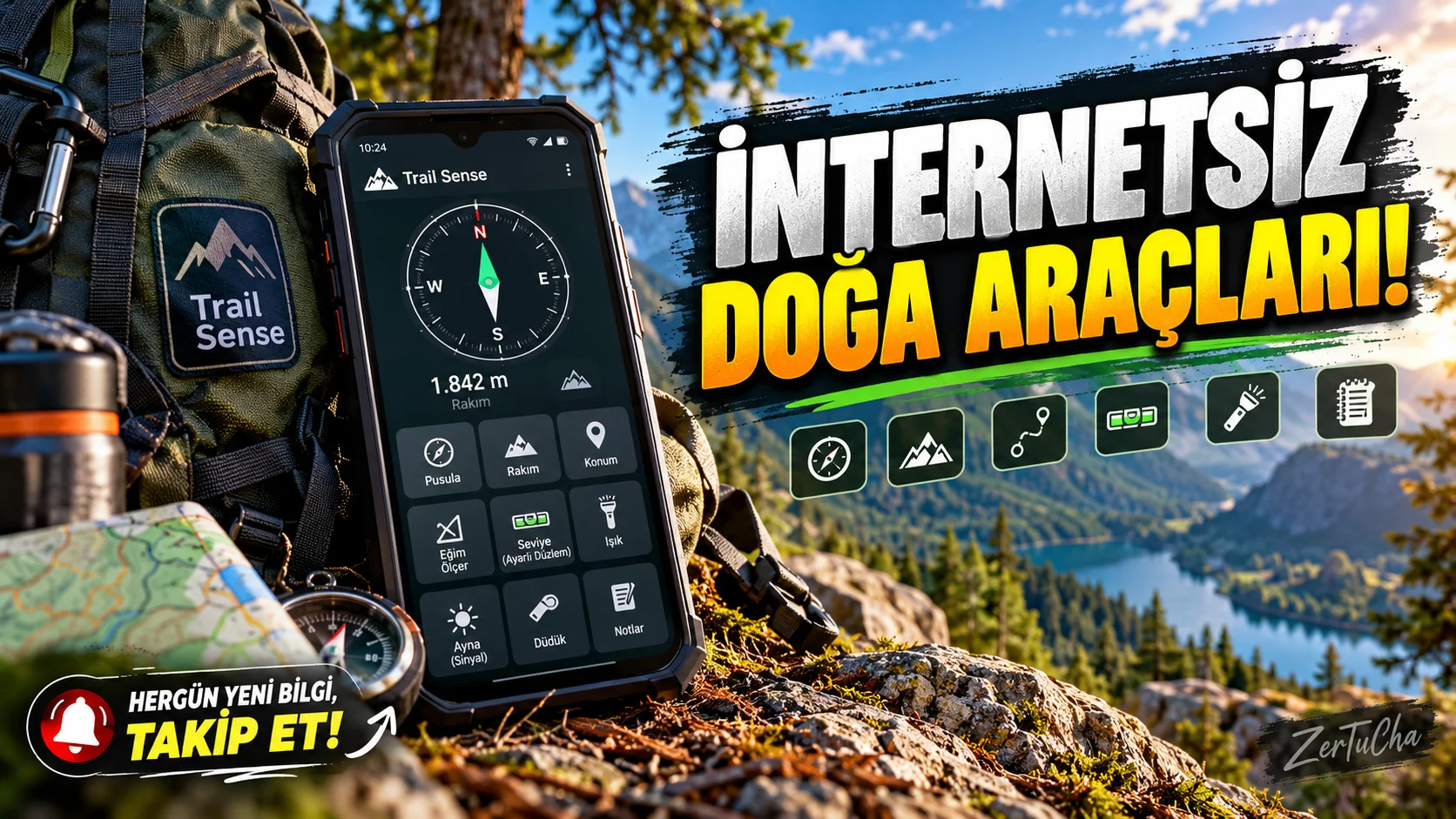
You don't have to lose all your auxiliary devices when your phone doesn't have internet connection while hiking. Trail Sense is an application that takes advantage of the Android phone's sensors and focuses on offline use.
It contains a compass, various sensor tools and different auxiliary features that can be useful in outdoor activities. If your phone supports it, you can also examine measurements such as altitude or pressure.
The application is free and open source. However, since the sensors of every phone are not the same, all features may not give the same results on every device. You're also dependent on your phone's battery; so you should not substitute the app for actual navigation or emergency equipment.
If you're hiking, test it at home first, configure the tools you need, and check your phone's charge before going out. It is an option worth examining at events where internet access is limited.
What does it do?
Trail Sense offers a variety of tools while walking in nature, using the phone's compass, barometer and other sensors.
For example:
-
You can control the direction.
-
If your phone's sensors support it, you can review altitude or pressure information.
-
You can benefit from various auxiliary tools for outdoor activities.
-
You can pre-configure some map and fallback features.
This is not a replacement for professional mountaineering equipment. The developer also emphasizes that, like other tools used in nature, spare equipment and basic skills are required.
Highlights
-
Compass and directional instruments.
-
Altitude and pressure tools powered by phone sensors.
-
Auxiliary tools for outdoor and nature walks.
-
Offline map and location functions in some features.
-
Auxiliary displays for astronomy and weather conditions.
Not every feature may work the same on all phones; Some functions depend on sensor and device support.
Why is it worth trying?
Trail Sense brings together different sensors and assistive tools that can be useful outdoors rather than just plotting routes. It is important to focus on offline work, especially in places where internet access is limited.
Advantages and disadvantages
Advantages
-
Free and open source.
-
Focuses on offline use.
-
Offers different outdoor tools in one place.
-
Developing for Android.
Disadvantages
-
No iOS version.
-
Sensor measurements may not be as accurate as professional equipment.
-
Some features may require prior configuration.
-
If the phone's battery runs out, the application cannot be used.
Who is it suitable for?
Suitable for hikers, campers, and Android users who want offline utilities. Not suitable for those looking to replace professional navigation or emergency equipment.
Get started guide
-
Install Trail Sense from the official Google Play or F-Droid channel.
-
Review the user guide at first startup.
-
Test compass and sensor tools at home.
-
Check location and sensor permissions if necessary.
-
Configure the tools you need before heading out into the wild.
-
Test phone charging and offline use; also carry real spare equipment.
Privacy and reliability
The developer states that the application is designed to work without using the internet. Location and sensor features can work on the device; It is still necessary to check the permissions in the current version of the application.
Safety note: Do not treat the phone as a stand-alone emergency device. When hiking, it is important to have a map, compass, backup power and equipment appropriate for the region.
-



Henüz yorum yapılmamış. İlk yorumu siz yapın!
Bir Yorum Bırakın