

Evernote → Joplin
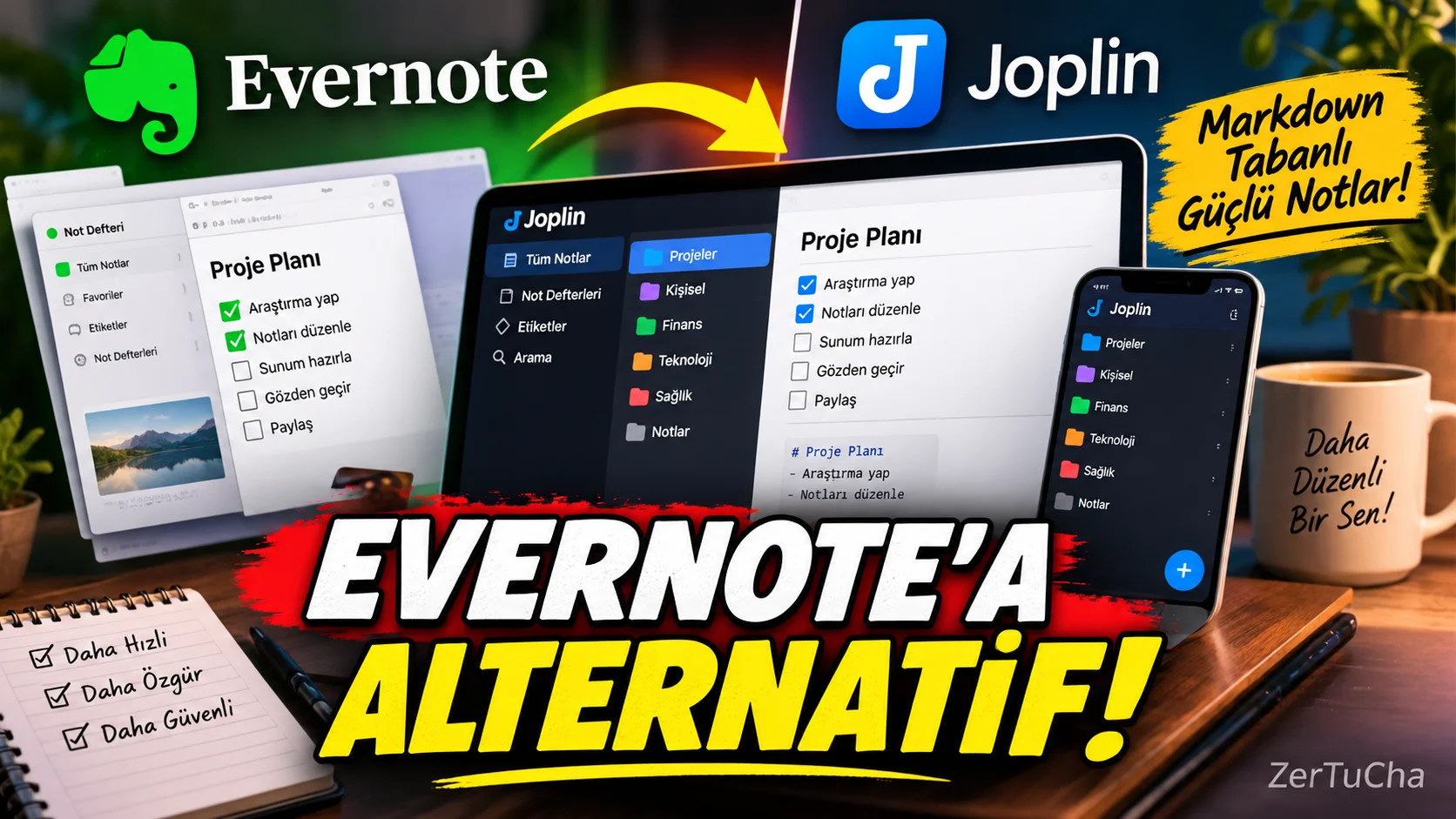
Main Program / Application
Evernote
Recommended Alternative
Joplin
Supported Systems
Windows, macOS, Linux, Android and iOS. Joplin lists desktop and mobile apps for these platforms in its official documentation. (joplinapp.org)
Fee Status
The Joplin app is free and open source.
Optional Joplin Cloud services may be charged separately.
What Does It Do?
Used for taking notes, creating to-do lists, organizing notebooks, labeling, and syncing information across devices.
Joplin uses a Markdown-based note structure and has an offline-first working logic. (joplinapp.org)
“You use Evernote, but now you are looking for a freer note application.
You can look at Joplin here.
Now there are a few things that make Joplin interesting.
The first one is open source.
The second basic application is free.
The third one is available on Windows, Mac, Linux, Android and iPhone.
And your notes are kept in Markdown format.
What does this mean?
Your notes don't have to be completely locked into a specific app.
Moreover, Joplin prioritizes offline work.
So you can access your notes even if you do not have an internet connection.
It is even possible to transfer your notes from Evernote to Joplin.
Therefore, it may be one of the first applications that those who say 'I have been using Evernote for years, but I want to try something else' will look at.”
Advantages
It is free and open source. There is support for Windows, macOS, Linux, Android and iOS. It is Markdown-based and works offline-first. (joplinapp.org)
Disadvantages
The interface may seem more technical for some users. Those looking for ready-made teamwork features may find a more comfortable experience in different applications.
Why Use?
For those who want to keep your notes in a more free structure and use a free alternative.
Better for Whom?
Students, content creators, researchers, writers, and users who keep large amounts of notes.



Henüz yorum yapılmamış. İlk yorumu siz yapın!
Bir Yorum Bırakın