

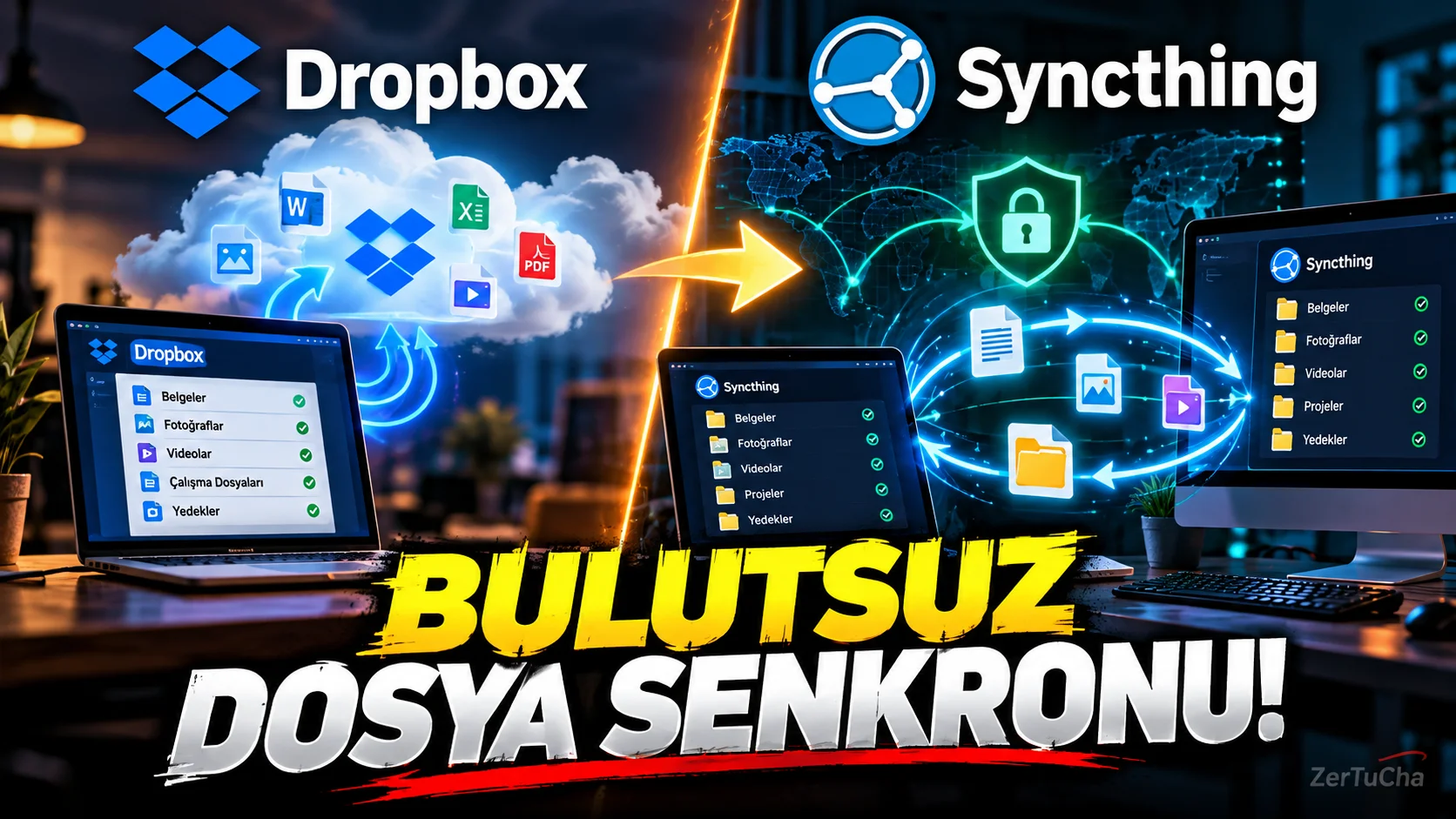
Dropbox → Syncthing
Main Program / Application
Dropbox
Recommended Alternative
Syncthing
Supported Systems
Windows, macOS and Linux. On the Android side, there are clients and interfaces developed by the community; On the iOS side, there are Syncthing compatible community applications. Official Syncthing resources clearly list Windows, macOS and Linux support.
Fee Status
Free and open source.
What Does It Do?
Syncs files directly between your devices.
The key difference here is:
Syncthing does not use a classic “upload my files to a cloud on the internet, then download them from there” model.
The official documentation states that data is not uploaded to the cloud and is directly exchanged between devices when they come online.
“Now I'm going to show you something a little different.
The logic in systems such as Dropbox and Google Drive is as follows:
You are uploading your file to the cloud.
Then you connect to the internet from the other device and access that file.
Syncthing says:
'You don't have to keep the file on my cloud.'
For example, you have a computer at home.
And your laptop.
If you wish, you can automatically synchronize certain folders of these two devices with each other.
The file changes on one computer and is updated on the other device.
And the good thing is, Syncthing is open source.
Works on Windows, Mac and Linux.
But let me make a very important warning here.
Syncthing is not an exact replica of Dropbox.
Because Dropbox offers you a ready-made cloud service.
Syncthing is more like 'let my files sync between my own devices' logic.
So if you choose this system, you have a little more control, but you also have more responsibility on the installation and management side.
It is a really powerful alternative for technical users.”
Advantages
It is open source. There is support for Windows, macOS and Linux. It uses direct synchronization logic between devices and does not have to upload data to a central cloud.
Disadvantages
It is not as “set it and forget it” cloud service as Dropbox. Making devices accessible and configuring synchronization correctly puts more responsibility on the user.
Why Use?
For those who want to keep control of their files on their own devices and sync directly between devices.
Better for Whom?
Technical users, those who synchronize files between their own computers, those who use NAS, those who love open source software.



Henüz yorum yapılmamış. İlk yorumu siz yapın!
Bir Yorum Bırakın