

Turn Blog Post into Instagram Carousel with ChatGPT
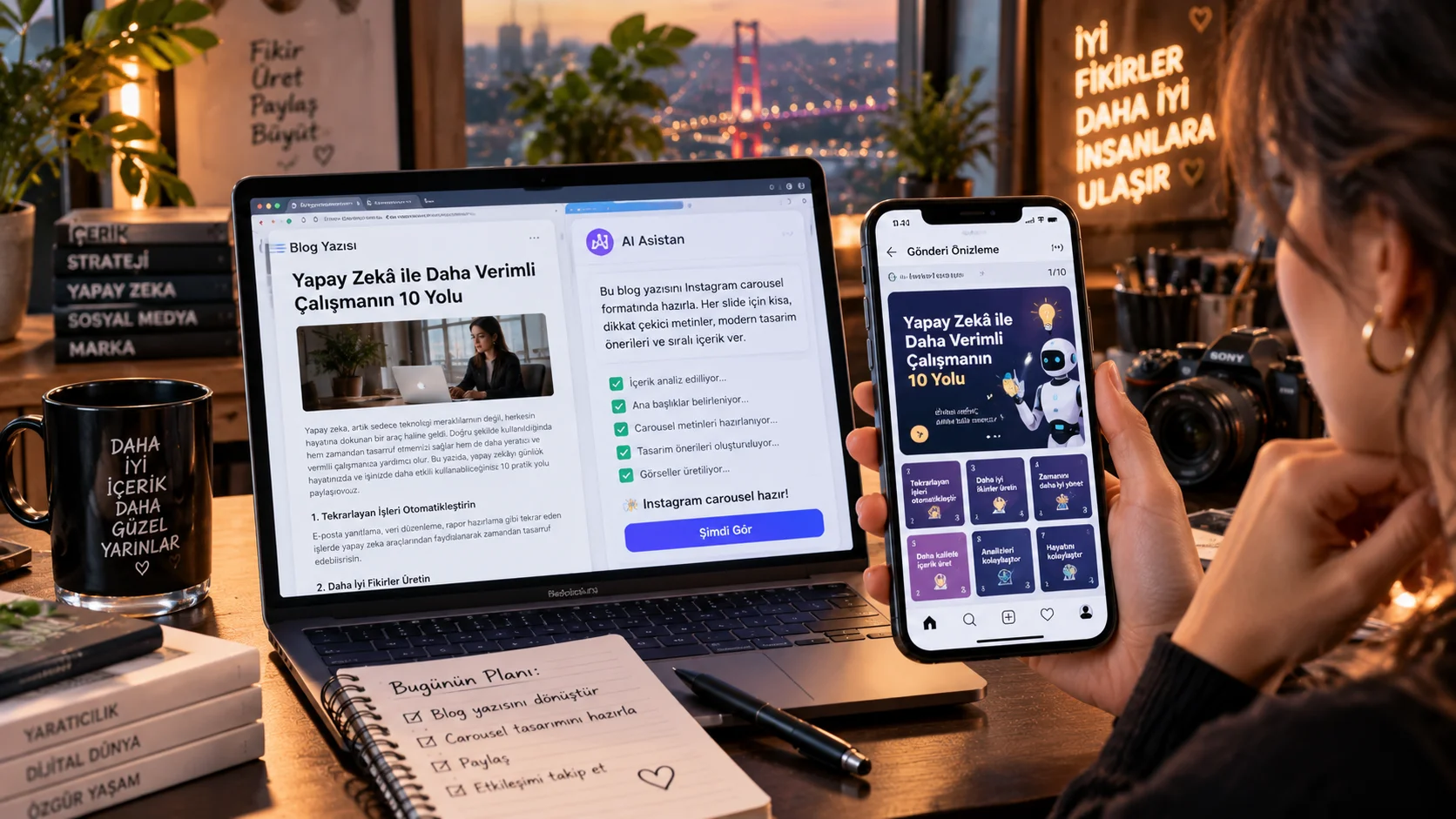
You have prepared a blog post, but if you want to share the same information on Instagram, you do not need to rewrite the text.
Give ChatGPT your blog post and send it to Instagram carousel post format.
This prompt does little more than summarize long text. Content on Instagram slideable slide structure.
How to use?
Paste your blog post into ChatGPT and add it to the end of the prompt below.
The prompt you can use:
"Transform the blog article below into an engaging Instagram carousel in Turkish. Create 8 slides. Slide 1 must contain a strong curiosity-driven hook. Slides 2-7 should explain the most useful information from the article in short, simple and highly readable sentences. Slide 8 should contain a natural call to action that encourages saving, sharing or commenting. Do not invent information that is not present in the original article. Avoid generic motivational language and excessive emojis. Keep each slide concise enough to be easily read on a smartphone. Use a conversational Turkish tone and make the carousel feel like it was written by an experienced social media creator. Here is the article: [PASTE BLOG ARTICLE]"
Changeable fields:8 slides section according to the number of slides you want.
For example:
Create 6 slides
or
Create 10 slides
Usage tip:
Instead of directly saying “summarize” the blog post “select which information is most useful to the carousel” logic gives better results.



Henüz yorum yapılmamış. İlk yorumu siz yapın!
Bir Yorum Bırakın