

Turn Your Computer into a Movie Cyber Base in Seconds! Legendary Platform That Will Make You Forget Hacker Typer: GeekTyper!
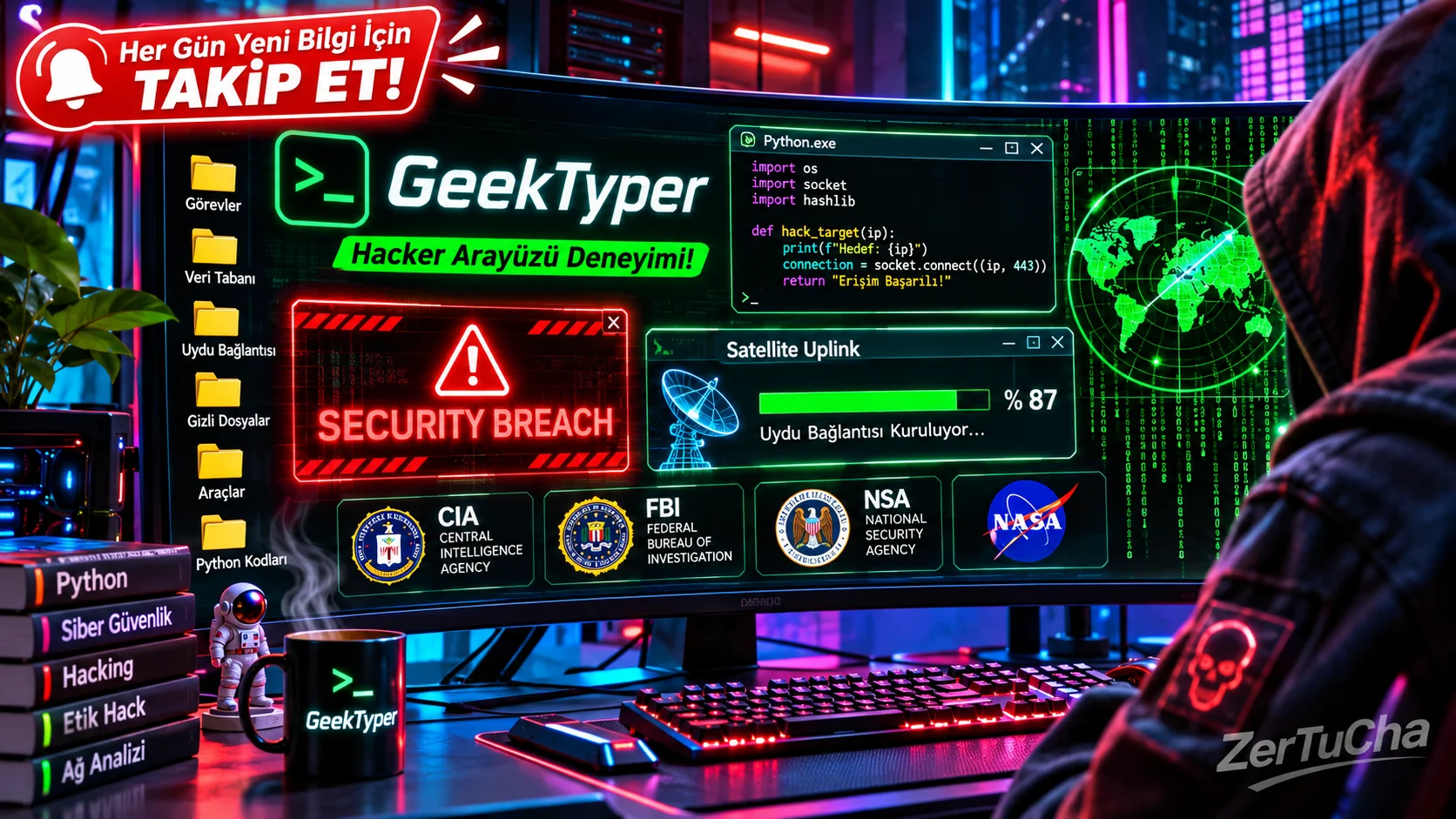
If just green codes flowing on a black screen is no longer enough to fool anyone, it's time to raise the bar to the Hollywood level! Those huge radar screens we see in movies and TV series, flashing "Security Violation" alerts, You remember the decryption animations and downlink windows, right? Here is the the most advanced and coolest stop in the simulation world: GeekTyper!
What is GeekTyper and What Does It Do?
GeekTyper takes classic coding simulators and takes them to a whole new level. is an interactive cybersecurity and operating system simulator. It's not just a plain page that spits out code when you press the keyboard; clickable folders inside, provides a full-fledged desktop interface with mock consoles and animated windows.
When you enter the site, you don't just write code; all around the screen by clicking on the folders in the corner of the screen or by pressing the number and function keys on your keyboard "Downloading Critical Data", "Decrypting", "Satellite Uplink" or "Nuclear Facility Control". Moreover, TAB or F2 key, you can access the secret menu that shows which key opens which cool window, or even if you get bored, "AUTO" button and watch the screen write code on its own while you sip your coffee!
Advantages (Why Should You Use It?)
-
Legendary Theme Options: You are not stuck with a plain black screen! From the world of Marvel S.H.I.E.L.D., from the legendary game Portal Aperture Science, Black Mesa, SCP Foundation or Matrix and turn the screen into that universe's secret computer.
-
Programming Language Selection: You can determine the style of the codes that will flow on the screen. Whether Python whether C++ whether ASP.net or Nmap view.
-
High Visual Realism: Pop-ups, rotating radars, offers a visual feast to the outside observer, thanks to its password cracking counters and flashing red alarm boxes.
-
Auto-Pilot Mode: When you get tired of pressing the keyboard, you can turn on the automatic mode and use your computer as a cool digital decor or screen saver in your room.
-
Mobile App and Web Support: Whether you use it from a computer via a browser without installation, If you want, you can carry the joke in your pocket by downloading the application to your Android devices.
Disadvantages (What Can Upset Us?)
-
Lack of Sound Effects: Besides all the visual shows, pop-ups and alarms, people look for "beep" sounds or keyboard effects. Its completely silent operation can weaken the atmosphere a bit.
-
It is a Purely Visual Show: Just like other simulators, it does not actually hack any systems, crack passwords or download any real data.
-
Confusion When Too Many Windows Are Open: When you press the keys repeatedly, dozens of windows overlap on the screen and can sometimes cause minor stutters on old or low-equipped devices.
Who is it suitable for?
-
Show your friends much more than an ordinary code screen Those who want to make perfect jokes by saying "I am currently receiving data from the satellite",
-
It will run in the background for videos, short films or broadcasts content producers looking for a futuristic, graphically animated computer screen (B-Roll),
-
On a two or three monitor system, blank side screen a cool cyberpunk-style control panel!
Paid or Free?
Great news: on GeekTyper 100% FREE is a platform! Directly without any subscription, membership or fee geektyper.com, you can use all themes, code styles and hidden windows unlimitedly.

Henüz yorum yapılmamış. İlk yorumu siz yapın!
Bir Yorum Bırakın