

Speak Your Text with Artificial Intelligence! Free Voiceover Program
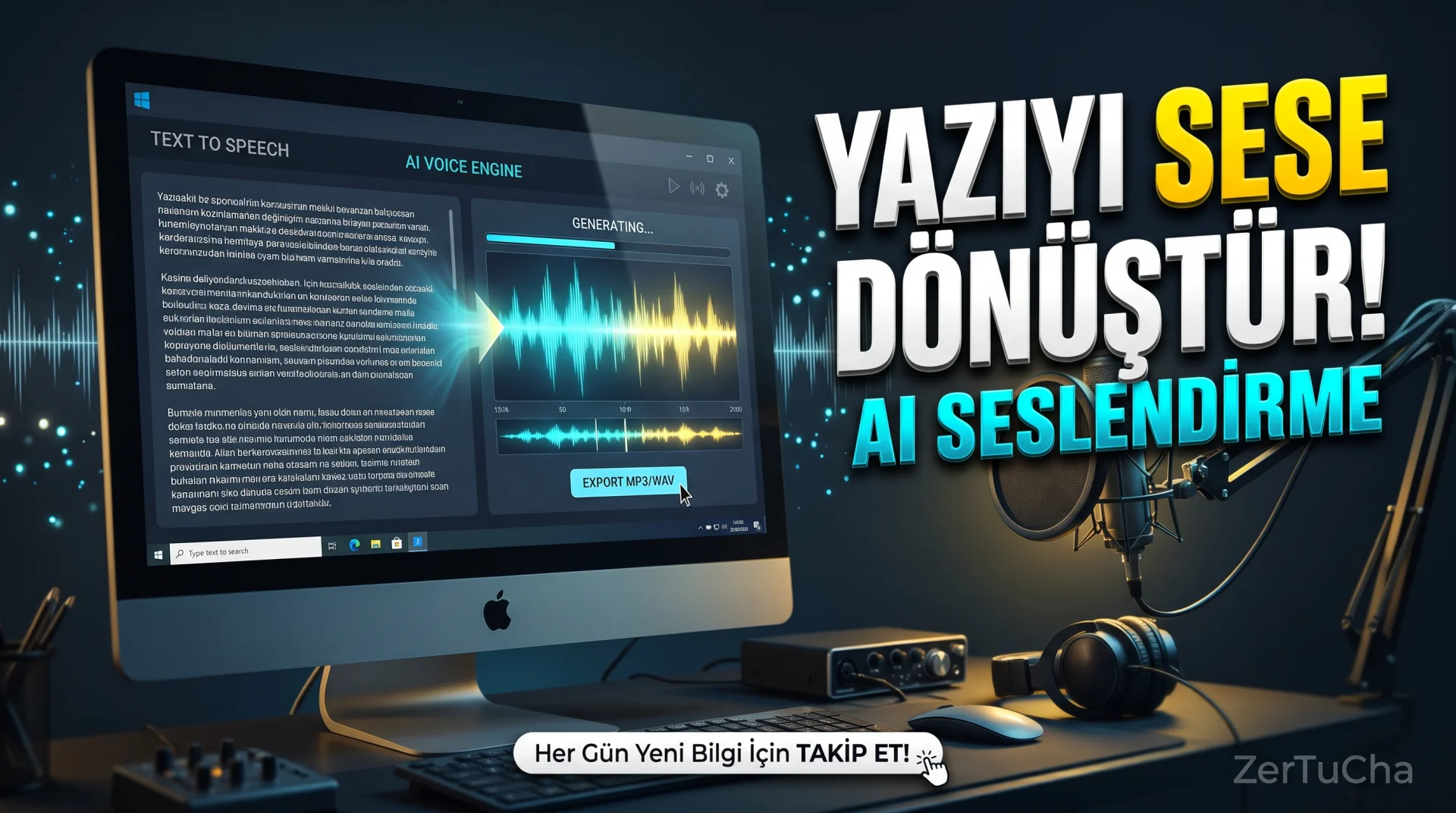
Are you making a YouTube video but don't want to record your own voice for each video? Maybe you don't have a microphone, maybe you don't want to deal with recording, or maybe you want to voice out the texts you write faster.
What if I told you that there is a program where you can have the text you write read by artificial intelligence, try different voice engines and save the voice you have prepared on your computer?
Today AI Text To Speech Generator Pro program. This application is a Windows program developed to convert written texts into artificial intelligence-supported speech.
Moreover, there is a free usage option. But how natural are the voices, is it capable of Turkish dubbing, and is it worth buying the paid version? Let's look at the answers to these questions, which are especially important for those who produce YouTube content!
🎙️ What is AI Text To Speech Generator Pro?
AI Text To Speech Generator Pro is a desktop application developed by Bytesweavers that helps generate voice from text on Windows computers.
The English expression “Text to Speech” means converting written text into speech. It is also known as TTS for short.
The main purpose of the program is quite simple: You write a text or paste the scenario you have prepared into the application. Then you convert the text into an audio file by choosing a sound engine and a suitable voice.
For example, you can voice the narrative text, training notes, short stories or informative articles you prepared for your YouTube video.
In the program, operations such as voice selection, adjusting the speaking rate, pre-listening to the created voice and exporting the voice file are collected in a single workspace.
Official product page: https://bytesweavers.tech/ai-text-to-speech-generator-pro/
🤖 1. You can try four different sound engines
One of the remarkable features of the program is that it does not depend on a single sound production system.
According to the manufacturer's statement, there are four sound engines in the application:
-
Piper: A natively operable text-to-speech system with models for different languages and voices.
-
Google TTS: Google's voice service that converts text to speech.
-
Kokoro: A family of AI voice models designed for natural speech generation.
-
Bark: An artificial intelligence voice generation system that can generate different voice features as well as producing speech.
But not all of these engines are unlocked in the free version. While Piper and Google TTS are offered for free use, Kokoro and Bark are included in the paid Premium option.
So why is more than one audio engine important?
Because the sound character, processing speed, language support and hardware requirements of each engine may be different. One engine may work better for a particular text, while another engine may be better suited for different contexts.
There is an important warning here: The presence of four engines does not mean that all four engines support Turkish at the same quality. If you are going to do a Turkish voiceover, you should check the available voice list and listen to a sample Turkish text before purchasing.
🎧 2. You can adjust the voice speed
When voicing a text, it is not only important which voice to use, but also how to speak.
For example, in YouTube videos, a very slow voiceover can bore the viewer. An overly fast explanation may make it difficult to understand, especially technical topics.
AI Text To Speech Generator Pro allows you to adjust the speaking rate and listen to the generated voice before exporting.
With this feature, you can try to read your text in a slower, more understandable or faster way.
However, changing your speaking rate does not mean that you can control all the emotions and stresses in the human voice. The naturalness of the voice depends on the selected engine, voice model and text structure.
Especially in Turkish, punctuation marks, long sentences and proper names can affect the vocalization result. Therefore, it is useful to edit the sentences in accordance with the spoken language before voicing the text.
📝 3. You can break long texts into parts
Let's say you're creating a ten-minute YouTube video. He has a narrative text consisting of thousands of characters.
Breaking this text into sections rather than processing it all at once can make it easier to control the voicing.
The program offers a workflow for breaking long scripts into smaller parts and combining the generated sounds.
For example, you can split your video like this:
-
Introduction and intriguing opening
-
Section where the features of the program are explained
-
Advantages and disadvantages
-
Conclusion and appeal to the audience
So when you notice a mispronunciation in a part, you can re-prepare the relevant part instead of creating the entire vocalization from scratch.
This feature can be especially useful for those who prepare long training content, narrated videos and story voice-overs.
However, the long text workflow announced by the manufacturer does not guarantee perfect and uninterrupted compositing in every audio engine. It is useful to check the volume and flow between sections by listening to the final audio file.
💾 4. You can save the sound you created to your computer
After the dubbing is completed, you can export your file.
WAV format is supported in the free version. The premium version also includes an MP3 export option.
So what is the difference between WAV and MP3?
WAV is generally used to store uncompressed audio data. Therefore the file size may be large. MP3, on the other hand, uses lossy compression to reduce file size.
You can transfer the sound file you will use in your YouTube video to the editing program, combine it with your images and edit it with other sounds.
But just being able to choose MP3 or WAV doesn't automatically mean the audio will be professional quality. Conclusion; depends on the audio engine, selected audio, text and editing process.
🖥️ 5. You can produce sound on your computer
One of the important aspects of this program is that it is a Windows desktop application and offers native audio production options.
When using a locally capable engine such as Piper, sound generation can be performed on the computer. This can reduce dependence on internet connection when appropriate models and configuration are used.
However, it would not be correct to describe the entire program as working completely offline. The way options like Google TTS work may be different. The need for internet depends on the implementation of the selected engine and the availability of the necessary model files on the computer.
Also, doing local processing alone does not prove that their personal texts are not automatically sent anywhere. If you are going to use sensitive text, check the application's privacy policy and the data processing conditions of your chosen engine.
⚡ 6. You can produce faster sound with an NVIDIA graphics card
According to the manufacturer, the Premium version offers GPU acceleration on supported NVIDIA graphics cards.
GPU acceleration means that a compatible graphics card can speed up audio production by taking over certain calculations.
This feature can be useful, especially when working with larger models or long text.
But you shouldn't assume that every NVIDIA graphics card is automatically supported. The result depends on the video card model, memory, drivers and sound engine used.
Also, GPU acceleration is one of the production features only available in Premium. In the free version, sound production can be done via the CPU.
⚙️ How to use AI Text To Speech Generator Pro?
If you are going to try the program for the first time, you can follow these steps:
1. step: Open the manufacturer's official product page:
https://bytesweavers.tech/ai-text-to-speech-generator-pro/
2. step: Get the app from Microsoft Store or the official download channel directed by the manufacturer.
3. step: Open the program and add the text you want to voice to the work area.
4. step: Select one of the available sound engines and the sound you want to use. If you are preparing Turkish content, try it with a short Turkish text first.
5. step: Adjust the speaking rate and listen to the result via the built-in player.
6. step: If you're using a long script, divide the text into sections and check the voiceover piece by piece.
7. step: Export voiceover as WAV. If you use Premium, you can also benefit from the MP3 option.
8. step: Import the file you created into CapCut, DaVinci Resolve or another editing program you use.
In your first attempt, I recommend that you prepare an example of 2-3 sentences instead of using a long video text directly. This way, you can evaluate the pronunciation, naturalness and speed of the voice more quickly.
💰 Free or paid?
The program has a free usage option. However, the free version has some limits.
Free to use according to the manufacturer's official product page:
-
Piper and Google TTS voice engines
-
Up to 2,000 characters per production
-
10 sound production per day
-
Export as WAV file
-
CPU operation
presented.
The premium version includes additional features such as Kokoro and Bark engines, unlimited scenarios and daily production, MP3 export and GPU acceleration with supported NVIDIA graphics cards.
The listed price on Microsoft Store is ₺409. However, this amount may vary depending on the store, region or current campaigns. You should base it on the price and license terms on the purchase screen.
The availability of the free version is a nice advantage. However, I recommend that you test the quality and language support of the voice you choose, especially before paying money for Turkish voice-over.
Sources:
https://bytesweavers.tech/ai-text-to-speech-generator-pro/
https://apps.microsoft.com/detail/9n7d42j12cbp
✅ What are the advantages?
-
You can start for free: In free use, there is a limit of 10 productions per day and 2,000 characters for each production.
-
Multiple sound engines: You can try different sound production systems in the same application.
-
Adjusting the sound speed: You can change the speaking tempo according to your needs.
-
Long text workflow: You can work on large scenarios by dividing them into sections.
-
Audio file export: WAV is free, MP3 is available in Premium option.
-
Local audio generation option: You can produce sound on your computer with suitable engines.
-
GPU acceleration: You can process faster on supported NVIDIA hardware.
❌ What are the disadvantages?
-
Turkish voice quality should be tested beforehand: It has not been confirmed that all four voice engines support Turkish at the same level.
-
Free version limited: Daily production number and character limit may be insufficient for long content.
-
MP3 export paid: You are limited to WAV in the free version.
-
Premium may be required: Features such as Kokoro, Bark and GPU acceleration are dependent on the paid version.
-
Windows oriented: The version we reviewed is designed for Windows 10 and Windows 11.
-
Cannot always imitate the human voice: Naturalness, emphasis and pronunciation vary depending on the model used.
-
Not a professional audio editing tool: Produces sound; A separate application may be required for advanced mixing, sound design and editing.
👥 Who should use it?
YouTube creators: Those who want to voice video scenarios, prepare narrated content and try different sounds.
Educators and students: Those who want to make lecture notes, study texts or training content listenable.
Authors: Those who want to notice narrative errors by listening to their stories and texts.
Small businesses: Those who want to prepare audio files for training videos, product promotions and presentations.
Users with accessibility needs: Those who want to listen to written texts by converting them into speech.
Who may not be suitable for it? Especially those looking for professional Turkish dubbing quality, emotional acting, character voices or perfect pronunciation should compare the sample outputs first. More advanced audio platforms or human voiceover may be more suitable for this type of work.
🏁 Final verdict: Is it worth using?
I think the biggest advantage of AI Text To Speech Generator Pro is that it brings together different voice engines in a single Windows application and offers a free starter option.
It's worth a try, especially for those who want to prepare short texts, trial voice-overs and training content.
However, if you are going to use it in YouTube videos, the most important issue is Turkish pronunciation and sound naturalness. You should not expect professional voice-over quality just because the program name says "AI" or "Pro".
If it were me, I would first try the same Turkish text in a few different voices with the free version. If I like the result, I would consider the Premium option based on daily production limits and my MP3 export needs.
So, do you use your own voice in your YouTube videos, or do you prefer artificial intelligence voice-over? Write it in the comments!
Follow ZerTuCha! Every day we come across new programs, artificial intelligence tools and digital discoveries that will make the job of content producers easier.



Henüz yorum yapılmamış. İlk yorumu siz yapın!
Bir Yorum Bırakın